EasyManua.ls Logo

GE AHTK18BA - User Manual

GE AHTK18BA
32 pages
Print Icon
To Next Page IconTo Next Page
Loading...
49-5000610 Rev. 0 08-21 GEA
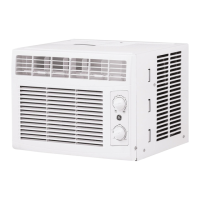
AHTK18BA
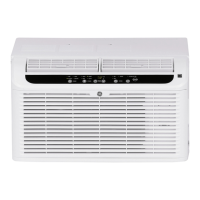
AHFK18BA
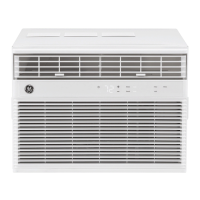
AHFK24BA
Write the model and serial
numbers here:
Model # _________________
Serial # _________________
You can find the rating label on the
side of the air conditioner.
GE is a trademark of the General Electric Company. Manufactured under trademark license.
AIR CONDITIONER
ROOM
SAFETY INFORMATION .........3
OPERATING INSTRUCTIONS ....5
CARE AND CLEANING ...........7
INSTALLATION INSTRUCTIONS ..8
TROUBLESHOOTING TIPS ......13
WIFI SETUP ......................14
LIMITED WARRANTY ...........15
CONSUMER SUPPORT ..........16
OWNER’S MANUAL &
INSTALLATION
INSTRUCTIONS
ENGLISH/ESPAÑOL
Before you begin
Record the GE module number and
password for wifi setup. To locate this
information, see page 14.
GE Module Number #____________
Password #____________________

Questions and Answers

GE AHTK18BA Specifications

General IconGeneral
BrandGE
ModelAHTK18BA
CategoryAir Conditioner
LanguageEnglish

Summary

Safety Information

General Safety Precautions

Covers essential safety advice for operating the appliance to minimize risks of fire, shock, or injury.

Flammable Refrigerant Safety

Highlights specific safety measures due to the presence of flammable refrigerant and associated risks.

Air Conditioner Controls

Control Panel Overview

Explains the function of each button and indicator on the air conditioner's main control panel.

Remote Control Functions

Details the operation of the remote control, including delay settings, sleep mode, and button functions.

Using the Air Conditioner

Operating Modes Explained

Describes the Cool, Eco, Fan Only, and Auto Fan modes for optimal room comfort and operation.

Operation Features

Covers panel light control, remote signal range, and conditions for unit operation like freezing temperatures.

Care and Cleaning

Air Conditioner Maintenance

Provides instructions for cleaning the grille, case, air filter, and checking outdoor coils for optimal performance.

Remote Control Battery Installation

Guides on how to insert batteries into the remote control and important notes regarding battery usage.

Installation Instructions

Before Installation

Covers important preliminary steps, general requirements, and tools needed for successful installation.

Electrical Requirements

Details essential electrical specifications, grounding, circuit requirements, and safety considerations.

Installation Steps

Window and Storm Window Preparation

Instructions for preparing the window opening and storm window for secure air conditioner installation.

Air Conditioner and Case Preparation

Steps to prepare the air conditioner unit and its outer case for placement into the window.

Completing Installation

Outer Case Installation

Details on securing the outer case in the window, including curtain panels, seals, and mounting rails.

Final Installation Procedures

Covers final steps like securing brackets, completing seals, returning the chassis, and plugging into power.

Troubleshooting Tips

Unit Not Starting or Cooling

Addresses issues like the unit not starting, not cooling, or freezing up with possible causes and solutions.

Operational Issues

Covers problems like water dripping, water collection in the base pan, and their respective resolutions.

WiFi Setup

SmartHQ Connectivity

Explains how to connect the air conditioner to the GE Appliances SmartHQ system via WiFi for remote control.

Regulatory Compliance

Provides FCC/IC compliance statements and labelling information related to the device's radio frequency.

Limited Warranty

Warranty Coverage and Claims

Details the one-year warranty period, how to make a claim, and lists items or conditions not covered.

Warranty Limitations and Legal Rights

Outlines exclusions, implied warranty limitations, and consumer legal rights concerning the product.

Consumer Support

Online Resources and Registration

Information on the GE Appliances website, product registration, and accessing online support services.

Parts, Accessories, and Contact Information

Guidance on ordering parts, accessing accessories, and contacting customer relations for assistance.

Related product manuals