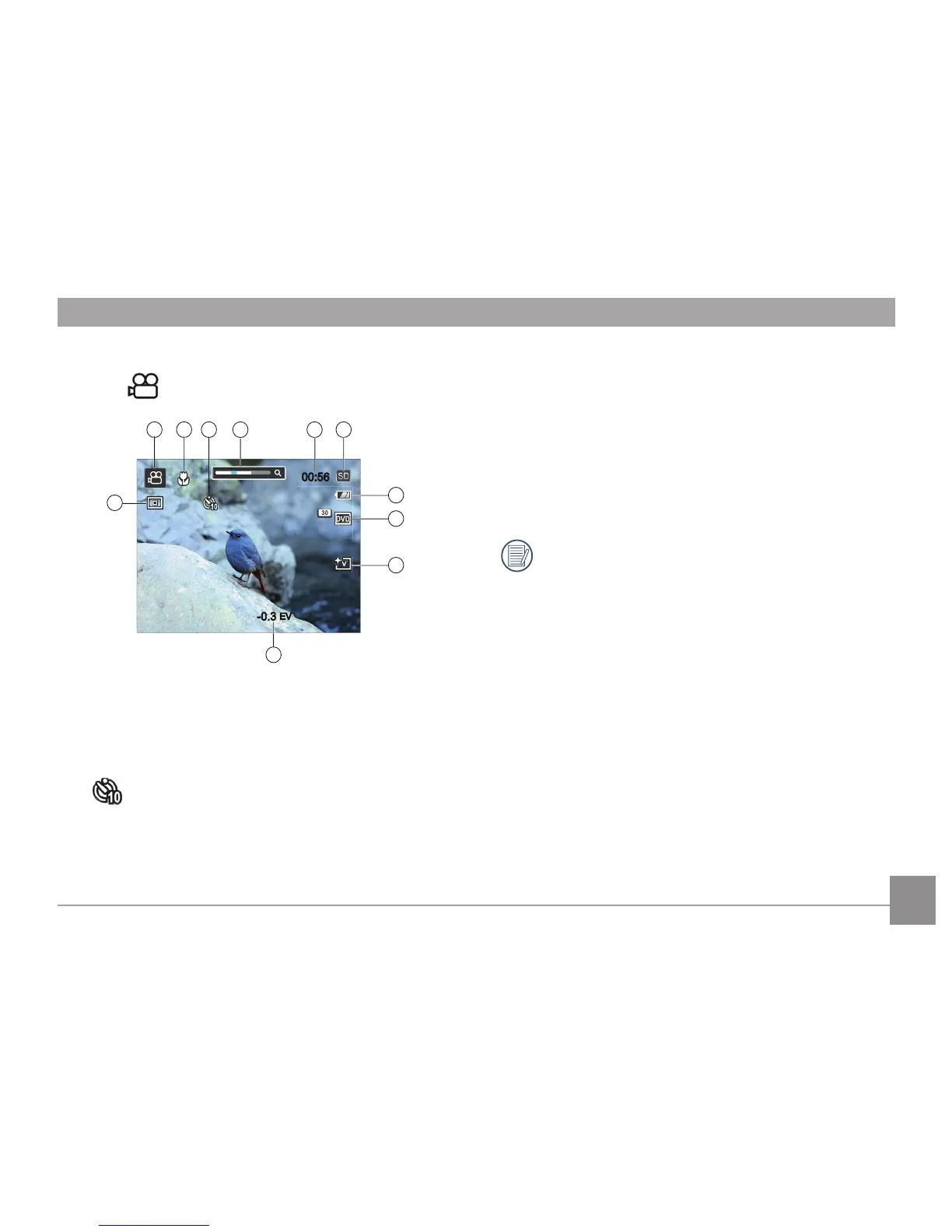
1 Video Mode Icon
2 Macro Mode
3 Self-Timer
10 sec
4 Zoom Value Scale (Displayed only when zoom is activated)
5 Remaining time for video recording
6 SD Memory Card/Built-in Memory
7 Battery Status
8 Video Quality
9 Picture Color
10 Exposure Compensation (EV value)
11 Metering
For optimal video shooting, it is recommended that a
SD memory card be used. If you shoot video using only
the internal memory, the results may have image jitter,
noise and shortened recording times.



 To Next Page