Software Configuration CNF 009 Configuring Workgroup Server & Client System
Page 152
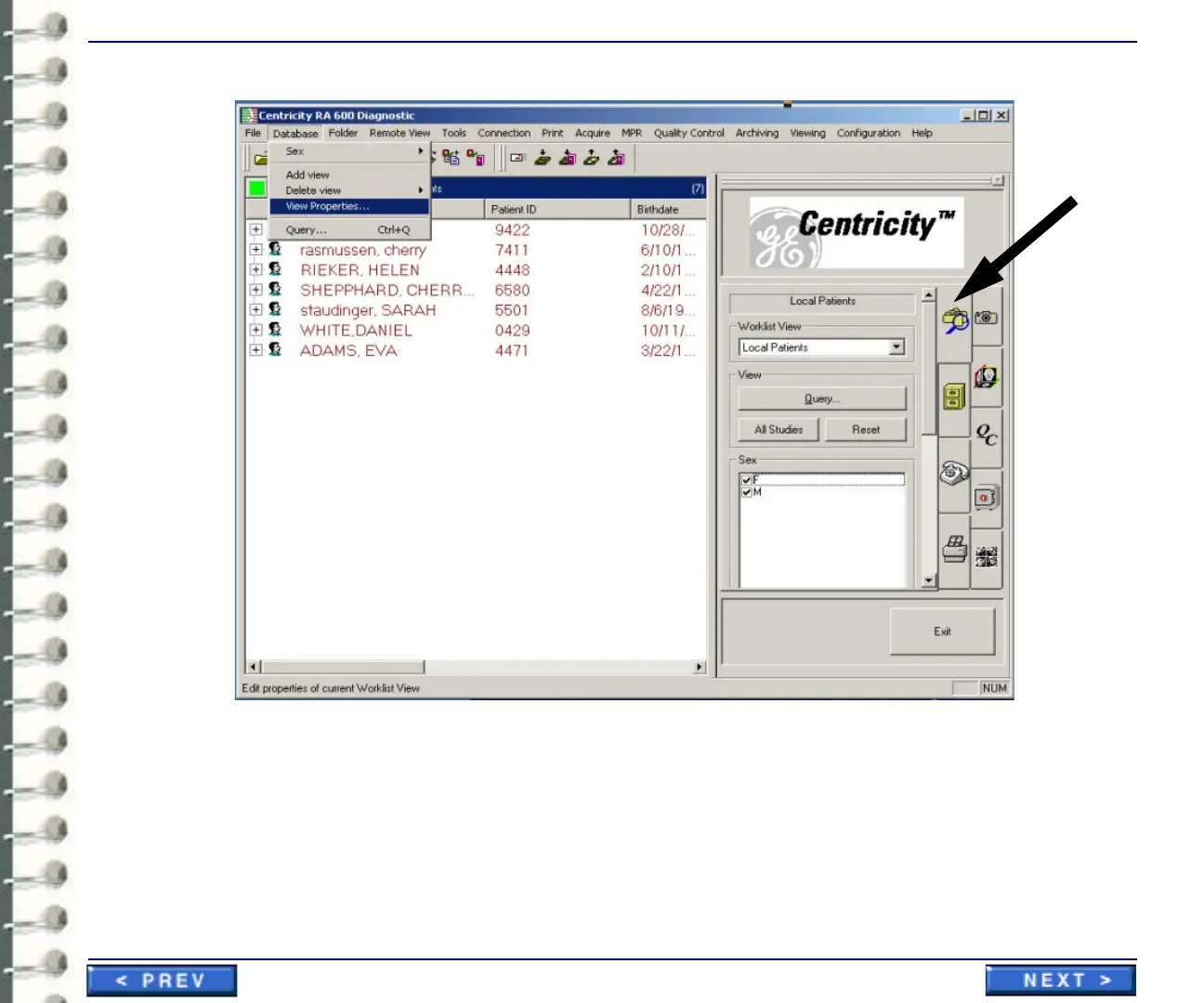
1. Start the Centricity RA600 program and wait for the operator console to display.
2. Click on Data Selector tab in the Tooltab guide (see arrow in preceding screen capture).
3. For each worklist name in the Worklist View pull-down list,
a. Select the worklist name.
b. Click the Properties button.


 To Next Page
 Loading...