EasyManua.ls Logo

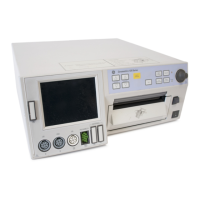
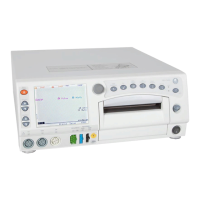
GE Corometrics 129 - User Manual

GE Corometrics 129
440 pages
Print Icon
To Next Page IconTo Next Page
Loading...
Corometrics
®
120 Series V3.5
SERVICE MANUAL MANUAL P/N 2015590-001 REV. B

Table of Contents

Questions and Answers

  • S
    sherry57Aug 15, 2025
    What to do if GE Medical Equipment ultrasound is not functioning properly?
    • J
      Jeffrey TaylorAug 15, 2025
      If the ultrasound on your GE Medical Equipment isn't working right, first make sure the transducer is securely connected to the monitor. Wait a moment and then try repositioning the transducer. Apply more gel to the transducer. If problems persist, replace the transducer. If there is no signal, auscultate FHR. If the patient is an active fetus or mother, or has fetal arrhythmia or hiccups, or extreme maternal obesity, use an alternate technique.
  • S
    Steven RiveraAug 19, 2025
    Why is my GE Corometrics 129 not recording contractions?
    • N
      Nicholas PenaAug 19, 2025
      If the tocotransducer on your GE Medical Equipment isn't recording contractions, check that the transducer is securely attached to the monitor and properly placed on the patient. Ensure it's also properly secured to the patient. If the issue persists, replace the transducer/cable assembly. Also, be sure that the UA Reference range has not been exceeded. To fix this, loosen the belts or remove the transducer from the patient, press the UA Reference pushbutton while there is no pressure applied to the transducer button, re-apply the transducer, and do not overtighten the belt. Press the UA Reference pushbutton again between contractions.
  • M
    markjonesAug 22, 2025
    What to do if GE Medical Equipment FSpO values change rapidly?
    • L
      Linda JacksonAug 22, 2025
      If the FSpO values on your GE Medical Equipment are changing rapidly and the pulse amplitude indicator is erratic, check the fetus for other signs of distress. If possible, keep the patient still, as excessive movement may interfere with the monitor's ability to find a pulse. Check whether the sensor is positioned properly, and reposition it if necessary. Also, verify that the FAST mode is selected in the FSpO2 Setup screen. Ensure that there is no interference from other hospital devices, especially electrosurgical units (ESU).
  • J
    Jacob TurnerAug 25, 2025
    How to fix static noise on ultrasound in GE Corometrics 129 Medical Equipment?
    • L
      lwellsAug 26, 2025
      To fix static noise on the ultrasound of your GE Medical Equipment, reposition the transducer if the fetus is active. Ensure that sheets and gowns are not touching the transducer, and avoid holding the transducer with your hand to minimize environmental noise. If the mother is moving, switch to an alternate monitoring mode. If the problem persists, the transducer may be defective and require replacement.
  • D
    David FrankAug 28, 2025
    What to do if GE Medical Equipment shows CHECK TOCO message?
    • H
      hannahwaltersAug 28, 2025
      If your GE Medical Equipment displays a 'CHECK TOCO' message when the UA Reference pushbutton is pressed, wait ten seconds after powering on the monitor or connecting to the UA connector before pressing the UA Reference pushbutton. Also, this message can appear if the UA Reference range has been exceeded due to overtightening of the belt. To resolve this, loosen the belts or remove the transducer from the patient. Press the UA Reference pushbutton while no pressure is applied to the transducer button. Re-apply the transducer, being careful not to overtighten the belt. Press the UA Reference pushbutton again between contractions. If the issue continues, the transducer may be defective and require replacement.
  • G
    Gabriela AndrewsSep 1, 2025
    Why GE Corometrics 129 Medical Equipment has no heartbeat or pulse sounds?
    • T
      Travis HoldenSep 1, 2025
      If you're not hearing heartbeat or pulse sounds on your GE Medical Equipment, first check the volume. Use the Volume pushbuttons or access the FECG, US, or US2 setup screen to increase the volume. Also, make sure that each transducer is securely attached to the monitor and correctly applied to the patient.
  • J
    Jessica FosterSep 4, 2025
    How to correct the time and date on GE Medical Equipment?
    • K
      Kristen GoldenSep 4, 2025
      To correct the time and date on your GE Medical Equipment, access the General Setup screen and reset the time and date.
  • A
    Aaron HendersonSep 8, 2025
    What to do if GE Corometrics 129 Medical Equipment doesn't turn on?
    • N
      Nicole WrightSep 8, 2025
      If your GE Medical Equipment isn't turning on, and the green power indicator isn't lit, first ensure the power cord is connected to both the monitor and a working AC outlet. Try a different outlet to rule out a defective outlet. If the issue persists, replace the power cord.
  • S
    Sharon BellSep 12, 2025
    Why is internal FECG erratic on GE Medical Equipment?
    • B
      briannagordonSep 12, 2025
      If the internal FECG on your GE Medical Equipment is erratic or not recording properly, first ensure the transducer is securely attached to the monitor. Also, check that the attachment pad or legplate is securely attached to the patient and that the electrode wire is secure in the legplate post. Verify the ECG paste; re-apply if necessary. If problems persist, replace the electrode or attachment pad. If there is no FECG signal, auscultate FHR.

Summary

Chapter 1 Safety

Monitor Contraindications, Warnings, and Precautions

Crucial safety information regarding potential hazards and correct equipment usage.

Chapter 4 Theory of Operation

Chapter 5 Setup Procedures

Service Mode Screens

Accesses advanced configuration, diagnostics, and testing modes.

Chapter 6 Functional Checkout Procedure

Self-Test Routine

Describes the automated diagnostic test to verify monitor calibration and internal circuitry.

Alarm Test

Ensures the integrity of audio alarms and tests the alarm limit software.

Preventative Maintenance Inspection Report

Provides a checklist for routine maintenance and inspection procedures.

Chapter 7 Calibration

Chapter 8 Self-Tests

Power-On Diagnostic Tests

Automatic tests performed upon monitor power-up to check main components.

Monitor Self-Test

Initiates a manual self-test routine via the front panel Test button.

Diagnostic Control Screen

Accesses various diagnostic tests, including recorder calibration and network status.

Chapter 9 General Maintenance

Maternal Blood Pressure Tests

Procedures for testing the monitor's blood pressure module accuracy and functionality.

Electrical Safety Tests

Critical tests to ensure patient and operator safety regarding electrical leakage and insulation.

Chapter 10 Strip Chart Recorder Servicing

Chapter 12 Upgrading a 120 Series Monitor

Software Version 3.5

Procedures for upgrading the monitor's software using a Flasher Utility or EEPROM replacement.

Chapter 13 Technical Specifications

Operating Modes

Details technical specifications for each monitoring mode like FECG, Ultrasound, MECG, etc.

Chapter 15 Troubleshooting

General Troubleshooting

Provides solutions for common monitor operational problems.

Fetal Pulse Oximetry Troubleshooting

Addresses issues related to Fetal Pulse Oximetry readings and display.

Blood Pressure Troubleshooting

Troubleshooting steps for issues with maternal blood pressure measurements.

Maternal Pulse Oximetry Troubleshooting

Troubleshooting steps for maternal pulse oximetry problems.

Appendix B Alarms Summary

Table of Alarms

Provides a summary of all alarms, their conditions, visible advisory, and audible advisory.

GE Corometrics 129 Specifications

General IconGeneral
BrandGE
ModelCorometrics 129
CategoryMedical Equipment
LanguageEnglish

Related product manuals