EasyManua.ls Logo

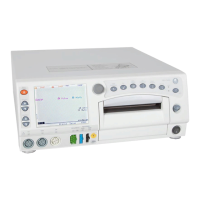
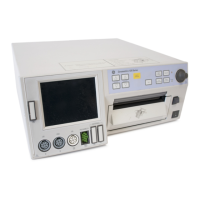
GE Corometrics 250cx Series - User Manual

GE Corometrics 250cx Series
250 pages
Print Icon
To Next Page IconTo Next Page
Loading...
GE Healthcare
Corometrics
250cx Series Monitor
Operators Manual
Corometrics 250cx Series Monitor
English
2036946-001 C (paper)
© 2007 General Electric Company.
All Rights Reserved.

Table of Contents

Other manuals for GE Corometrics 250cx Series

Questions and Answers

  • J
    Jessica SimpsonSep 14, 2025
    What does OVERPRESSURE message mean on GE Corometrics 250cx?
    • M
      Mark BarberSep 14, 2025
      If the OVERPRESSURE message is shown in the NIBP area of the display on your GE Medical Equipment, restrict patient limb movement. Check the external cuff and hose for kinks. Contact service if the symptom still exists or the hose is blocked.
  • M
    Michael CrawfordAug 25, 2025
    Why does my GE Corometrics 250cx Medical Equipment monitor show dashes in the MSpO2 area?
    • S
      sandersbiancaAug 25, 2025
      If your GE Medical Equipment monitor displays dashes in the MSpO2 area, it could be due to several reasons. First, check that the sensor is properly applied and not too tight; try moving it to another location. Ensure the patient isn't moving excessively and that there isn't too much ambient light; if so, cover the sensor. Also, confirm the intermediate cable is firmly attached and that you're using the correct SpO2 sensor type (Nellcor, Masimo) supported by the monitor. Inspect the sensor for defects and replace if necessary. If none of these steps work, the SpO2 module + carrier 2 board may be defective and need replacement.
  • K
    Kaylee RosarioAug 25, 2025
    What to do if my GE Corometrics 250cx monitor displays CHECK CUFF message?
    • J
      Juan JoyceAug 26, 2025
      If the CHECK CUFF message appears on your GE Medical Equipment monitor, reposition the cuff and ensure it's properly tightened. Restrict patient limb movement. Make sure the hose is firmly attached to the monitor. Verify that an adult cuff is being used. If the problem continues, the NIBP board may be defective and require replacement.
  • K
    Kaitlyn JonesAug 26, 2025
    How to fix incorrect date and time on GE Corometrics 250cx Medical Equipment?
    • S
      sandrameltonAug 27, 2025
      If your GE Medical Equipment monitor displays the wrong date and time, first access the General Setup screen to correct these settings. If the problem persists, the timekeeping RAM chip (U30) on the main board may be defective and need replacement. In some cases, the main board itself may be defective, requiring replacement.
  • R
    Rebecca FisherSep 15, 2025
    Why does my GE Corometrics 250cx monitor show SYSTEM FAULT: DEFAULTS error?
    • T
      turnercharlesSep 15, 2025
      If your GE Medical Equipment monitor displays a SYSTEM FAULT: DEFAULTS error message, it indicates that the main board is defective and needs to be replaced.
  • C
    Christopher MooneySep 23, 2025
    Why does my GE Corometrics 250cx Medical Equipment recorder not function and the Record Indicator is on?
    • V
      Vicki GreenSep 23, 2025
      If the recorder on your GE Medical Equipment monitor isn't functioning but the Record Indicator is on, check if the recorder stepper motor is stepping. Replace the stepper motor if necessary. If the issue persists, the recorder roller may be defective and the recorder assembly needs to be replaced.
  • A
    aaronmillerSep 7, 2025
    Why does my GE Corometrics 250cx Medical Equipment monitor show SYSTEM FAULT: UI KEYPAD error?
    • M
      Melissa HollandSep 7, 2025
      If your GE Medical Equipment monitor displays a SYSTEM FAULT: UI KEYPAD error message, it suggests a communication problem between the main board and the UI keypad board. Ensure the interconnect cable is securely connected. If the issue persists, the UI keypad board may be defective and need replacement.
  • R
    Robert FordSep 8, 2025
    What to do if internal pressure parameter is not measured correctly on GE Corometrics 250cx Medical Equipment?
    • M
      Michelle SanchezSep 8, 2025
      If the internal pressure parameter isn't being measured correctly on your GE Medical Equipment monitor, first ensure the transducer is securely connected to the monitor unit. Check for air bubbles in the dome or a blocked catheter; flush them if necessary. Inspect the dome for cracks and replace it if damaged. Also, check if the catheter has fallen out of place and replace it if needed. Calibrate the catheter or strain gauge. If problems continue, the UA board may be defective and require replacement.
  • D
    Donna HessSep 2, 2025
    How to troubleshoot a GE Corometrics 250cx Medical Equipment monitor with static noise?
    • H
      Hector LangSep 2, 2025
      To troubleshoot static noise on the ultrasound signal of your GE Medical Equipment monitor, ensure you are using GE-approved ultrasound transducers and not refurbished ones. Keep sheets and gowns off the transducer, and avoid holding it with your hand. If the fetus is active, reposition the transducer and wait a few seconds before moving it again. The transducer itself may be defective and need checking or replacement. Maternal movement can also cause static.
  • L
    Lisa Davis MDAug 31, 2025
    Why does my GE Medical Equipment recorder flash on and off?
    • M
      Maurice ChristianAug 31, 2025
      If the Record Indicator on your GE Medical Equipment monitor's recorder flashes on and off, it may indicate that the paper supply is low or incorrectly loaded. Try installing a new pack of GE-approved paper. It could also be due to the paper-low photosensor being out of calibration, requiring a photosensor check. Alternatively, the paper-low photosensor cable might be disconnected or the photosensor defective, needing reconnection or replacement.

Summary

Safety

General Information

Basic information about the manual's purpose, audience, and illustrations.

Definitions of Terminology

Explains the meaning of special notices like Danger, Warning, Caution, Contraindication, Important, and Note.

Monitor Contraindications, Warnings, and Precautions

Details safety warnings related to equipment use, electrical shock, and interference.

Equipment Symbols

Lists and explains symbols used on the monitor and its accessories.

Controls, Indicators, and Connectors

Front Panel Description

Describes the layout and function of the monitor's front panel controls and displays.

Rear Panel Description

Details the connectors and features located on the rear panel of the monitor.

Setup Procedures

Loading Strip Chart Recorder Paper

Step-by-step instructions for correctly installing chart paper into the recorder.

Power

Instructions for powering the monitor on, off, and handling power interruptions.

Self-Test Routine

Explains how to initiate and interpret the monitor's self-test for calibration and internal circuitry.

Setup Screens

Overview of how to navigate and use the monitor's setup screens via the Trim Knob control.

General Setup Screen

Details various settings configurable through the General Setup screen, like Song Volume and Brightness.

Fetal Heart Rate Monitoring

Ultrasound (External Method)

Explains the methodology and setup for monitoring fetal heart rate using an external ultrasound transducer.

FECG (Internal Method)

Details the methodology and artifact elimination for monitoring fetal heart rate using internal FECG electrodes.

Fetal Heart Rate Alarms

Describes how fetal heart rate alarms function, including threshold and signal quality alarms.

Dual Fetal Heart Rate Monitoring

Discusses methods for monitoring two fetal heart rates simultaneously, including advanced features.

Uterine Activity Monitoring

Tocotransducer (External Method)

Covers the methodology for monitoring uterine activity with an external tocotransducer, including baseline setup.

Internal Method - Intrauterine Pressure (IUP)

Explains the methodology for measuring intrauterine pressure using a catheter and the importance of zeroing the system.

Maternal Heart;Pulse Rate Monitoring

MHR;P Source

Explains how Maternal Heart/Pulse Rate is determined by MECG, MSpO2, or NIBP and how to select the source.

Maternal ECG Monitoring

Details the theory and methodology for maternal ECG monitoring and safety information for patients with pacemakers.

Maternal Non-Invasive Blood Pressure Monitoring

Blood Pressure Safety Precautions

Provides essential safety information and cautions related to NIBP measurement accuracy and patient care.

NIBP Determination

Explains the oscillometric method of NIBP measurement and the SuperSTAT determination process.

NIBP Setup Screen

Describes how to configure NIBP settings like mode, target pressure, and alarms via the setup screen.

Maternal Pulse Oximetry Monitoring

MSpO2 Technology

Explains the principles of pulse oximetry and the different MSpO2 technology options available.

MSpO2 Setup Screen

Covers the configuration options for MSpO2 monitoring, including response time and sensitivity settings.

Alarms

Alarm Setup

Explains how to configure alarm limits and volumes through setup screens.

Fetal Heart Rate Alarms

Details FHR patient and signal quality alarms, including active, resolved, and silencing procedures.

Maternal Alarms

Covers maternal patient and signal quality alarms, including active, resolved, and silencing procedures.

Recorder Modes

Modes

Describes the different recorder modes: Off, On, and Maternal-Only, and their functionalities.

Changing Recorder Modes

Explains how to switch between the different recorder modes using the Record button.

Trends

Discusses the simultaneous printing of multiple trends on the strip chart paper.

Annotations

Explains standard annotations printed on the strip chart for data analysis.

Maternal Vital Signs History

What is the Maternal Vital Signs History Screen?

Describes the feature that displays and prints maternal vital signs data in a spreadsheet format.

Using the Maternal Vital Signs History Screen

Details how to display, navigate, and print the maternal vital signs history data.

Heartbeat Coincidence

Heartbeat Coincidence Theory

Explains the concept of heartbeat coincidence and how it's detected between different heart rate sources.

Using the Heartbeat Coincidence Feature

Covers enabling/disabling the feature, display indicators, and strip chart annotation.

Waveforms

Waveform Area

Describes the waveform display area, including selecting waveforms, speed, size, and lead.

Freezing Waveforms

Explains how to freeze waveforms for review and analysis.

Printing a Waveform Snapshot

Details how to print a 6-second snapshot of the displayed waveform.

Maintenance

Cleaning

Provides general care and cleaning instructions for the monitor and its accessories, with specific guidance for different parts.

Disposal of Product Waste

Outlines procedures for proper disposal of used parts, packaging material, and the monitor at its end of service life.

Troubleshooting

General Troubleshooting

Provides a guide to common operational problems and their probable causes and solutions.

Ultrasound Troubleshooting

Addresses issues related to the ultrasound transducer and signal quality.

FECG Troubleshooting

Covers problems related to internal FECG signal acquisition and display.

MECG Troubleshooting

Addresses issues with maternal ECG signal acquisition and display.

Blood Pressure Troubleshooting

Details common problems and solutions related to NIBP measurements.

Maternal Pulse Oximetry Troubleshooting

Covers issues related to MSpO2 signal acquisition, sensor connection, and system errors.

Technical Specifications

General Monitor

Lists the general technical specifications for the monitor, including power, physical, and environmental characteristics.

Operating Modes

Details the technical specifications for each operating mode, such as FECG, Ultrasound, MECG, and NIBP.

Supplies & Accessories

General Add-Ons Ordering Information

Lists general supplies and accessories with their catalog numbers for ordering.

Paper Supplies Ordering Information

Provides ordering information for chart paper supplies.

Ultrasound Ordering Information

Lists ordering information for ultrasound transducers and related accessories.

FECG Ordering Information

Provides ordering information for FECG supplies like electrodes and leg plates.

MECG Ordering Information

Lists ordering information for MECG cables, leadwires, and electrodes.

NIBP Ordering Information

Provides ordering information for NIBP supplies such as hoses and cuffs.

MSpO2 Ordering Information

Lists ordering information for MSpO2 sensors, cables, and related accessories.

Factory Defaults

Table of Defaults

Presents a summary of factory default settings for various setup screens.

Fetal Movement Detection

Introduction

Introduces the fetal movement detection feature and its availability.

Methodology

Explains how fetal movement detection works and what constitutes gross fetal body movement.

Using Fetal Movement Detection While Monitoring

Details how to enable/disable the feature, its display indicator, and strip chart annotation.

Spectra Alerts

Important Safety Information

Crucial safety instructions for operating the Spectra Alerts feature.

Using the Spectra Alert Option

Explains how to enable/disable Spectra Alerts and the methodology behind pattern recognition.

Alert Indications

Describes how active and resolved alerts are indicated visually and audibly.

Alert Parameters Summary

Provides an overview of alert analysis results for FHR and UA parameters.

Frequently Asked Questions

How do I change the alarm limits for Fetal Heart Rate 1

Step-by-step guide on changing FHR1 alarm limits using the Trim Knob control.

How do I change the alarm limits for Non-Invasive Blood Pressure?

Instructions for adjusting NIBP alarm limits for systolic, diastolic, MAP, and MHR/P.

How do I change the source parameter for MHR;P, Maternal Heart Rate Pulse?

Guide on selecting the source parameter (Auto, MSpO2, MECG) for MHR/P.

How do I change the waveform parameter being displayed?

Instructions on selecting the waveform (FECG, MECG, MSpO2, Off) for display.

How do I change the interval time for taking Non-Invasive Blood Pressures?

Steps to adjust the interval time between automatic NIBP determinations.

How do I change the date?

Instructions for setting the monitor's date.

How do I change the time?

Instructions for setting the monitor's time.

GE Corometrics 250cx Series Specifications

General IconGeneral
TypeFetal Monitor
Model250cx Series
ManufacturerGE Healthcare
Fetal Heart Rate MonitoringYes
Ultrasound Frequency1 MHz
Recorder Speed1, 2, 3 cm/min
Maternal ParametersECG, NIBP, SpO2
FHR Range30-240 bpm
TOCO Range0-100
ConnectivityRS-232
Power SourceAC Power
DisplayColor LCD

Related product manuals