EasyManua.ls Logo

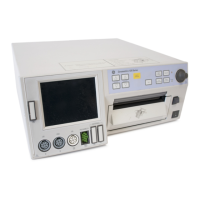
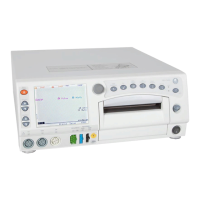
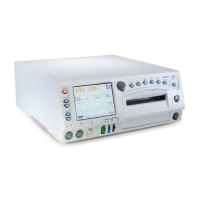
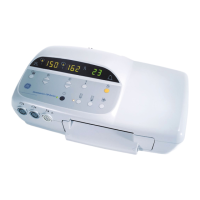
GE Corometrics 170 Series - User Manual

GE Corometrics 170 Series
112 pages
Print Icon
To Next Page IconTo Next Page
Loading...
Corometrics
®
170 Series
OPERATOR’S MANUAL MANUAL P/N 2003023-001 REV. D

Table of Contents

Other manuals for GE Corometrics 170 Series

Questions and Answers

  • B
    Brandy DurhamAug 18, 2025
    Why is internal pressure not measuring correctly on GE Measuring Instruments?
    • J
      jburtonAug 18, 2025
      If the internal pressure isn't measuring correctly on your GE Measuring Instruments, be sure the transducer is securely attached to the monitor. Check for air bubbles or blockages in the dome or catheter and flush if necessary; replace the dome if it's cracked. Adjust the strain gauge height and replace the catheter if needed. Calibrate the catheter or strain gauge. The problem could be due to a poorly connected transducer, air bubbles, a cracked dome, incorrect strain gauge height, a displaced catheter, or a need for calibration.
  • S
    Sandra HarrellAug 20, 2025
    What to do if tocotransducer is not recording contractions on GE Measuring Instruments?
    • W
      William HooperAug 20, 2025
      If the tocotransducer isn't recording contractions on your GE Measuring Instruments, first ensure the transducer is firmly attached to the monitor. If it is, try repositioning the transducer or re-applying it securely to the patient. A defective transducer/cable assembly could also be the cause, so consider replacing it. Also, ensure that the UA Reference range has not been exceeded. If it has, loosen the belts or remove the transducer, press the UA Reference pushbutton, and then re-apply the transducer, avoiding overtightening the belt. Press the UA Reference pushbutton again between contractions.
  • C
    cookdanielleAug 23, 2025
    Why is there static noise on ultrasound on GE Measuring Instruments?
    • R
      randallclarkeAug 23, 2025
      If you're experiencing static noise on the ultrasound with your GE Measuring Instruments, try repositioning the transducer. Ensure sheets and gowns are not in direct contact with the transducer, and avoid holding the transducer with your hand. You might also consider using an alternate monitoring mode or replacing the transducer if the problem persists, as the issue could be due to an active fetus, environmental noise, maternal movement, or a defective transducer.
  • M
    morenodrewAug 26, 2025
    Why is internal FECG erratic or not recording properly on GE Measuring Instruments?
    • B
      Breanna WilliamsAug 26, 2025
      If the internal FECG is erratic or not recording properly on your GE Measuring Instruments, first, ensure the transducer is firmly attached to the monitor. Check that the legplate is securely fastened to the legplate post and that the electrode wire is secure in the legplate post. Inspect the ECG paste and re-apply if necessary. If the issue continues, try replacing the electrode, legplate, or attachment pad. The issue could stem from a poorly connected transducer, loose legplate, dried paste, improper electrode attachment, or a defective component.
  • P
    Paul MosesAug 28, 2025
    Why is there no heartbeat or pulse sounds on GE Measuring Instruments?
    • K
      Karen MaddenAug 28, 2025
      If you're not hearing any heartbeat or pulse sounds on your GE Measuring Instruments, start by increasing the volume. Also, make sure that each transducer is firmly attached to the monitor. The issue might be due to the volume being set too low or a transducer that is not properly connected or is loose.
  • M
    Martin TravisAug 30, 2025
    What to do if ultrasound is not functioning properly on GE Measuring Instruments?
    • K
      Kimberly HobbsAug 30, 2025
      If the ultrasound on your GE Measuring Instruments is not functioning properly, first ensure that the transducer is firmly attached to the monitor. Wait a moment before moving the transducer, as the FHR often returns. Try repositioning the transducer and apply more gel. If problems persist, replace the transducer. The issue could be due to a poorly connected transducer, incorrect transducer placement, insufficient gel, a defective transducer, or other factors such as fetal arrhythmia or maternal obesity.
  • T
    Tina Gordon DDSSep 2, 2025
    Why flashing dashes appear on uterine activity display on GE Measuring Instruments?
    • D
      Dr. Nancy MorseSep 2, 2025
      If you see flashing dashes “– –” instead of numbers in the uterine activity display of your GE Measuring Instruments, wait ten seconds after powering on the monitor or connecting to the UA connector. If the issue continues, loosen the belts or remove the transducer, press the UA Reference pushbutton while no pressure is applied, re-apply the transducer without overtightening the belt, and press the UA Reference pushbutton again between contractions. The issue could be due to pressing the UA Reference pushbutton too soon, over-tightening the belt, or a defective transducer.
  • C
    Christine PerrySep 4, 2025
    What does flashing “+” sign mean on GE Measuring Instruments?
    • K
      Katherine FoxSep 4, 2025
      If you see a flashing “+” sign on your GE Measuring Instruments, press the UA Reference pushbutton between contractions. This issue arises when the relative pressure exceeds 100.
  • J
    Jessica ButlerSep 7, 2025
    Why do edges of paper curl on GE Measuring Instruments?
    • E
      Erin SandersSep 7, 2025
      If the edges of the paper curl as it advances out of the recorder on your GE Measuring Instruments, open the paper drawer and ensure the paper lays flat at the bottom of the tray. Then, close the drawer, making sure that the vertical lines on the paper are parallel to the printhead. The issue is likely due to the paper being loaded askew.
  • B
    Brandon ArroyoSep 9, 2025
    What to do if recorder does not function on GE Measuring Instruments?
    • K
      Kimberly DukeSep 9, 2025
      If the recorder isn't functioning and the Record indicator is flashing on your GE Measuring Instruments, first, install paper if it's out. If paper is installed, refer to page 4-2 in the manual. If the paper is already installed, check if it's loaded backward and, if so, reinstall it correctly, referring to page 7-12. The problem could be due to a lack of paper or incorrect paper loading.

Summary

Safety Information

General Information

General usage guidelines, manufacturer/user responsibilities, and safety.

Definitions of Terminology

Explains terms like Danger, Warning, Caution, Contraindication, Important, and Note.

Monitor Safety Information

Details critical warnings and cautions for safe monitor operation.

Definitions of Symbols

Lists and explains symbols used on the monitor and documentation.

Introduction

Indications for Use

Specifies the intended applications for the 170 Series Fetal Monitors.

Risk Conditions

Identifies maternal and fetal conditions posing risks during monitoring.

Monitoring Methods

Summarizes the clinical monitoring techniques available for the 170 Series.

Controls, Indicators, and Connectors

Front Panel Controls

Describes the buttons and switches on the monitor's front panel.

Front Panel Displays and Indicators

Explains the meaning of various displays and indicators on the front panel.

Front Panel Connectors

Details the ports for connecting transducers and accessories on the front.

Strip Chart Recorder

Covers the operation and features of the built-in strip chart recorder.

Rear Panel Connectors

Describes the ports on the monitor's rear for external connections.

Setup Procedures

Loading Strip Chart Paper

Step-by-step instructions for correctly loading paper into the recorder.

Turning the Monitor On

Instructions for powering up the monitor and initiating self-test.

Monitor Self-Test Routines

Explains the automatic self-test process for verifying monitor functionality.

Customizing the Monitor

Guides users through configuring settings like alarms, volume, and time/date.

Preparing the Monitor for Patient Use

Lists essential steps to perform before each patient monitoring session.

Fetal Heart Rate Monitoring

Ultrasound (External Method)

Explains the methodology for monitoring fetal heart rate using ultrasound.

FECG (Internal Method)

Describes monitoring fetal heart rate via direct fetal ECG.

Fetal Heart Rate Offset

Details the feature for shifting the secondary FHR trend for better twin monitoring.

Heartbeat Coincidence

Explains how the monitor detects and alerts to duplicate fetal heart rate signals.

Fetal Heart Rate Alarms

Covers the setup and behavior of fetal heart rate threshold and signal quality alarms.

Uterine Activity Monitoring

Tocotransducer (External Method)

Describes the external method of measuring uterine activity using a tocotransducer.

Intrauterine Pressure Monitoring (Internal Method)

Explains the internal method for measuring intrauterine pressure via a catheter.

Strip Chart Recorder

Strip Chart Paper

Discusses the types of paper used and their formatting for recording trends.

Trends

Explains how fetal heart rate and uterine activity trends are printed on the chart.

Annotations

Details the various standard and peripheral data annotations on the strip chart.

Paper Error Conditions

Describes common errors like paper-out and incorrect loading, and their solutions.

Removing Unused Paper from the Recorder

Provides instructions on how to safely remove paper from the recorder.

Cleaning

Monitor Exterior and Displays

Instructions for cleaning the external surfaces and displays of the monitor.

Transducers and Legplate Cleaning

Cleaning procedures for key monitoring accessories and transducers.

UA Strain Gauge Cleaning

Specific cleaning instructions for the UA Strain Gauge component.

Troubleshooting

General Troubleshooting

Addresses common operational problems with the monitor and their solutions.

Ultrasound Troubleshooting

Guides users through resolving issues specific to ultrasound monitoring.

FECG Troubleshooting

Provides solutions for problems encountered with FECG monitoring.

External UA Troubleshooting

Helps diagnose and fix issues related to external uterine activity monitoring.

Internal UA Troubleshooting

Offers guidance for troubleshooting internal uterine activity measurements.

Technical Specifications

General Monitor Specifications

Lists the physical, electrical, and environmental specifications for the monitor.

Operating Modes Specifications

Details technical specifications for FECG, Ultrasound, and Uterine Activity modes.

Strip Chart Recorder Specifications

Provides technical specifications related to the strip chart recorder's performance.

GE Corometrics 170 Series Specifications

General IconGeneral
CategoryMedical Equipment
TypeFetal Monitor
ManufacturerGE Healthcare
Model170 Series
Monitoring ParametersFetal Heart Rate, Uterine Contractions
WeightVaries by model
Paper Speed1, 2, 3 cm/min

Related product manuals