The Erase Button
Press the erase button
to start the erasing cycle of an image plate.
After pressing the erase button, the status indicator is continuously lighting up in blue and the
CRxVision starts erasing the next inserted image plate. If no image plate has been inserted
after 60 seconds, the system automatically returns to standby mode.
The Status Indicator
Status
Indicator
CRxVision Status Meaning
Constant
blue
Ready for erasure The CRxVision will erase the next image plate.
Blue
blinking
Erasure ongoing The CRxVision is erasing an image plate.
Constant
green
Ready for scanning The CRxVision is ready for scanning the next image plate.
Green
blinking
Busy The CRxVision is scanning an image plate.
Constant
red
Fatal CRxVision error or
Service mode active (e.g.
shading calibration)
Scanning is not possible due to:
Service intervention is required or
Service function which blocks scanning is called up by the field
service engineer.
Slow red
blinking
( 1 / sec.)
Boot-up or
Stand by mode or
CRxVision warning or
non fatal error
Scanning is not possible due to:
User has to wait until boot-up is finished or
User has to initiate the scanning or erasing of an image plate
or
User intervention is required to continue. See message
displayed in the Digitizer Remote Display.
Fast red
blinking
( 3 / sec.)
No connection to the
Digitizer Remote Display
Scanning is not possible as the Digitizer Remote Display on the
workstation is not up-to-date or not started up.
Triple
blinking
( 3 / sec. +
1 sec. off)
No network connection
Scanning is not possible as the Network connectivity test of the
CRxVision to the workstation failed.
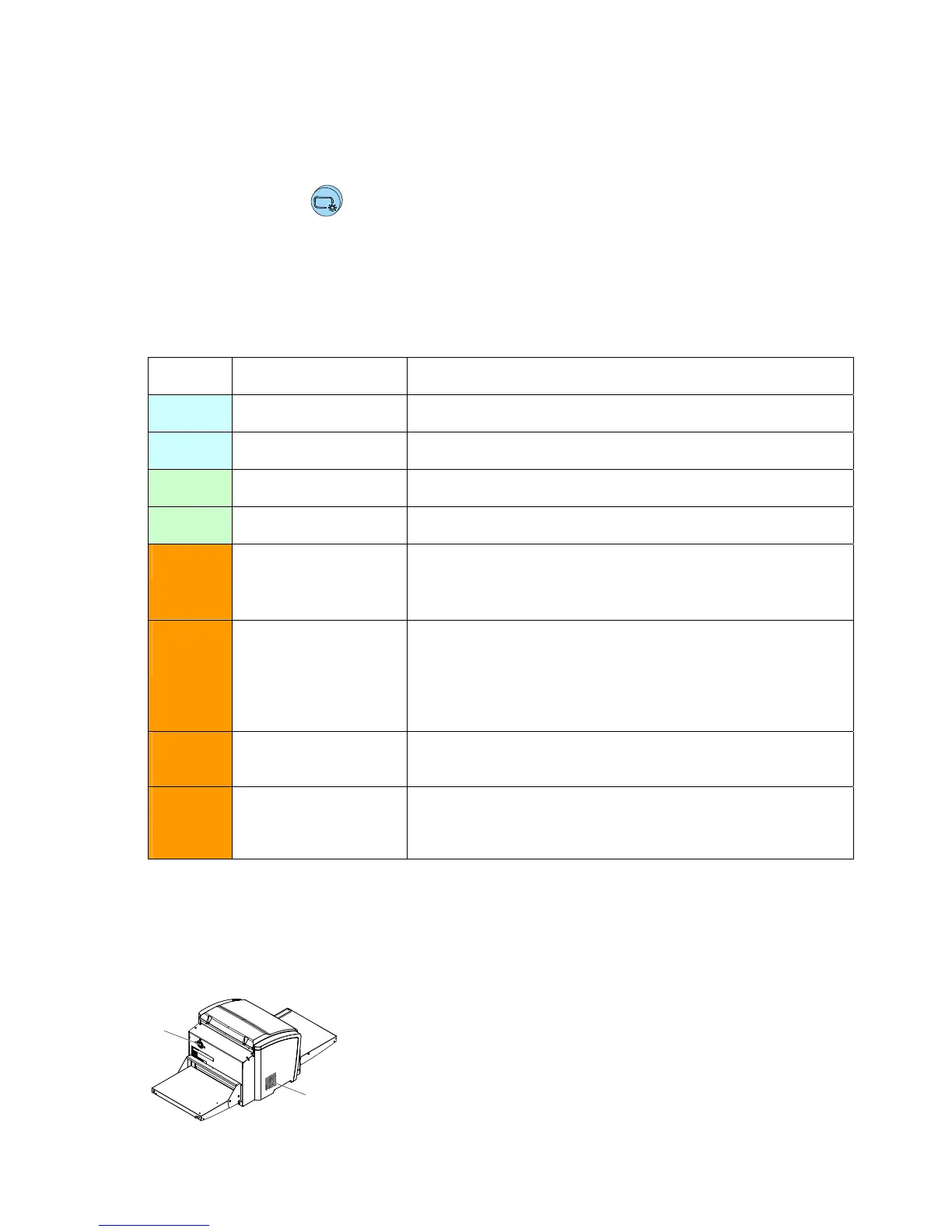
Ventilation
The digitizer has a ventilation opening in the rear cover (1) and in the left cover (2).
The ventilation openings may not be covered.
1
2
14 CRxVision Operating Manual V1.2


 To Next Page