Removing a jammed image plate
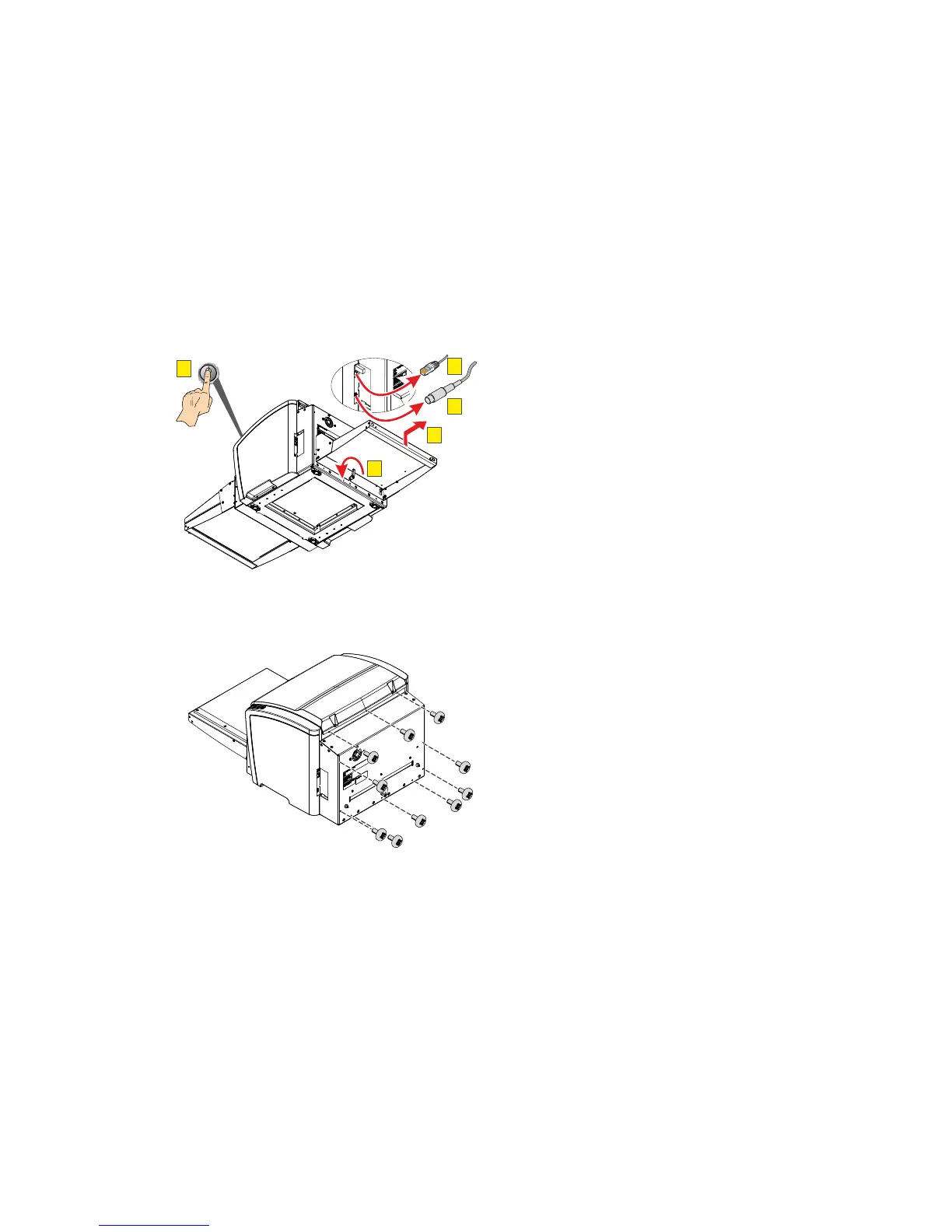
To remove a jammed image plate, proceed as follows:
1. Switch off the CRxVision (A).
2. Disconnect the network cable (B).
3. Disconnect the power cable (C).
4. Turn the handle (D).
5. Remove the output table (E).
A
POWER
C
E
D
B
6. Using a medium size Phillips screwdriver, remove the screws for the rear cover.
CRxVision Operating Manual V1.2 39


 To Next Page