Cleaning the Optics Unit
Cleaning the optics unit is required if stripes parallel to the image plate movement can be
seen in the image. When you recognize this type of artifact, when using the CRxVision, clean
the optic unit using the cleaning brush.
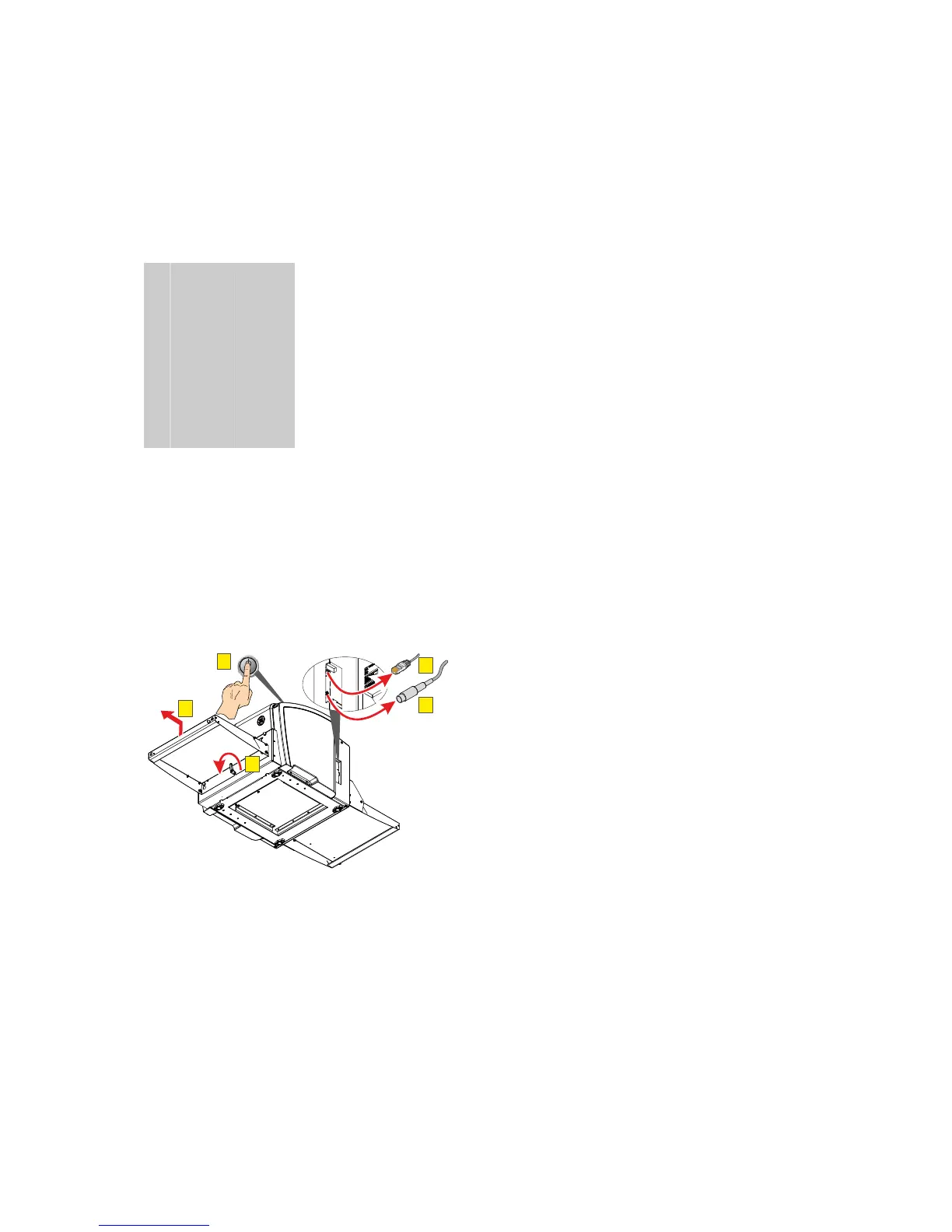
To clean the optic unit, proceed as follows:
1. Switch off the CRxVision (A).
2. Disconnect the network cable (B).
3. Disconnect the power cable (C).
4. Turn the handle (D).
5. Remove the input table (E).
A
POWER
E
D
C
B
CRxVision Operating Manual V1.2 35


 To Next Page