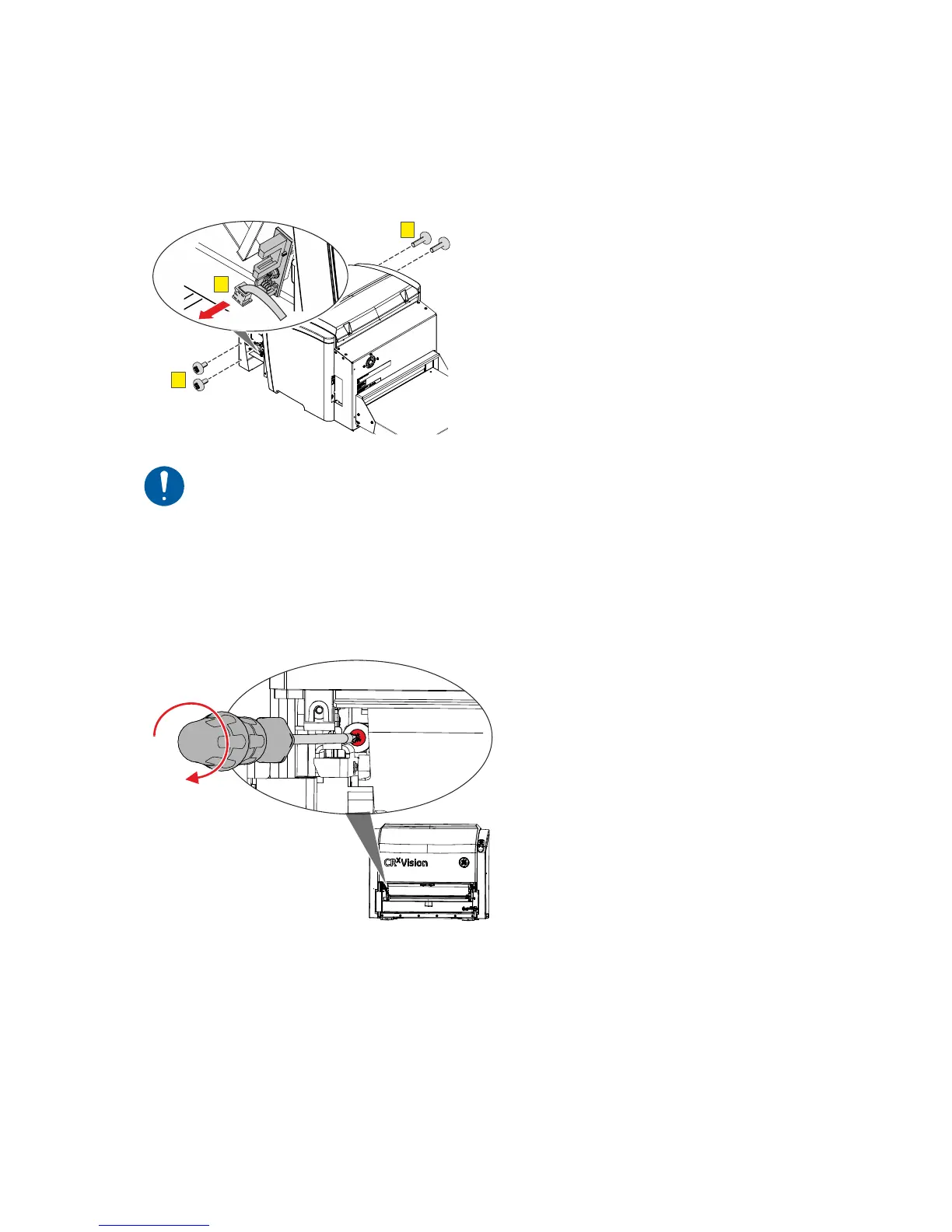
6. Using a medium size Phillips screwdriver, remove four screws (F).
7. Carefully remove the Input table a few centimeters.
8. Disconnect the cable (G).
9. Remove the input unit.
F
F
G
Caution: Damage of the image plate possible if cleaning brush is not in its
home position.
Always drive back the cleaning brush to the home position.
10. Using the medium size Phillips screwdriver, drive the cleaning brush to its end position
and back again.
36 CRxVision Operating Manual V1.2


 To Next Page
 Loading...