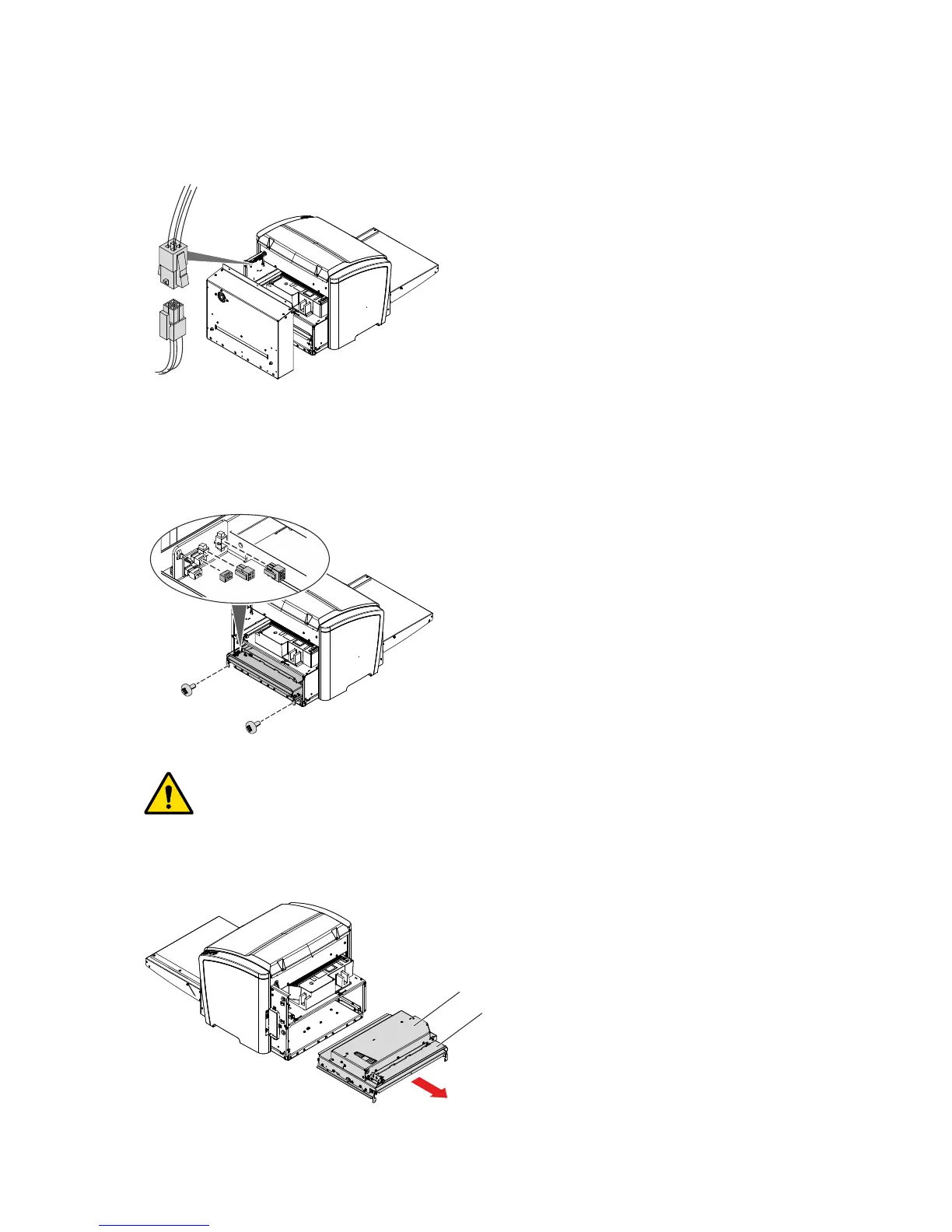
7. Disconnect the cable for the Fan.
8. Remove the Rear Cover.
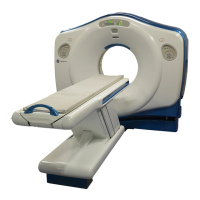
9. Remove two screws.
10. Pull out the IP Transport Unit a few centimeters.
11. Disconnect three connectors.
Warning:
During operation the Erasure Unit is hot: Risk of burns. Avoid contact with the
Erasure Unit. Observe the relevant sticker on the Erasure Unit.
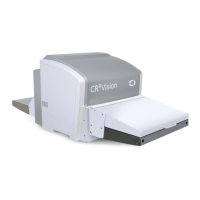
12. Pull out the IP Transport Unit with Erasure Unit.
Erasure Unit
IP Transport Unit
40 CRxVision Operating Manual V1.2


 To Next Page