Depending on the selected configur
ation, the CRxVision may be delivered with accessories,
for example an input and output table.
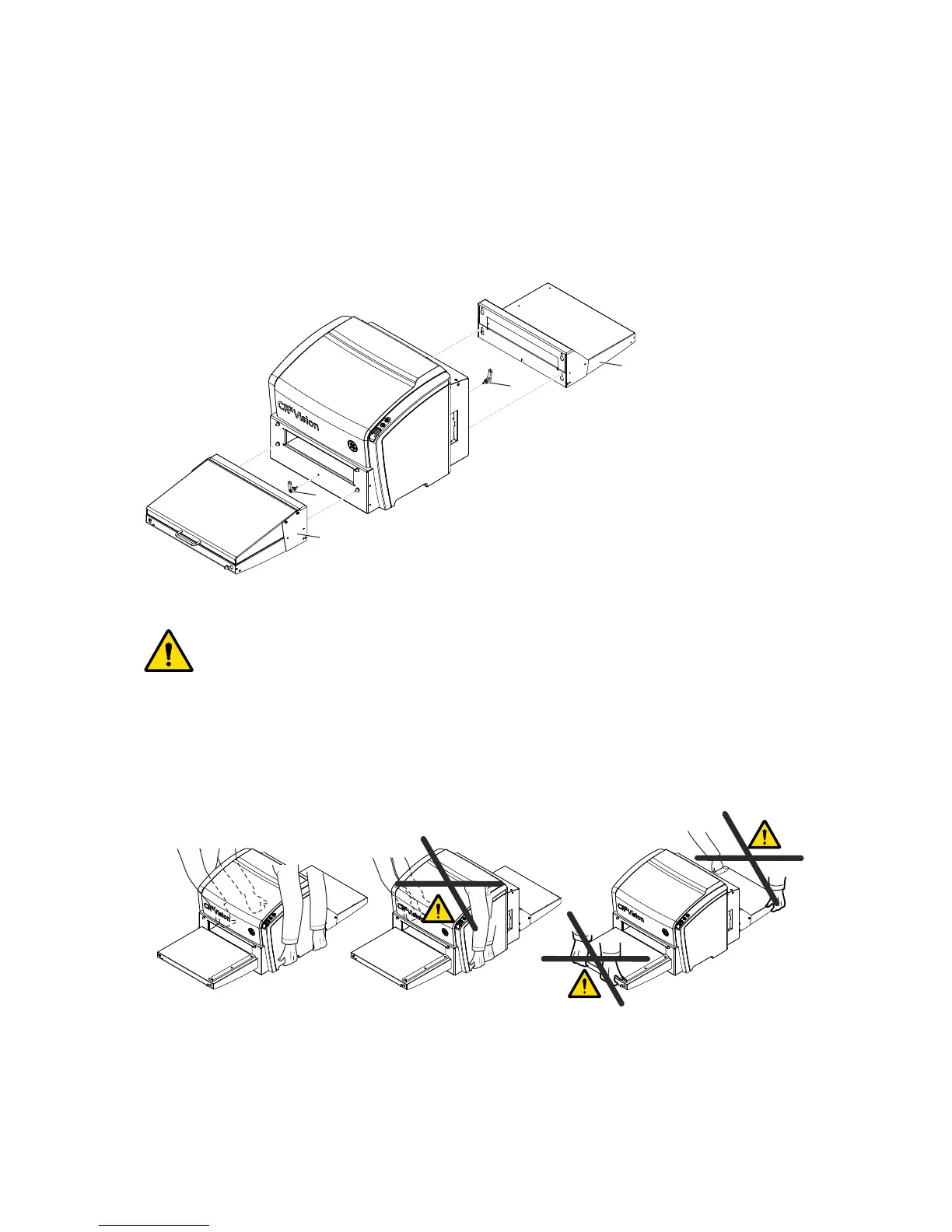
Proceed as follows to install the tables:
Insert the handles (1) and (3) a few turns.
Mount the input table (2) and output table (4).
Fasten the handles (1) and (3).
1
2
4
3
Warning: CRxVision may fall down. Risk of injury.
Do not lift the CRxVision by holding the input or output table.
Observe the center of gravity, which is located in the rear.
When transporting the CRxVision from one location to another, do not lift it at the input and
output tables. Observe the center of gravity.
For transport from one site to another, it is recommended removing the input and output
table, and using the original packing.
CRxVision Operating Manual V1.2 19


 To Next Page