GE Security
FHSD700C Series Product Guide
5.4 Input-Output Modules
FHSD700C detectors have 5 relays fitted as standard. The I/O functionality may be extended by adding
I/O modules. These plug onto the standard I/O module in a stackable chain of up to 5 (3 positions for
FHSD720C). They are recognized by the processor as Modules 1 to 5 going from left to right. When
installing new modules, the type must be entered in the Setup menu in order to be correctly recognized.
5.4.1 4-Channel Relay Module
There are three steps to configuring a relay module:
1. After installing the relay module check that MOD1 in the Engineering menu has now changed to
1. (This is different for other types of cards)
2. In Setup menu, change MOD1 to 1 (if using a different card use the number that appears in the
Engineering menu).
3. In the Configuration menu set MOD1 to a number from 1 to 6 representing the triggering event
where:
1 = Alert
2 = Action
3 = Fire1
4 = Fire2
5 = Flow fault
6 = General Fault
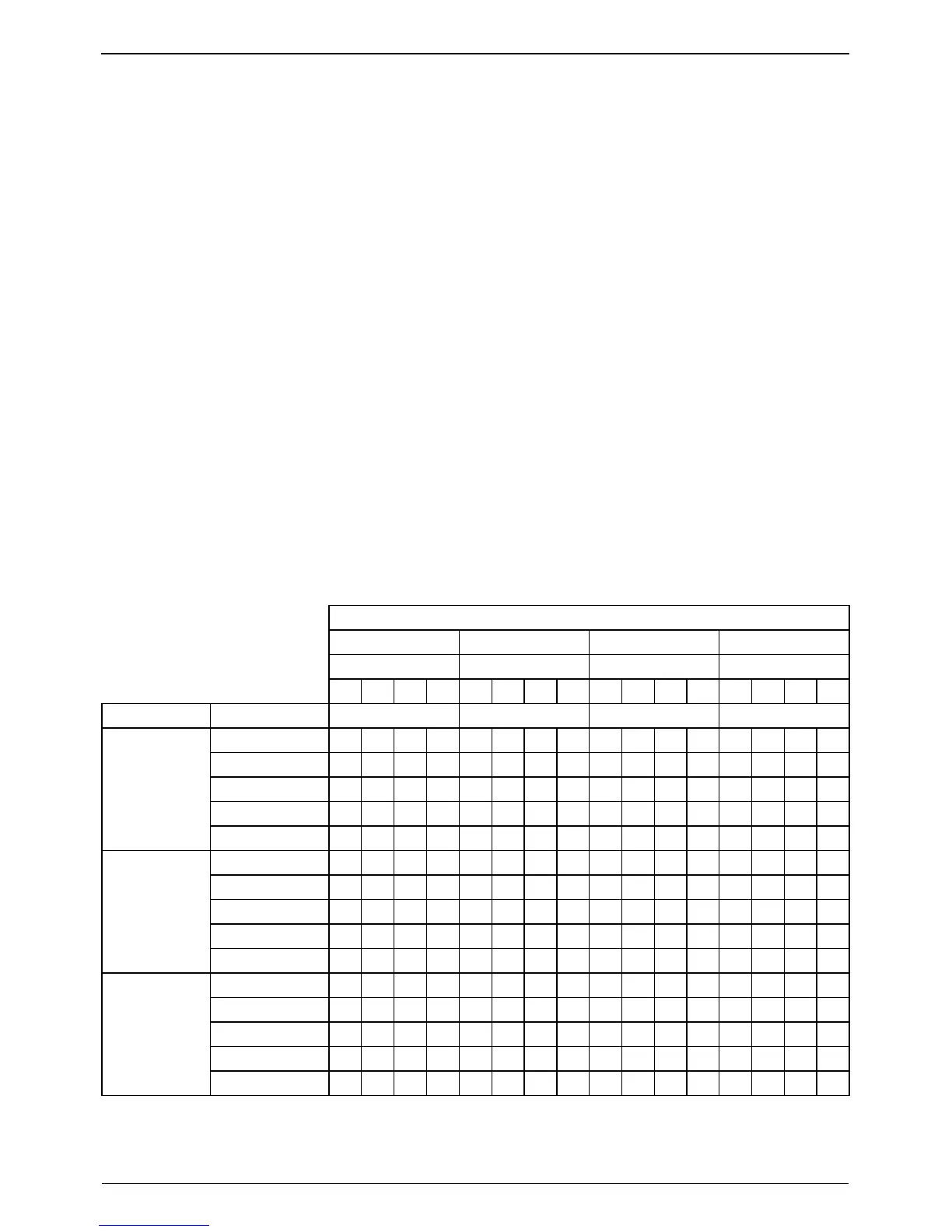
All four relays on the card will now activate for this event. The following table shows how relay cards will
be setup when using one or more modules.
Table 5-9: Relay Module Set-up Table
Relay Module
1 2 3 4
Relay Relay Relay Relay
1 2 3 4 1 2 3 4 1 2 3 4 1 2 3 4
Unit Config Sector Sector Sector Sector
Alert 1 2 3 4 1 2 3 4 1 2 3 4 1 2 3 4
Action 1 2 3 4 1 2 3 4 1 2 3 4 1 2 3 4
Fire 1 1 2 3 4 1 2 3 4 1 2 3 4 1 2 3 4
Fire 2 1 2 3 4 1 2 3 4 1 2 3 4 1 2 3 4
FHSD724DC
Flow 1 2 3 4 1 2 3 4 1 2 3 4 1 2 3 4
Alert 1 2 3 4 5 6 - - 1 2 3 4 5 6 - -
Action 1 2 3 4 5 6 - - 1 2 3 4 5 6 - -
Fire 1 1 2 3 4 5 6 - - 1 2 3 4 5 6 - -
Fire 2 1 2 3 4 5 6 - - 1 2 3 4 5 6 - -
FHSD726DC
Flow 1 2 3 4 5 6 - - 1 2 3 4 5 6 - -
Alert 1 2 3 4 5 6 7 8 9 10 11 12 13 14 15 -
Action 1 2 3 4 5 6 7 8 9 10 11 12 13 14 15 -
Fire 1 1 2 3 4 5 6 7 8 9 10 11 12 13 14 15 -
Fire 2 1 2 3 4 5 6 7 8 9 10 11 12 13 14 15 -
FHSD7215DC
Flow 1 2 3 4 5 6 7 8 9 10 11 12 13 14 15 -
www.gesecurity.net
31



 To Next Page