GFK-2327B Chapter 1 Welcome 1-3
1
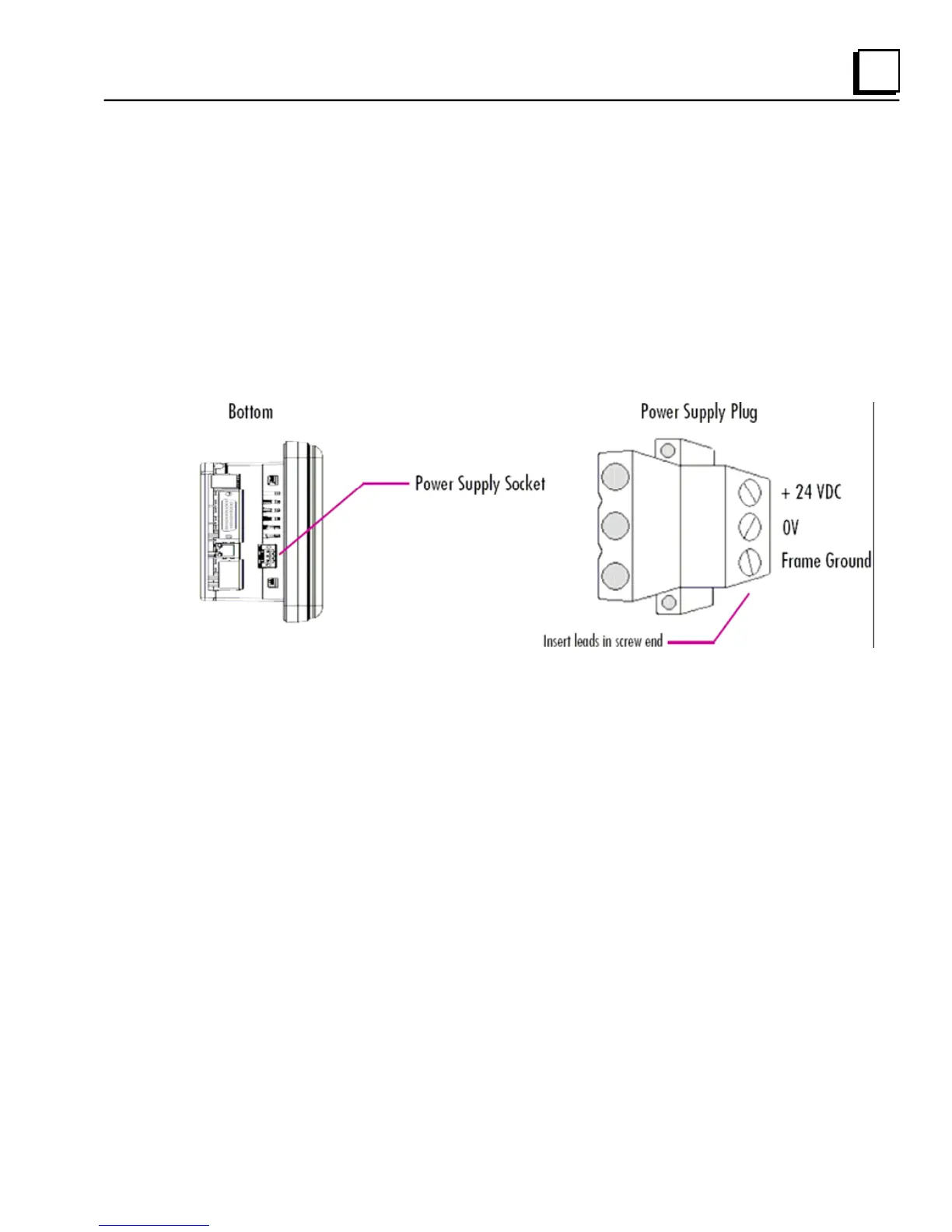
To Connect a DC Power Supply
1. Using the three screw terminals shown in the following diagram, attach
a 24VDC, 24W power supply to the plug supplied with the QuickPanel
View. See “DC Power” in appendix A for power supply and conductor
specifications.
2. Insert the plug into the power supply socket and securely tighten the
attaching screws.
Note: The torque range for the attaching screws is 4-6 inch/lbs.
Unit Runtime Setup
To download an application to a QuickPanel View unit, you must set up a data
link between it and your development workstation. For more information, see
“Ethernet” in chapter 3 and “Downloading a Machine Edition Project” in the
Machine Edition online help.



 To Next Page