GFK-2327B Chapter 3 Detailed Operation 3-23
3
Ethernet
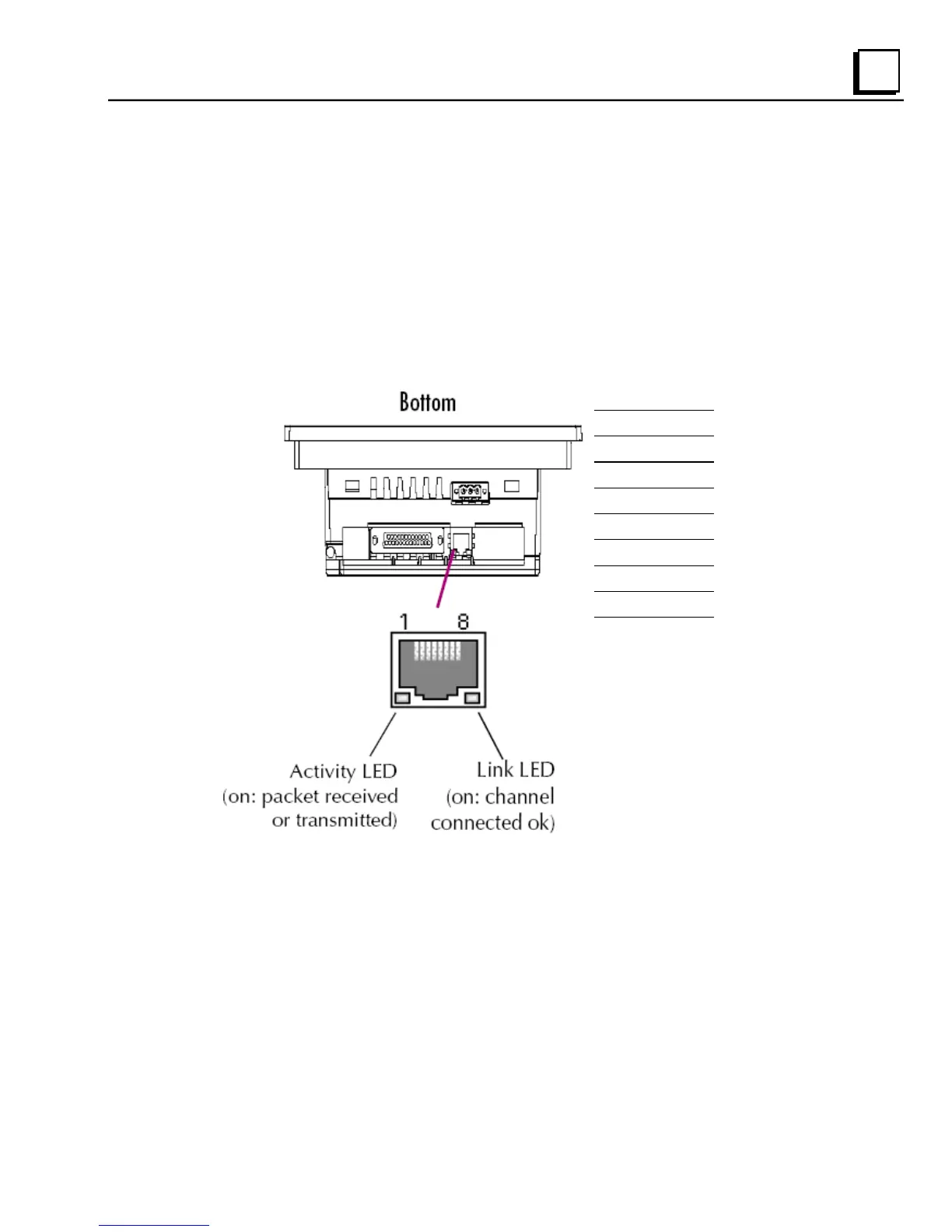
The QuickPanel View is equipped with a 10BaseT/100BaseTx auto-negotiate
Ethernet port (IEEE802.3), and you can connect an Ethernet network cable
(unshielded, twisted pair, UTP CAT 5) to the unit via the RJ45 connector on the
bottom of the enclosure. LED indicators on the port indicate channel status.
Access to the port is possible either by Windows CE network communications,
or by your custom application. The following diagram shows the location,
orientation, and pin out of the Ethernet port.
1 TX_D1 +
2 TX_D1 -
3 RX_D2 +
4 B1_D3+
5 B1_D3-
6 RX_D2 -
7 B1_D4+
8 B1_D4-



 To Next Page