To Next Page
R
Richard DavisSep 23, 2025
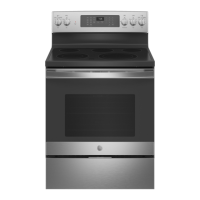
How to fix a crooked oven door on GE JB735SPSS Ranges?
- JJesse BuckSep 23, 2025
Because the oven door is removable, it sometimes gets out of position during installation. To straighten the door, re-install the door.

How to fix a crooked oven door on GE JB735SPSS Ranges?
Because the oven door is removable, it sometimes gets out of position during installation. To straighten the door, re-install the door.
Why does my GE JB735SPSS make a “crackling” or “popping” sound?
This is the sound of the metal heating and cooling during both the cooking and cleaning functions, and it is normal.
Why does my GE JB735SPSS oven sometimes takes longer to preheat to the same temperature?
A longer preheat time for your GE Ranges oven can be caused by cookware or food already in the oven; remove these items to reduce preheat time. The number of racks in the oven can also affect preheating, so remove extra racks if possible. Additionally, different cooking modes use different preheat methods, with some modes (like convection bake) taking longer than others.
What to do if my GE Ranges oven does not work or appears not to work?
If your GE Ranges oven isn't working, check the fuse or circuit breaker in your home and replace or reset it if necessary. Also, ensure the oven controls are properly set. You may need to consult the "Using the Oven" section for guidance. Lastly, verify that the oven is not in Sabbath Mode, referring to the "Special Features" section.
What to do if my GE JB735SPSS Ranges clock and timer do not work?
If the clock and timer on your GE Ranges are not working, start by checking the fuse or circuit breaker in your home and replace it or reset it if needed. Ensure the range is fully plugged into a properly grounded outlet. Finally, verify that the oven controls are correctly set, referring to the "Oven controls" section for assistance.
What to do if GE Ranges surface units do not work properly?
If the surface units on your GE Ranges aren't working properly, first check if a fuse in your home has blown or the circuit breaker has tripped, and replace the fuse or reset the circuit breaker if needed. Also, make sure the cooktop controls are correctly set for the surface unit you are using.
Why is my GE JB735SPSS making a 'clicking' noise when using my oven?
Your GE Ranges cycles the heating elements by turning relays on and off to maintain the oven temperature. This is normal.
Why my GE JB735SPSS Ranges oven will not steam clean?
If your GE Ranges oven will not steam clean, the display may flash HOT. Allow the oven to cool to room temperature and reset the controls. Also, make sure you close the door to start steam clean cycle.
What does it mean if “F— and a number or letter” flash in the display of my GE JB735SPSS?
If you see “F— and a number or letter” flashing on your GE Ranges display, it indicates a function error code. Press the Cancel/Off pad and let the oven cool for one hour, then try using it again. If the error repeats, disconnect power to the oven for at least 30 seconds before reconnecting it. If the error persists, you will need to call for service.
Why is the DOOR LOCK light on when I want to cook on my GE Ranges?
If the DOOR LOCK light is on when you want to cook with your GE Ranges, it means the oven door is locked because the oven temperature hasn't cooled down enough. Press the Cancel/Off pad and allow the oven to cool completely.
Essential safety guidelines for appliance use, installation, and maintenance.
Specific safety precautions for operating the cooktop surface units.
Safety procedures for using the oven, including self-cleaning.
How to use and control surface heating elements and the warming zone.
Function of control buttons and various cooking modes.
Advanced oven features like temperature adjustment, timers, and WiFi connectivity.
Operating the oven in Sabbath mode for religious observance.
Guidelines for cleaning the external surfaces of the range.
Methods for cleaning the oven interior, including steam and self-clean.
Instructions for cleaning and maintaining the glass cooktop surface.
Procedures for replacing the oven light and handling the oven door.
A comprehensive guide to diagnosing and resolving common range issues.
 General
| Number of Burners | 5 |
|---|---|
| Oven Capacity | 5.3 cu. ft. |
| Convection | Yes |
| Self-Cleaning | Yes |
| Color | Stainless Steel |
| Type | Freestanding |
| Cooktop Surface | Smooth Surface |
| Warranty | 1-Year Limited Warranty |