EasyManua.ls Logo

GE JB735SPSS - User Manual

GE JB735SPSS
32 pages
Print Icon
To Next Page IconTo Next Page
Loading...
Write the model and serial
numbers here:
Model # _________________
Serial # _________________
You can find them on a label
behind the door or drawer.
ESPAÑOL
Para consultar una version en
español de este manual de
instrucciones, visite nuestro sitio de
internet GEAppliances.com.
OWNER’S MANUAL
RANGES
Electric Free-Standing
49-2000999 Rev. 2 06-22 GEA
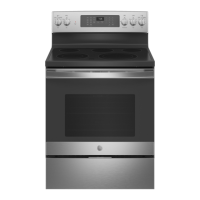
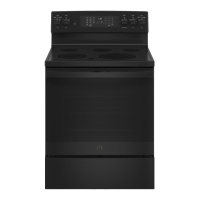
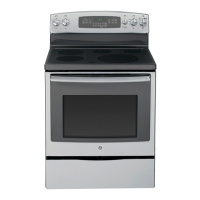
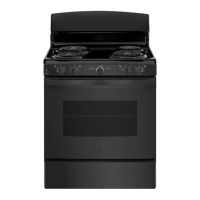
30" Free-Standing Range
PB935, JB735, JS760
GE is a trademark of the General Electric Company. Manufactured under trademark license.
SAFETY INFORMATION .......... 3
USING THE RANGE
Surface Units ........................... 7
Cookware for Radiant Glass Cooktop. . . . . . 9
WiFi Connect ..........................10
Oven Controls ..........................11
Special Features ........................12
Sabbath Mode ..........................13
Sabbath Mode - OU and CRC .............14
Oven Racks ............................15
Aluminum Foil and Oven Liners ...........15
Oven Cookware ........................15
Cooking Modes .........................16
Cooking Guide .........................17
Air Fry Cooking Guide ...................18
CARE AND CLEANING
Cleaning the Range – Exterior ............19
Cleaning the Range – Interior ...........20
Cleaning the Glass Cooktop ..............21
Oven Light ............................ 23
Oven Door ............................24
Storage Drawer. . . . . . . . . . . . . . . . . . . . . . . . 24
Removable Storage Drawer ............. 25
TROUBLESHOOTING TIPS .......26
LIMITED WARRANTY ............30
ACCESSORIES .....................31
CONSUMER SUPPORT ........... 32


Questions and Answers

  • J
    Jennifer HendersonAug 27, 2025
    What does it mean if DOOR LOCK flashes in the display of my GE JB735SPSS?
    • B
      Brandon CarlsonAug 28, 2025
      If 'DOOR LOCK' flashes in the display of your GE Ranges, it means the self-clean cycle was selected, but the oven door isn't fully closed. Make sure the door is completely closed to start the cleaning cycle.
  • J
    jphillipsAug 28, 2025
    Why is my GE Ranges oven not clean after a clean cycle?
    • W
      williamshenryAug 28, 2025
      If your GE Ranges oven isn't clean after running a clean cycle, ensure the oven controls were properly set, referring to the "Cleaning the Oven" section. Also, if the oven was heavily soiled, clean up any significant spills before starting the clean cycle. For heavily soiled ovens, you might need to run the self-clean cycle again or for a longer duration.
  • T
    Timothy McdonaldAug 28, 2025
    Why is there excessive smoking during the clean cycle of my GE JB735SPSS?
    • W
      Wayne StarkAug 28, 2025
      Excessive smoking during the clean cycle of your GE Ranges is usually due to excessive soil or grease in the oven. Press the Cancel/Off pad, open windows to ventilate the room, and wait for the LOCKED light to turn off. Then, wipe away the excess soil and restart the clean cycle.
  • K
    Kimberly LiuAug 29, 2025
    What to do if my GE Ranges oven door will not open after a clean cycle?
    • K
      Kimberly HernandezAug 29, 2025
      If your GE Ranges oven door won't open after a clean cycle, it's likely because the oven is still too hot. Allow the oven to cool down below the locking temperature before attempting to open the door.
  • G
    Gregg ClarkAug 29, 2025
    Why is my GE Ranges food not baking properly?
    • J
      Jacob BallAug 29, 2025
      If food isn't baking properly in your GE Ranges oven, several factors could be responsible. Begin by checking that the oven controls are set correctly, referring to the "Cooking Modes" section. Ensure the rack is in the correct position and is level, consulting the "Cooking Modes" section and Cooking Guide. Verify you're using the correct cookware of the proper size, as detailed in the "Cookware" section. If needed, adjust the oven temperature following the instructions in the "Special Features" section. Finally, remember that ingredient substitutions can affect the recipe's outcome.
  • J
    Joe PetersAug 30, 2025
    Why is my GE Ranges oven temperature too hot or too cold?
    • J
      Jessica CraigAug 30, 2025
      If your GE Ranges oven temperature is too hot or too cold, the oven temperature likely needs adjustment. Consult the "Special Features" section for instructions on how to adjust the temperature.
  • G
    grant98Aug 30, 2025
    Why will my GE JB735SPSS oven will not self-clean?
    • J
      jrhodesAug 30, 2025
      If your GE Ranges oven won't self-clean, it could be because the temperature is too high. Allow the oven to cool down and reset the controls. Also, make sure the oven controls are properly set by consulting the "Cleaning the Oven" section.
  • H
    hinesrachelAug 31, 2025
    Why does my GE JB735SPSS Ranges display flashes?
    • D
      David MacdonaldAug 31, 2025
      If the display on your GE Ranges is flashing, it indicates a power failure. Reset the clock.
  • H
    harriscassandraAug 25, 2025
    What to do if my GE JB735SPSS surface units do not work properly?
    • C
      Cindy OrtizAug 25, 2025
      If your GE Ranges surface units aren't working, first check your home's fuse box or circuit breaker and replace the fuse or reset the breaker if needed. Also, make sure the cooktop controls are correctly set for the specific surface unit you're trying to use.
  • C
    Christie JenkinsSep 1, 2025
    Why does the display go blank on my GE JB735SPSS?
    • A
      Amy HoSep 1, 2025
      If the display on your GE Ranges goes blank, first check if a fuse in your home may be blown or the circuit breaker tripped, and replace the fuse or reset the circuit breaker. Also, check if the clock is turned off or if the oven is in Sabbath Mode.

Summary

Safety Information

General Safety Instructions

Essential safety guidelines for appliance use, installation, and maintenance.

Cooktop Safety

Specific safety precautions for operating the cooktop surface units.

Oven Safety

Safety procedures for using the oven, including self-cleaning.

Using the Range

Surface Unit Operation

How to use and control surface heating elements and the warming zone.

Oven Controls and Modes

Function of control buttons and various cooking modes.

Special Features & Connectivity

Advanced oven features like temperature adjustment, timers, and WiFi connectivity.

Sabbath Mode

Operating the oven in Sabbath mode for religious observance.

Care and Cleaning

Exterior Range Cleaning

Guidelines for cleaning the external surfaces of the range.

Interior Oven Cleaning

Methods for cleaning the oven interior, including steam and self-clean.

Glass Cooktop Care

Instructions for cleaning and maintaining the glass cooktop surface.

Oven Light and Door

Procedures for replacing the oven light and handling the oven door.

Troubleshooting Tips

Problem Resolution Guide

A comprehensive guide to diagnosing and resolving common range issues.

Limited Warranty

Accessories

Consumer Support

GE JB735SPSS Specifications

General IconGeneral
Number of Burners5
Oven Capacity5.3 cu. ft.
ConvectionYes
Self-CleaningYes
ColorStainless Steel
TypeFreestanding
Cooktop SurfaceSmooth Surface
Warranty1-Year Limited Warranty

Videos

How to Easily Set the Time on Your GE JB735SPSS Stove: Quick and Convenient Guide

Related product manuals