To Auto Chamlel Search
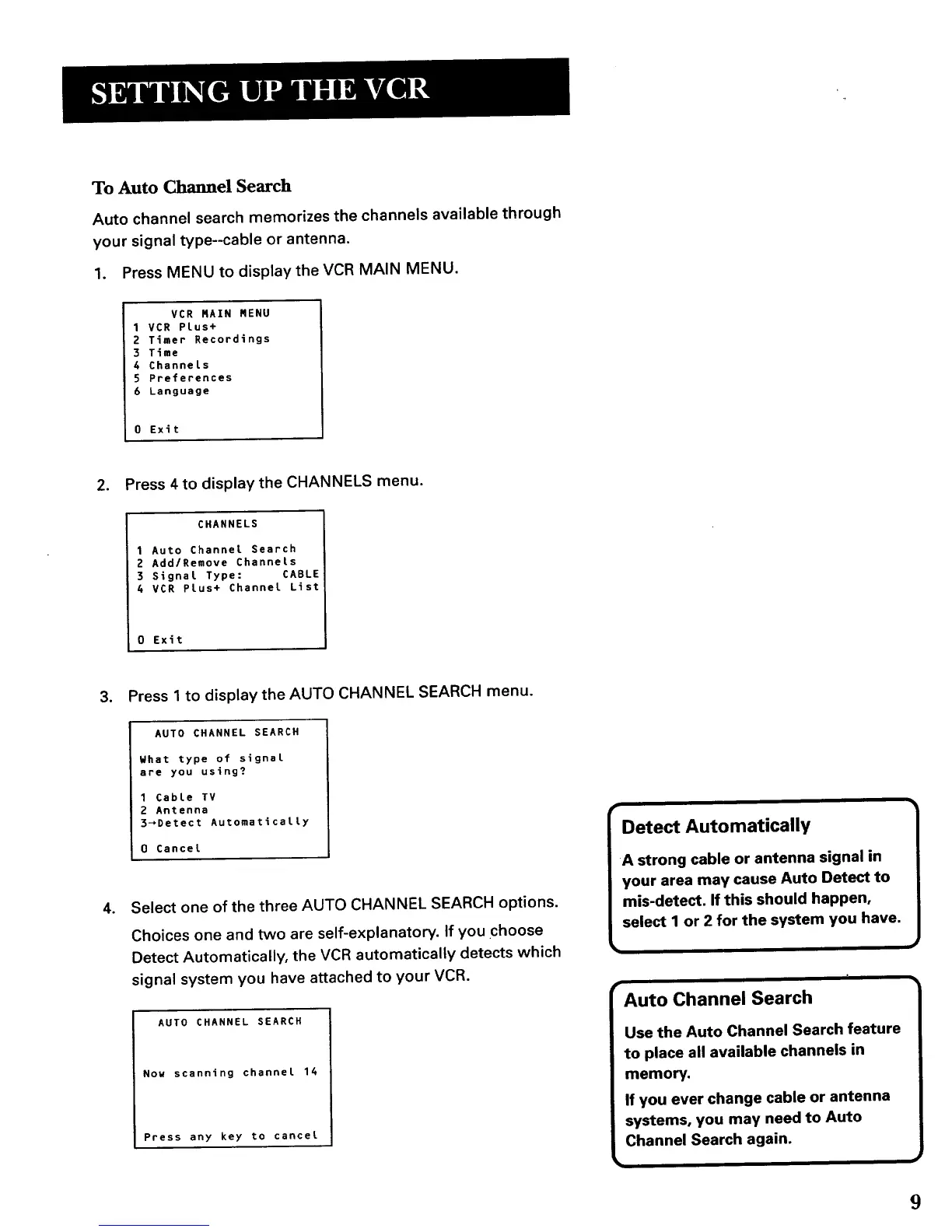
Auto channel search memorizes the channels available through
your signal type--cable or antenna.
1. Press MENU to display the VCR MAIN MENU.
VCR RAIN RENU
1VCR Plus+
2 Timer Recordings
3 T_me
6 Channels
5 Preferences
6 Language
0 Exit
2. Press 4 to display the CHANNELS menu.
CHANNELS
1 Auto Channel Search
2 Add/Remove Channels
3 Signal Type: CABLE
4 VCR Plus+ Channel List
0 Exft
3. Press 1 to display the AUTO CHANNEL SEARCH menu.
o
AUTO CHANNEL SEARCH
What type of signal
are you using?
1 Cable TV
2 Antenna
3_Detect Automatically
0 Cancel
Select one of the three AUTO CHANNEL SEARCH options.
Choices one and two are self-explanatory. If you choose
Detect Automatically, the VCR automatically detects which
signal system you have attached to your VCR.
AUTO CHANNEL SEARCH
Nou scanning channel 14
Press any key to cancel
Detect Automatically
Auto Channel Search
9



 To Next Page