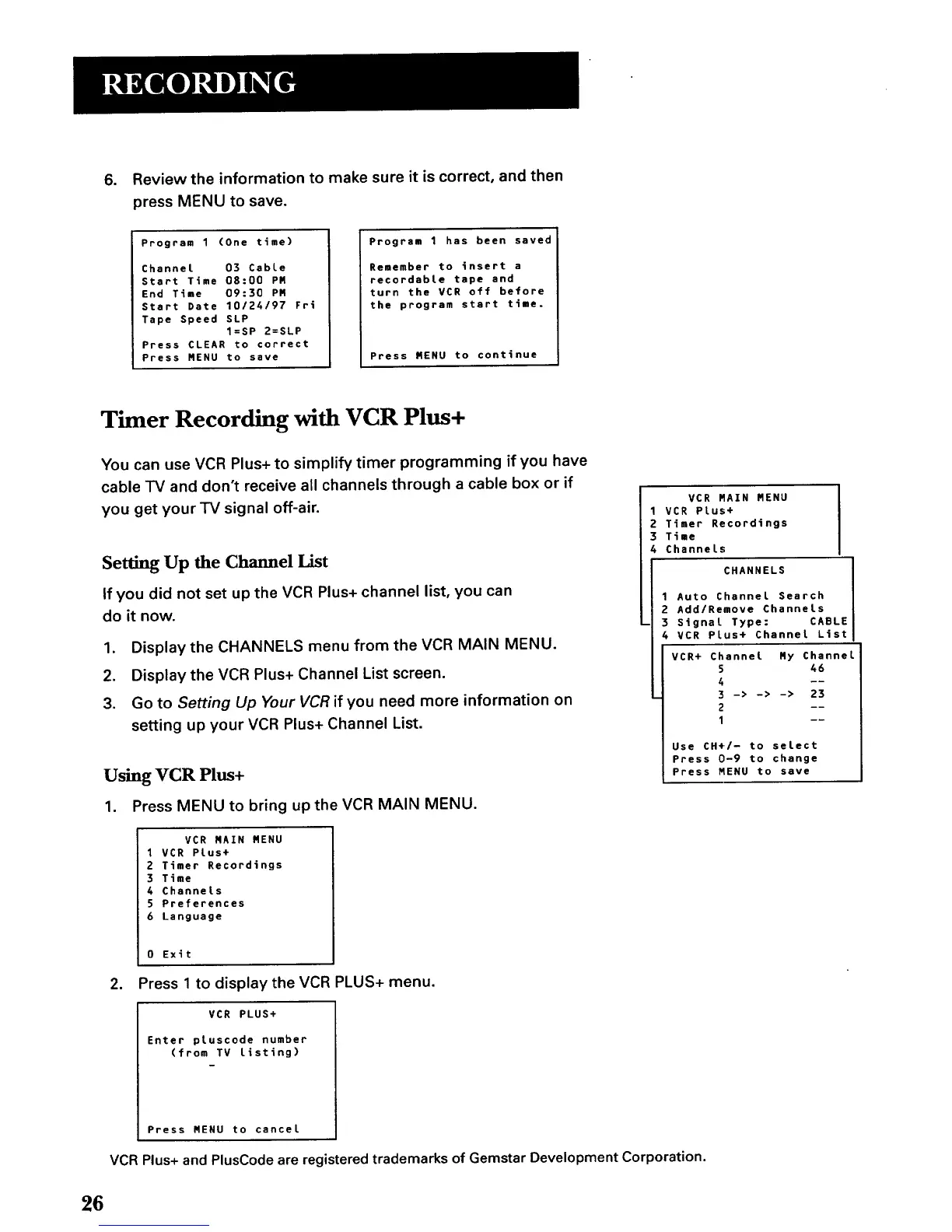
, Review the information to make sure it is correct, and then
press MENU to save.
Program 1 (One time)
Channet 03 Cable
Start Time 08:00 PR
End Time 09:30 PR
Start Date 10124197 Fri
Tape Speed SLP
I=SP 2=SLP
Press CLEAR to correct
Press MENU to save
Program 1 has been saved
Remember to insert a
recordabte tape and
turn the VCR off before
the program start time.
Press RENU to continue
Timer Recording with VCR Plus+
You can use VCR Plus+ to simplify timer programming if you have
cable TV and don't receive all channels through a cable box or if
you get your TV signal off-air.
Setting Up the Channel List
If you did not set up the VCR Plus+ channel list, you can
do it now.
1. Display the CHANNELS menu from the VCR MAIN MENU.
2. Display the VCR Plus+ Channel List screen.
3. Go to Setting Up Your VCR if you need more information on
setting up your VCR Plus+ Channel List.
Using VCR Plus+
1. Press MENU to bring up the VCR MAIN MENU.
VCR MAIN MENU
1 VCR Plus+
2 Timer Recordings
3 Time
4 Channels
5 Preferences
6 Language
.
0 Exit
Press 1 to display the VCR PLUS+ menu.
VCR PLUS+
Enter ptuscode number
(from TV listing)
VCR RAIN MENU
VCR PLus+
Timer Recordings
Time
Channels
CHANNELS
1 Auto Channel Search
2 Add/Remove Channels
3 Signal Type: CABLE
4 VCR Plus+ Channel List
VCR+ Channel Ry Channe
5 46
4 --
3 -> -> -> 23
2 --
1 --
Use CH+/- to select
Press 0-9 to change
Press MENU to save
Press MENU to cancel
VCR Plus+ and PlusCodeare registered trademarks of Gemstar Development Corporation.
26



 To Next Page