Front Panel
/
Remote Sensor
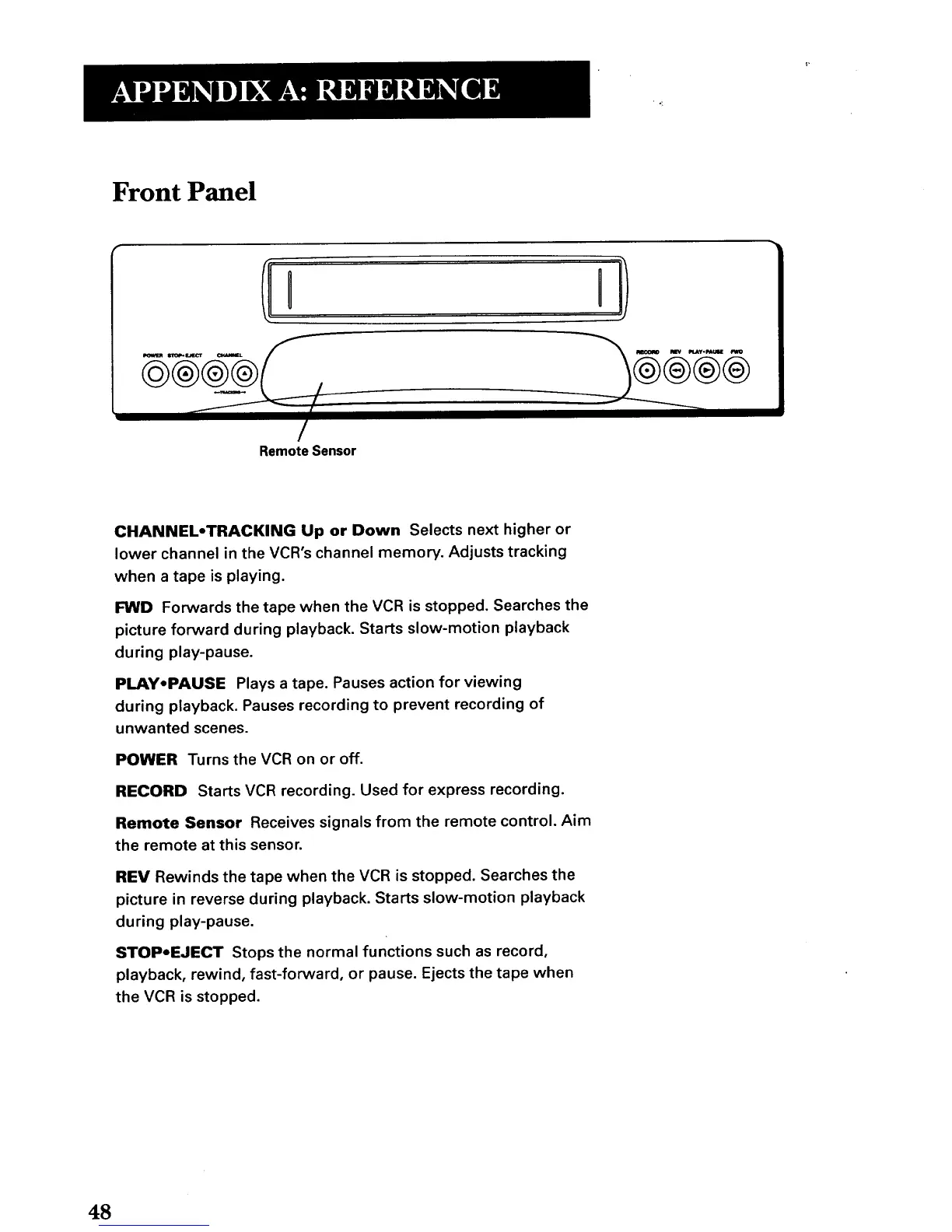
CHANNEL-TRACKING Up or Down Selects next higher or
lower channel in the VCR's channel memory. Adjusts tracking
when a tape is playing.
I=WD Forwards the tape when the VCR is stopped. Searches the
picture forward during playback. Starts slow-motion playback
during play-pause.
PLAY.PAUSE Plays a tape. Pauses action for viewing
during playback. Pauses recording to prevent recording of
unwanted scenes.
POWER Turns the VCR on or off.
RECORD Starts VCR recording. Used for express recording.
Remote Sensor Receives signals from the remote control. Aim
the remote at this sensor.
REV Rewinds the tape when the VCR is stopped. Searches the
picture in reverse during playback. Starts slow-motion playback
during play-pause.
STOP-EJECT Stops the normal functions such as record,
playback, rewind, fast-forward, or pause. Ejects the tape when
the VCR is stopped.
48



 To Next Page