INSTALLATION
1 - CONNECTING
- Connect the handset.
- Open the battery compartment.
- Insert 4 alcaline batteries without mercury (AAA
1.5V type not supplied) with good polarity into the
compartment located on the telephone base.
Note : Do not use a rechargable battery, do not
put the battery into the household rubbish. Pay
attention to the battery regulations regarding
battery disposal.
- Replace the battery cover.
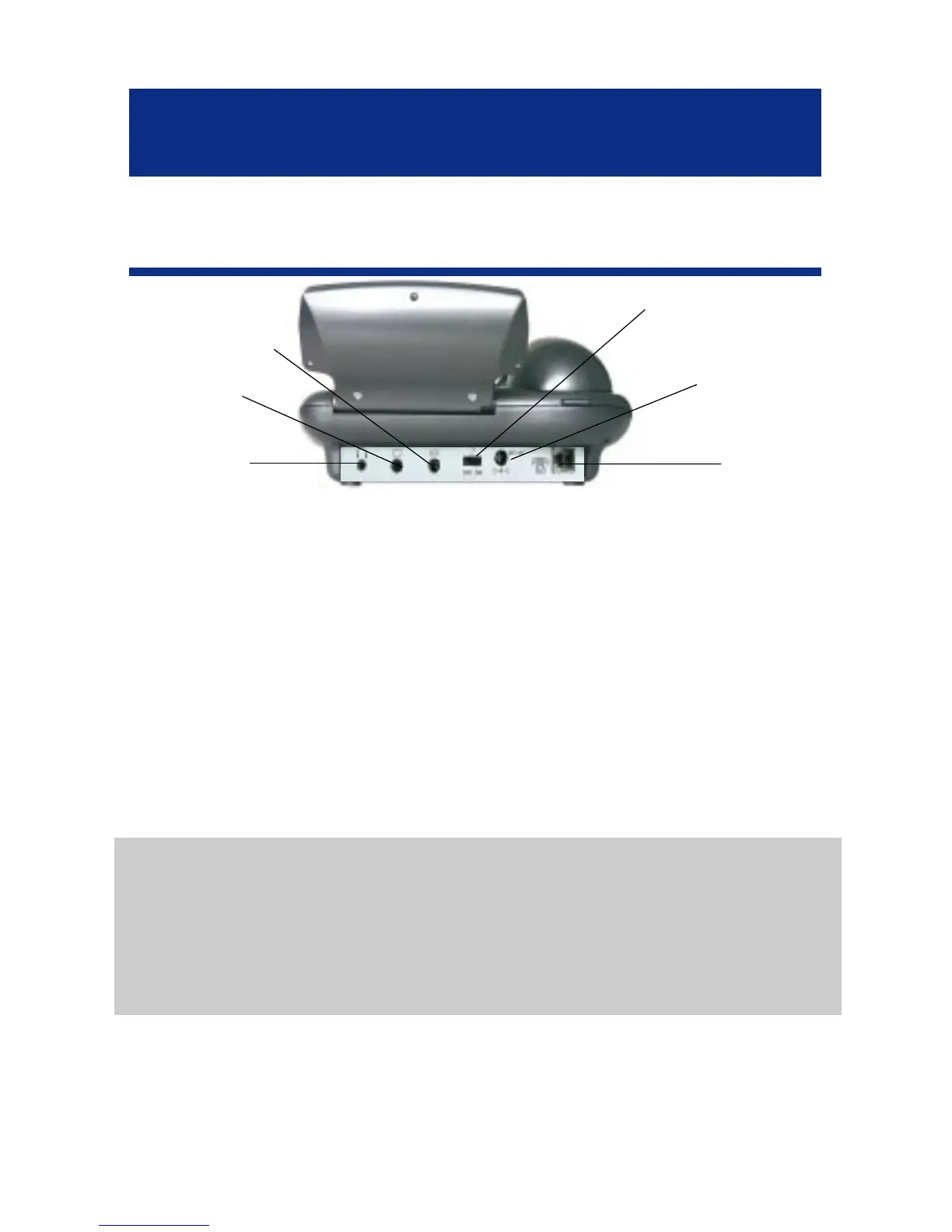
- Connect the line cord to the socket located at
rear of telephone then connect the plug to the wall
socket(*).
9
Line cord
socket*
Adaptor socket**
Only Geemarc
reference
Tone&volume
ON/OFFswitch
Headset socket*
Only Geemarc reference
Neckloop socket*
Only Geemarc
reference
Shaker socket*
Only Geemarc reference
(*) Classified TNV-3 according to EN60950 standard.
(**) Classified “hazardous voltage” according to EN60950 standard.
Important: Only Shaker, Neckloop, Headset and Adaptor with Geemarc
reference can be connected to the sockets.



 To Next Page