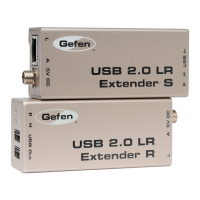
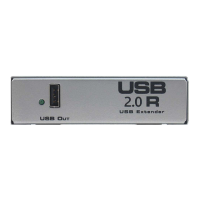
USB Led - Indicates if a USB device is plugged in.
USB Out - Connects to USB Hub, or USB Device.
Link LED - Indicates if a link between the USB 2.0 S Extender send and the USB
2.0 R Extender Receive units.
Link - CAT-5 Modular Jack which connects to the USB 2.0 S Extender send and
the USB 2.0 R Extender Receive units.
Power LED - Indicates the unit is plugged in and powered up.
DC IN - Power plug for 5VDC wallmount power supply.
USB Led - Indicates an active connection to the computer.
USB In - USB cable (A-B) cable from computer to sender.
Link LED - Indicates if a link between the USB 2.0 S Extender send and the USB
2.0 R Extender Receive units.
Link - CAT-5 Modular Jack which connects to the USB 2.0 S Extender send and
the USB 2.0 R Extender receive units.
Power LED - Indicates the unit is plugged in and powered up.
DC IN - Power plug for 5VDC Wallmount power supply.
USB 2.0 EXTENDER FUNCTION DESCRIPTION
5
1
2
3
4
5
6
7
8
9
10
11
12



 To Next Page