80209C_MHW_850-1650-1850_01-2020_ENG_pag. 254
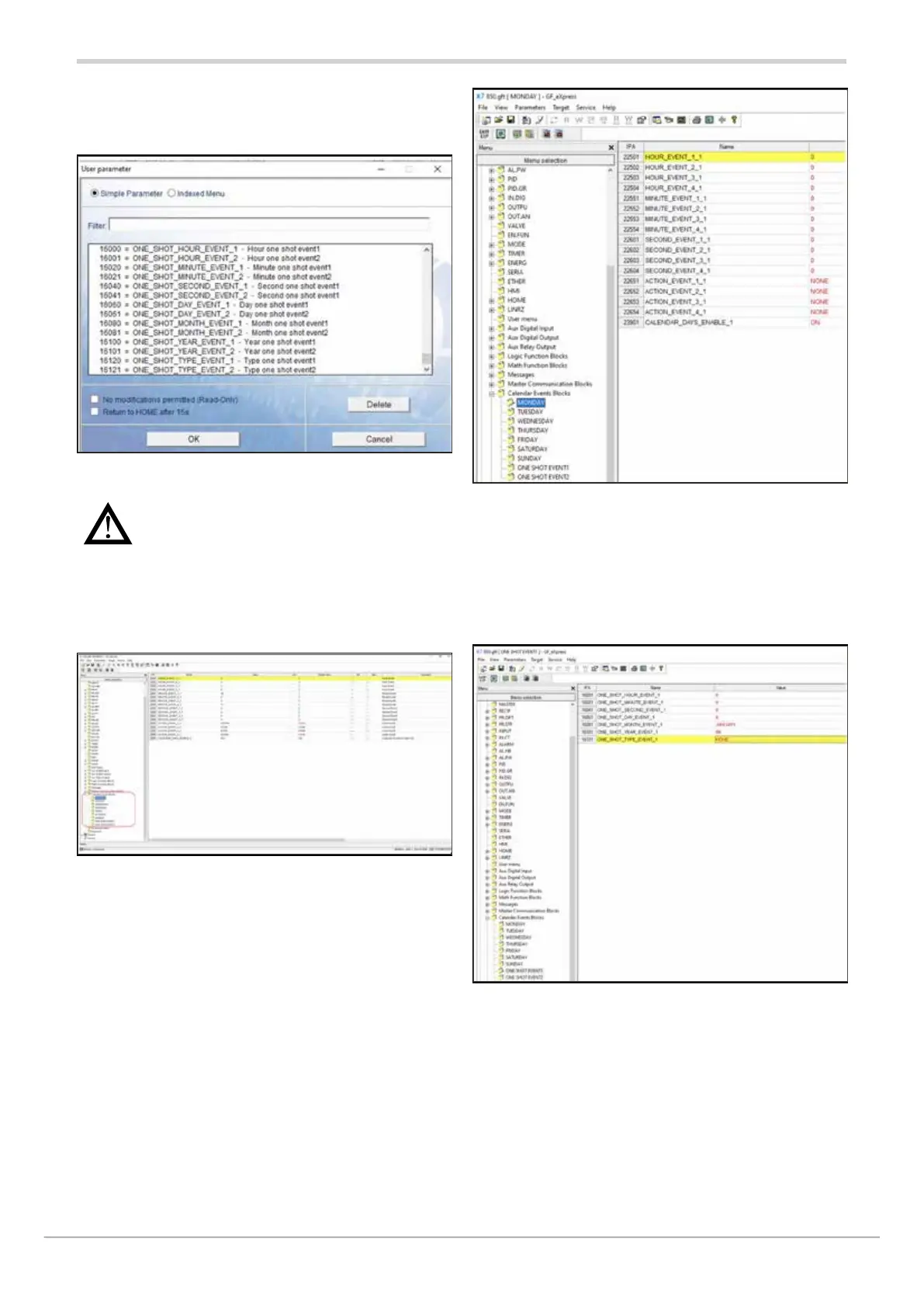
In addition to the weekly calendar, two one-shot events may
be set via the usermenu, either on the instrument or in GF_
eXpress:
Warning: remember to enter all the parameters
listed above, as a single event requires complete
date and time information to be triggered (it is
not a weekly trigger)
On the main menu, the Calendar may be set in the “Calendar
Events Blocks” submenu, where the days of the week and
the two one-shot events appear.
For each day of the week, you may set:
• HOUR_EVENT_X: time of events 1 to 4
• MINUTE_EVENT_X: minute of events 1 to 4
• SECOND_EVENT_X: second of events 1 to 4
• ACTION_EVENT_X: action to be forformed in events 1 to 4
• CALENDAR_DAYS_ENABLE_X: enable day of the week
For one-shot events, you may set:
• ONE_SHOT_HOUR_EVENT: time of the single event
• ONE_SHOT_MINUTE_EVENT: minute of the single event
• ONE_SHOT_SECOND_EVENT: second of the single event
• ONE_SHOT_DAY_EVENT: day of the month of the single
event
• ONE_SHOT_MONTH_EVENT: month of the single event
• ONE_SHOT_YEAR_EVENT: year of the single event
• ONE_SHOT_TYPE_EVENT: type of action of the single
event



 To Next Page