Chapter 3 - Setup 51
© 2017 Geist
GM1157
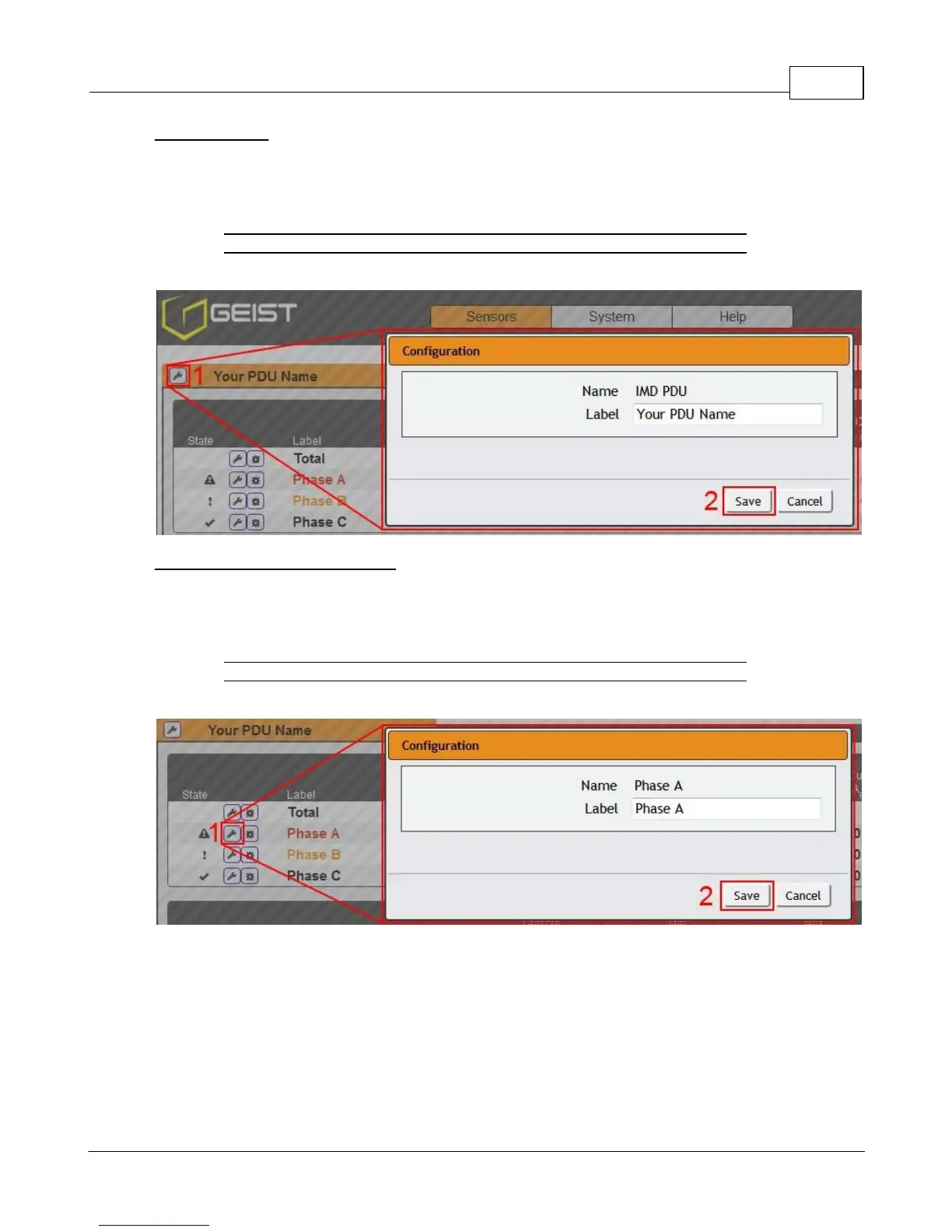
Device Labeling
1. Click the desired Configuration icon, and change the device's Label. (Name is the PDU's factory
name or model, and cannot be changed.)
2. Once done, click Save.
Figure 3-16 Device Labeling
Phase and Circuit Labels Naming
1. Click the desired Configuration icon, and change the phase or circuit's Label. Name is the physical
phase or circuit, and cannot be changed.
2. Once done, click Save.
Figure 3-17 Phase and Circuit Labeling



 To Next Page