Upgradeable PDU Instruction Manual64
© 2017 Geist
GM1157
1. Click on the Delete icon next to the address you wish to delete.
2. Click the Delete button on the pop-up window to confirm.
To send a test email:
1. Click on the Test Email icon next to the address you wish to test.
2. A pop-up window will indicate that the test email is being sent. Click OK to dismiss the pop-up.
SNMP
Simple Network Management Protocol (SNMP) can be used to monitor the unit's measurements and
status, if desired. SNMP v1, v2c and v3 are supported. In addition, alarm traps can be sent to up to
two IP addresses.
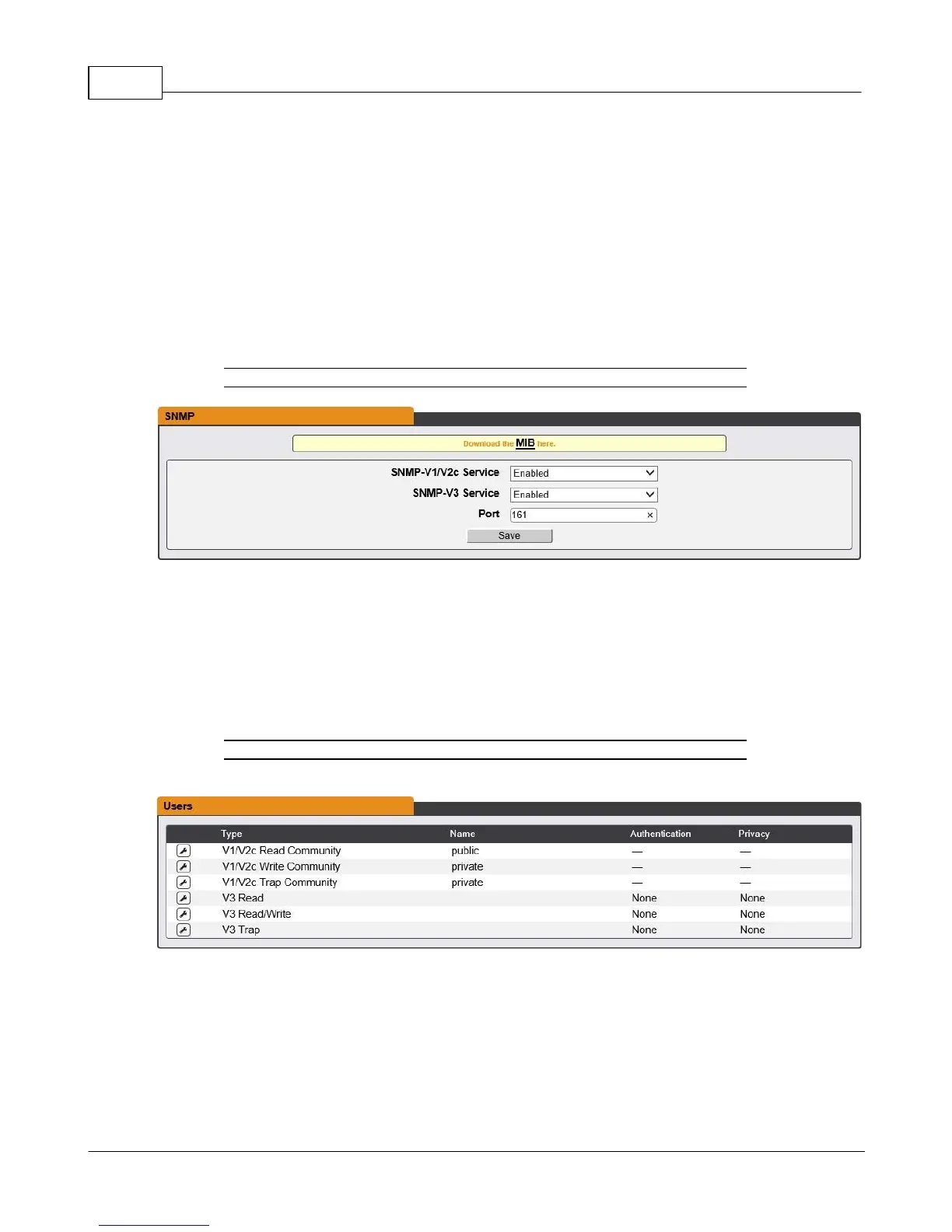
Figure 3-33 SNMP Configuration Page
The SNMP-V1/V2c and SNMP-V3 Service can be enabled or disabled independently as desired. The
service will normally listen for data-read requests (a.k.a. "GET requests") on Port 161, which is the
usual default for SNMP services; this can also be changed if desired.
The Management Information Base (MIB) can be downloaded from the unit, if needed, via the MIB link
at the top of the web page. Clicking this link will download a .ZIP archive containing both the MIB file
itself, and a CSV-formatted spreadsheet describing the available OIDs in a human-readable form to
assist you in setting up your SNMP manager to read data from the unit.
Figure 3-34 SNMP Users Configuration Page
The Users section allows you to configure the various Read, Write, and Trap communities for SNMP
services. You can also configure the authentication types and encryption methods used for the SNMP
v3 if desired. Click the Modify icon to change settings.



 To Next Page