Manual Part NO.: 119509-00 Rev. A
To mount the 360, perform the following steps.
1. Select location for mounting the 360 unit.
• Unit should be mounted in a location that maximizes the number of targets within
the broadcast coverage radius.
2. Install the desired mount. This will either be a pole or a roof mount.
• These mounts are not standard accessories and must be purchased separately.
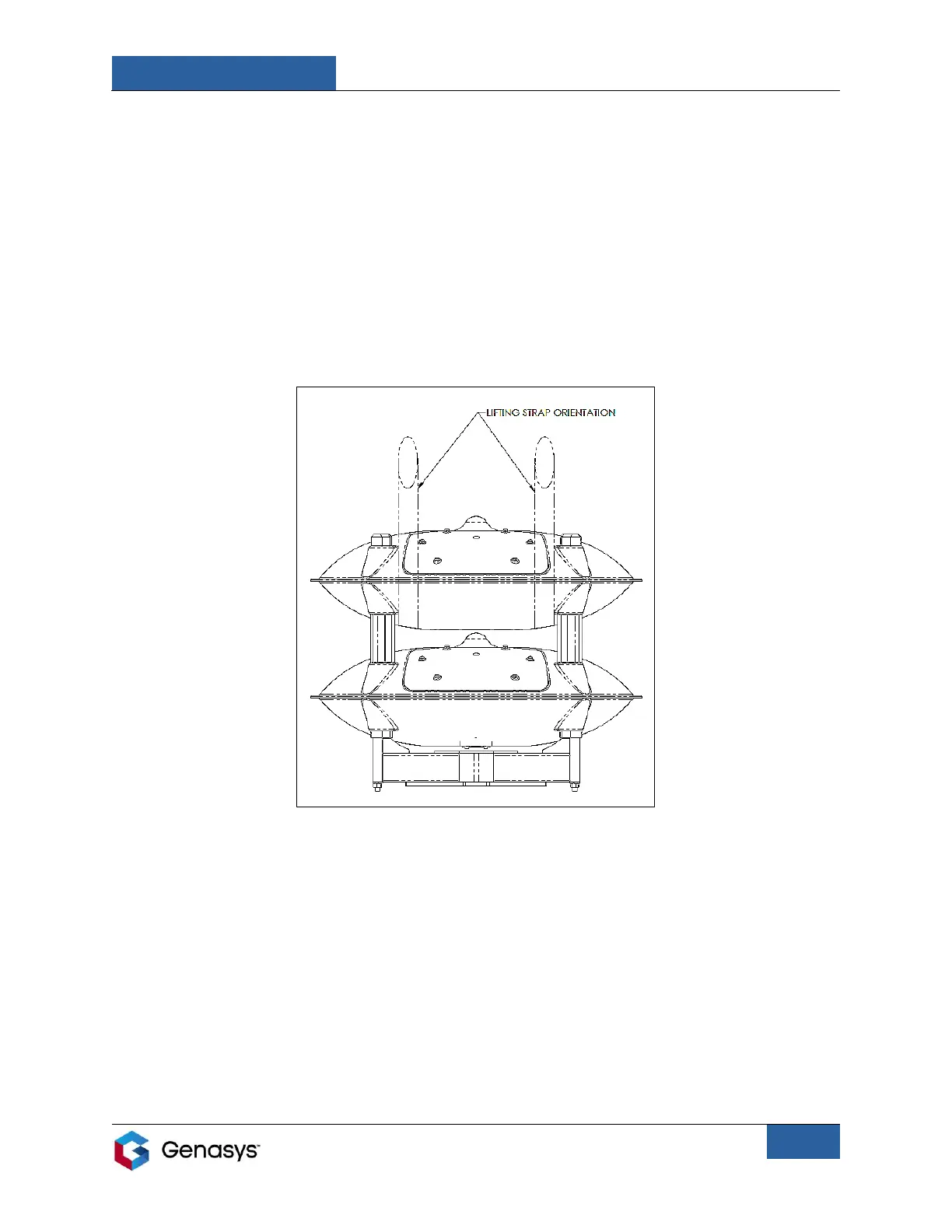
3. Install lifting straps on the 360 according to Figure 14, below.
• Straps wrap around the top stack and are secured in place by the support rods.
4. Raise the 360 to the appropriate height to be mounted.
• This may require a crane, cherry picker, etc.


 To Next Page