Manual Part NO.: 119509-00 Rev. A
4.0 Installing the Acoustic Driver Assembly
To begin, users must install and connect their 360’s acoustic driver assembly.
NOTE: Users will need to repeat the steps in this section for each acoustic driver assembly
included in their 360 system.
The number of assemblies will depend on the 360 model and stack configuration.
Perform the following steps to install the acoustic driver assembly inside of its corresponding
emitter stack.
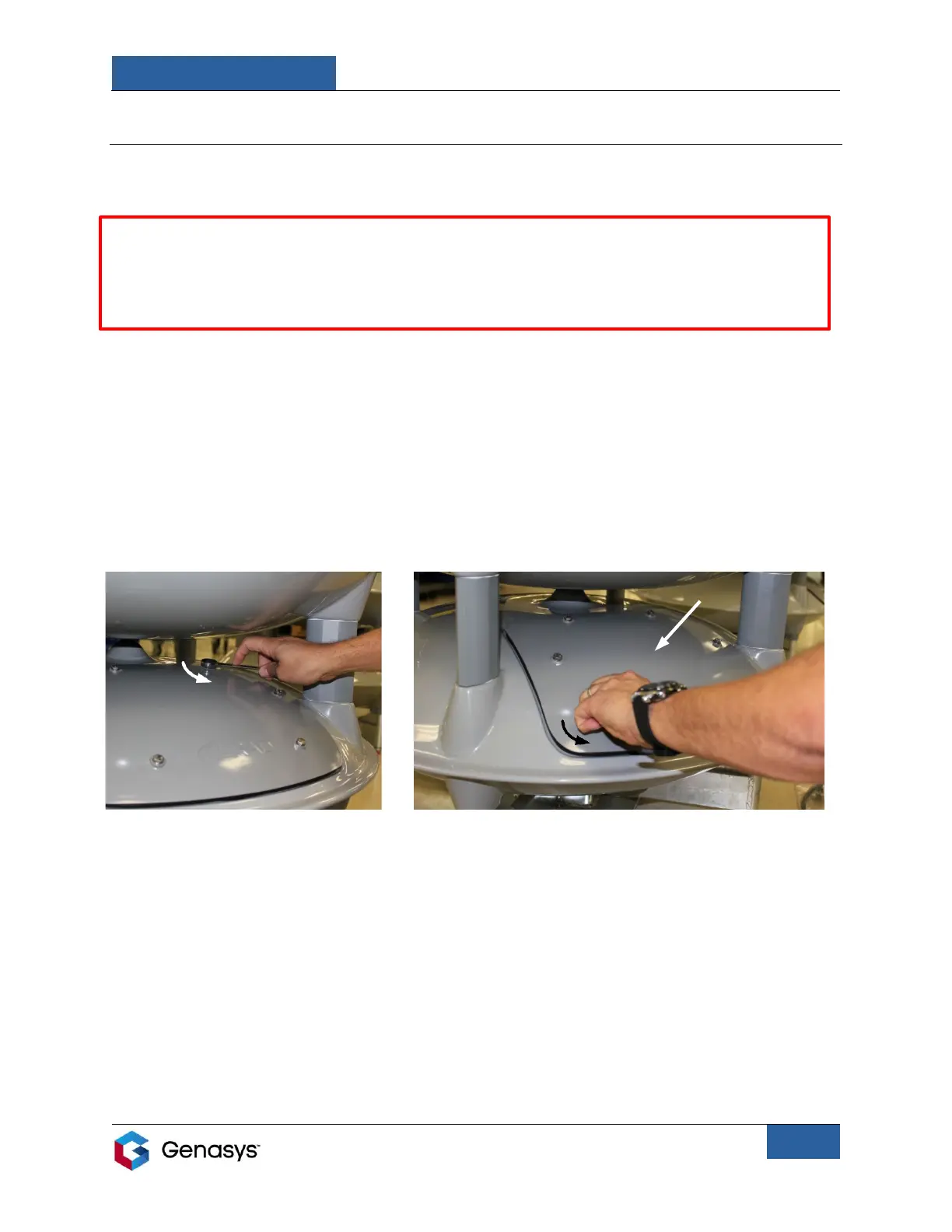
1. Open the access panel on the desired emitter.
• Use a 7/16-inch wrench to loosen the six bolts on the access panels (Figure 4).
o The bolts do not need to be removed completely.
• Press lightly on the center of the panel to compress the sealing gasket and then
turn the bolts by hand to loosen the internal clamps (Figure 5).


 To Next Page