Manual Part NO.: 119509-00 Rev. A
5.0 Mounting the 360
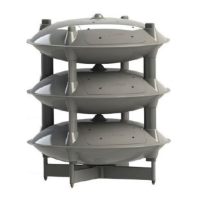
Once all acoustic driver assemblies are installed, the Genasys 360 is ready for mounting.
NOTE: Users can mount their 360 immediately after driver assembly installation, or can connect
the 360 to its audio source before mounting. This will depend on the installation
location and the user’s preference.
If the user prefers to first connect to the audio source before mounting, skip to Section
6.0. After completing Section 6.0, return to Section 5.0 and follow the mounting
instructions.
The 360 is designed to be mounted atop a standalone pole or on a non-penetrating roof mount.
This speaker system has been tested to withstand wind speeds of up to 200 mph.
Consult Section 8.0 to determine your 360’s Effective Projected Area, weight, and dimensions.
This information will determine the pole or roof mount design required for mounting.
Ensure mounting device meets all regulations and requirements set by the installation site’s
governing body.
Attach the 360 to the pole top or the roof mount using the hardware and torque specified in
Section 8.0.


 To Next Page