Manual Part NO.: 119509-00 Rev. A
6.0 Connecting: Audio
The 360 must be connected to an audio source in order to broadcast messages and alerts.
A threaded conduit inlet is provided for running the 70-foot audio cable from the 360 to the
audio source.
The 360 is designed to connect to the following Genasys audio sources:
• 3RU Amplifier Unit
• Control Cabinet (Advanced or Compact)
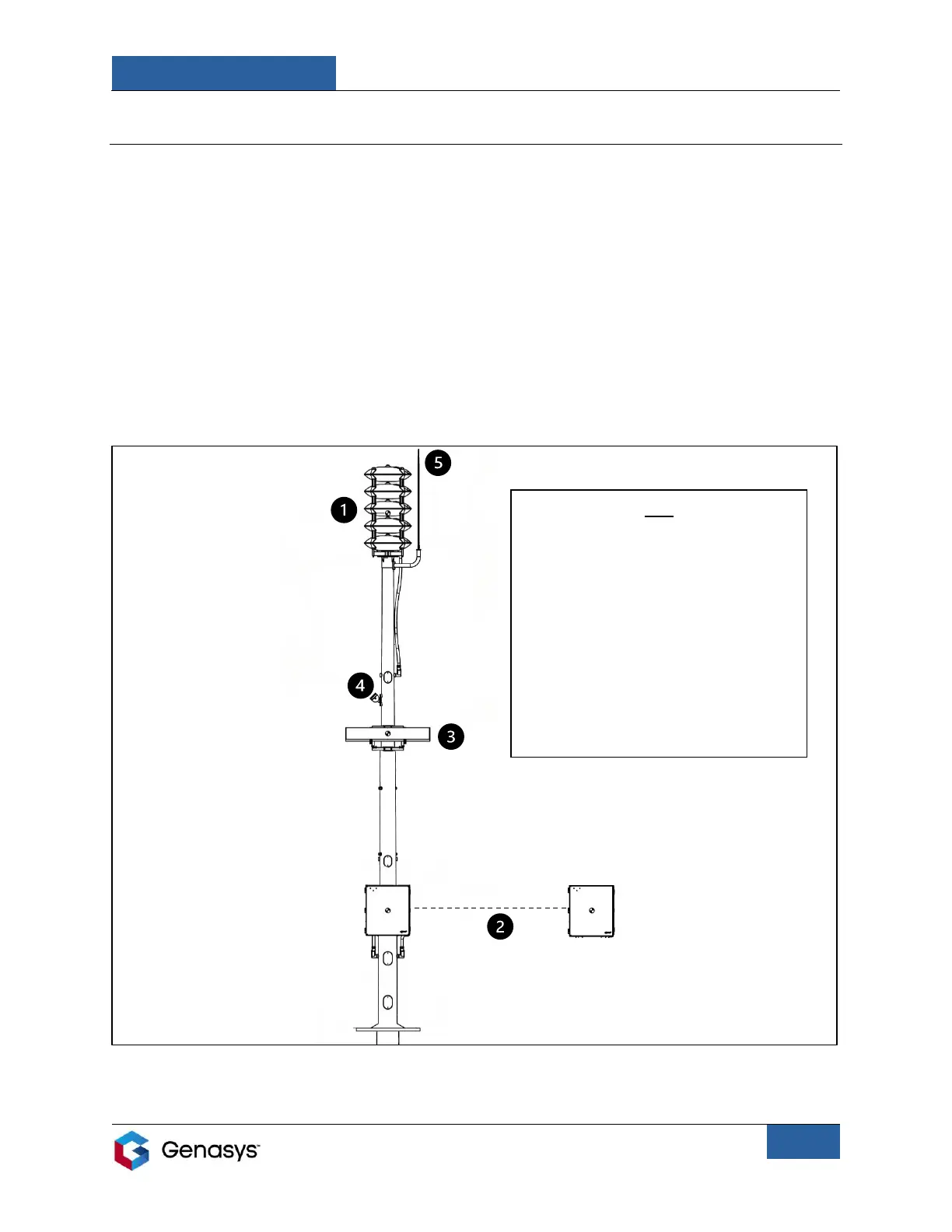
The audio source can be installed on the same mount as the 360 or at a separate location
(Figure 17).
• Consider the length of the 70-foot audio cable when selecting the source’s location.
1: Genasys 360
2: Audio source
3: Solar Panel*
4: Satellite Terminal*
5: Lightning Rod*
*These are optional accessories that users may
wish to install in conjunction with their 360
model. Contact your Sales Representative for
more information.


 To Next Page