Manual Part NO.: 119509-00 Rev. A
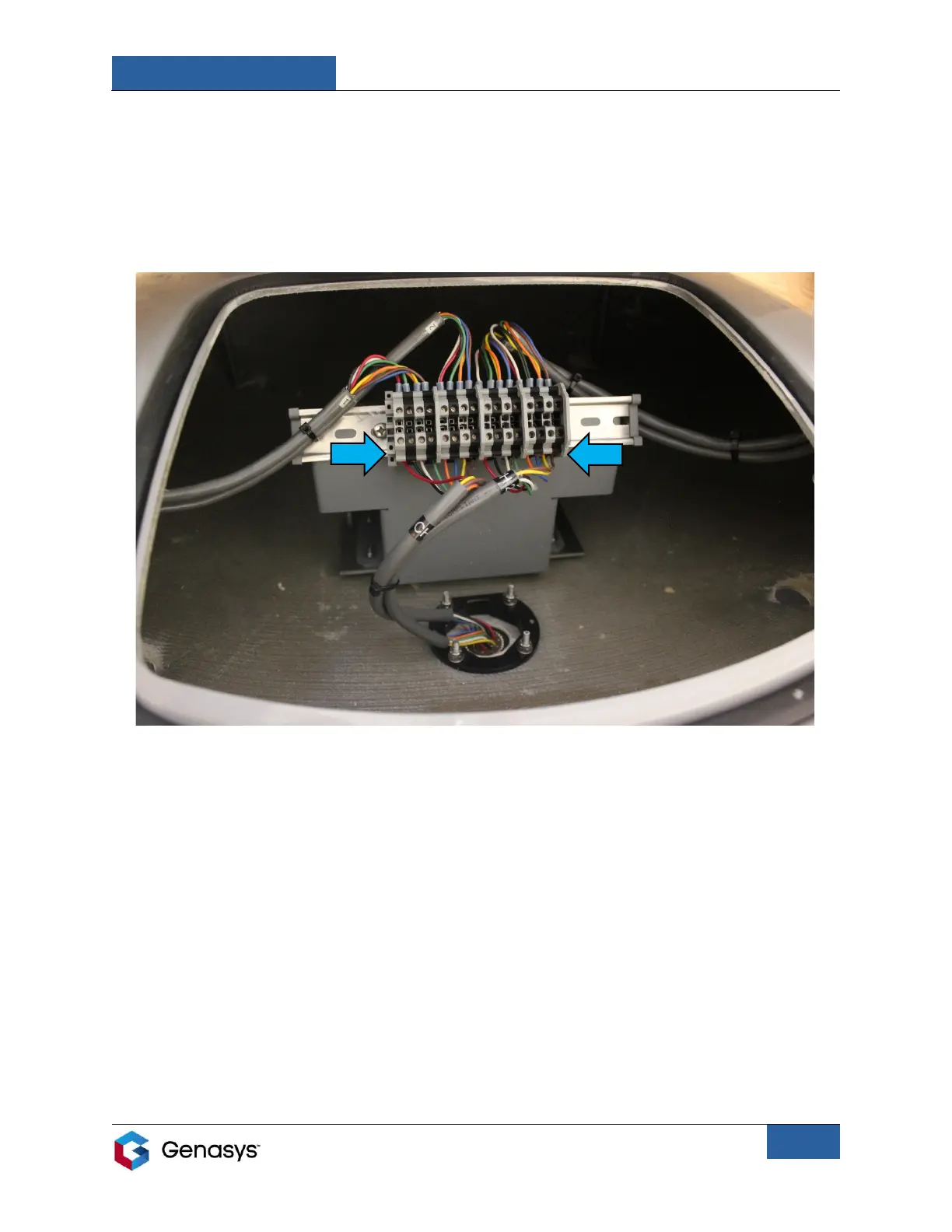
2. Connect the 70-foot audio cable’s wire ferrules to the bottom of terminal blocks (Figure 19).
• Going from left to right, insert positive and negative speaker wire pairs in sequence.
• Use a 3-millimeter flathead screwdriver to securely clamp the connected wires.
• Ensure that all speakers are connected in phase.
• Terminal blocks and connections will vary depending on the 360 model and stack
configuration.
3. Run other end of the 70-foot audio cable from the 360 to the audio source.
4. Connect the 70-foot audio cable to the audio source’s speaker outputs.
Sections 6.1 and 6.2 provide information on the audio sources available from Genasys.
The audio source will be determined by your specific 360 model and stack configuration.
NOTE: User’s cables may be different from those shown in the above figure.


 To Next Page