Manual Part NO.: 119509-00 Rev. A
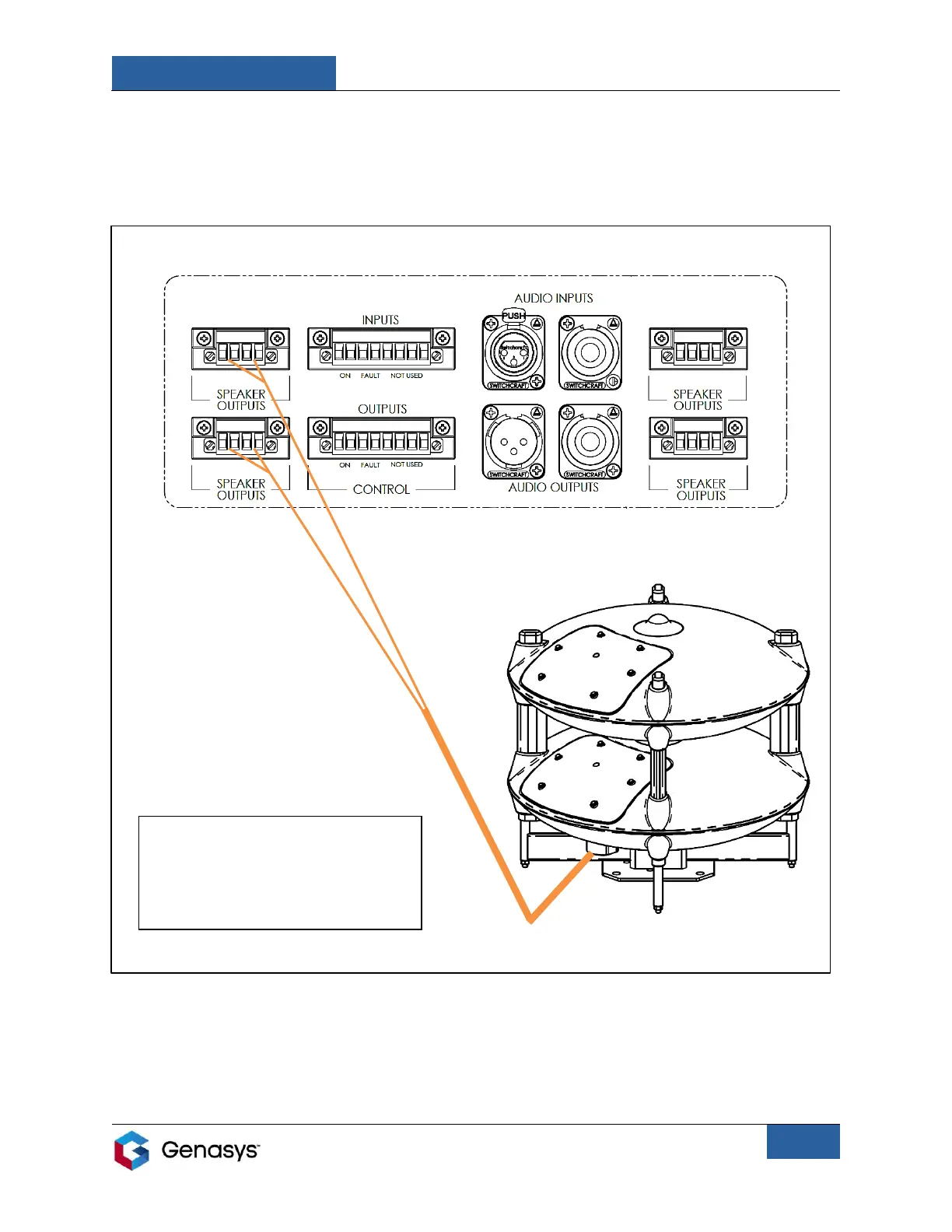
To connect the 360 to the 3RU, simply connect the 360’s audio cable to the 3RU’s
corresponding speaker output connectors.
Figure 21 shows how a One Emitter 360X can connect to a 3RU.
3RU Amplifier Unit: Back Panel
To learn more about the 3RU, contact your Sales Representative or consult the 3RU user
manual.
The orange lines represent the
audio cable and its input wires,
which will run from the 360 to the
3RU Speaker Outputs.


 To Next Page