1616
8. Operation
Roasting nishes
5
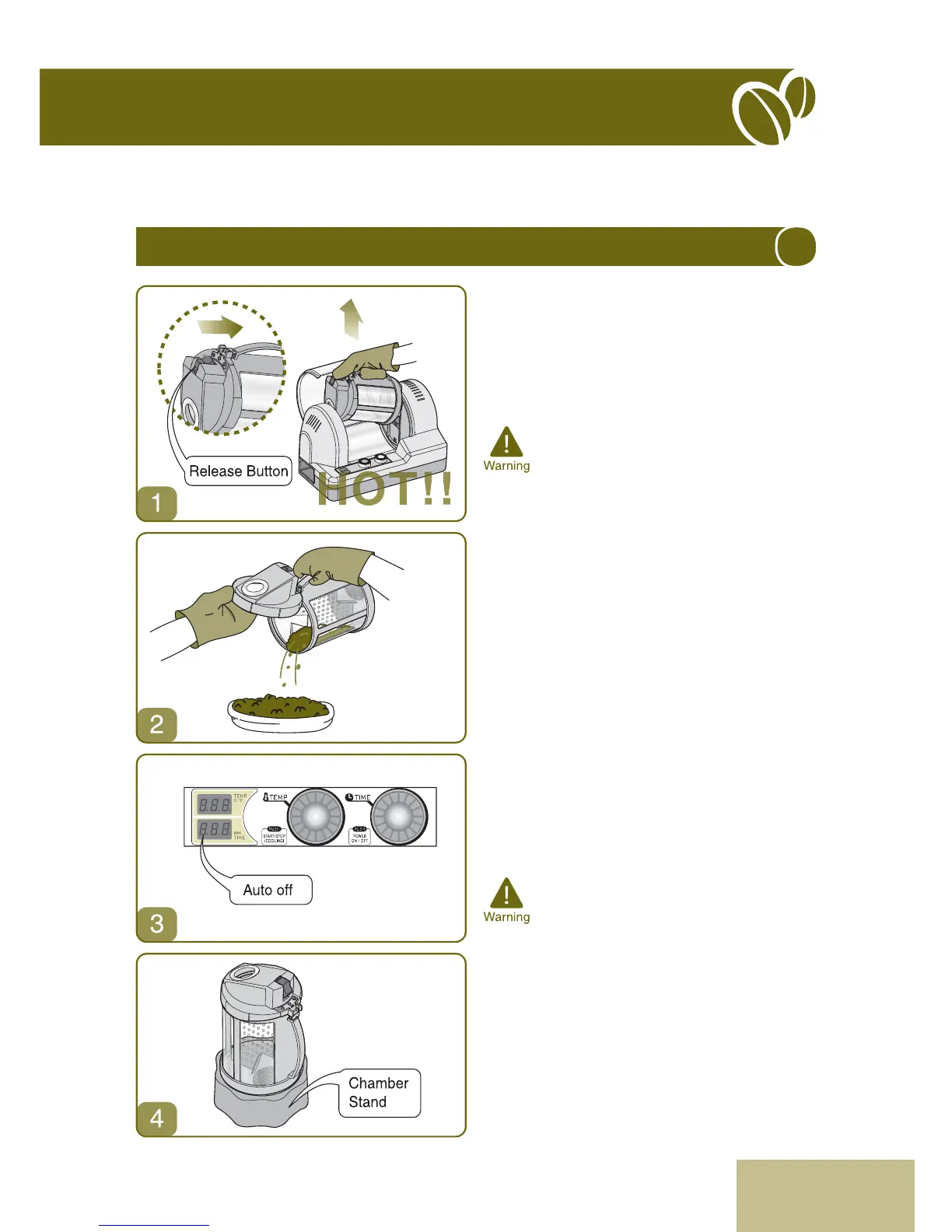
1. When the cooling cycle is completed, the
roasting chamber will stop rotating and an
audible tone will signal the end of the roasting/
cooling process. Open the safety cover, press
the release button and remove the roasting
chamber from the roaster by lifting up on the
roasting chamber handle.
* Since the chamber may still be hot even
after the cooling cycle is completed, use
heatproof oven mitts, gloves or a
potholder to prevent skin burns when
removing the roasting chamber from the
Gene Café.
2. Open the roasting chamber cover and pour the
beans into a colander, large strainer, cooling
rack or large at plate. Spread the beans
evenly in a single layer to accelerate the
cooling process. Beans should be at room
temperature before they are ground for
brewing. A small electric fan aimed at the beans
will accelerate the cooling process.
3. Your Gene Café roaster is equipped with an
automatic power o function. When the roaster
completes its cooling cycle, and the audible
tone is heard, the unit goes into standby mode.
One minute after the roaster stops, a second
audible tone will be heard and the Gene Café
will power down as an additional
safety
measure as well as to conserve electricity.
* When install the roasting chamber and
body, make sure that the chamber cover
faces to the left.
* Failure to ensure that the roasting
chamber cover is completely closed, and
that the chamber is properly seated in
the machine, may result in damage or
the machine not working correctly.
4. Clean the empty roasting chamber as
described on page 18, and place it on the
chamber stand to dry.


 To Next Page