EasyManua.ls Logo

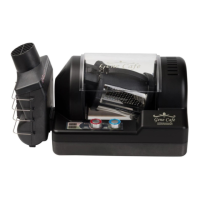
Gene Cafe CBR-101 - User Manual

Gene Cafe CBR-101
23 pages
Print Icon
To Next Page IconTo Next Page
Loading...
COFFEE BEAN ROASTER
MODEL CBR-101
INNOVATIVE OFF - AXIS ROTATION
t
To ensure safe, trouble-free operation, please carefully read this manual
t
Warranty information contained in this manual. Do not discard.
Owners Manual
(Rev. 03)
COFFEE BEAN ROASTER
MODEL CBR-101
INNOVATIVE OFF - AXIS ROTATION
t
To ensure safe, trouble-free operation, please carefully read this manual
t
Warranty information contained in this manual. Do not discard.
Owners Manual
(Rev. 03)

Questions and Answers

  • M
    Michelle OrtizSep 9, 2025
    What to do if it's hard to detach the chamber of my Gene Cafe Kitchen Appliances?
    • E
      Erin GarrisonSep 9, 2025
      If you're finding it hard to detach the chamber, make sure the release button is fully depressed while lifting the roasting chamber out of the roaster.
  • M
    Mark MackAug 22, 2025
    What to do if my Gene Cafe CBR-101 Kitchen Appliances raw coffee beans are not roasted?
    • J
      jason39Aug 22, 2025
      If raw coffee beans aren't roasting in your Gene Cafe kitchen appliance, and the temperature isn't reaching the preset level, check these potential causes: First, verify the rated voltage. Ensure you're using the correct amount of green beans. Set the proper roasting level for your beans. You may need to increase the roasting temperature and extend the roasting time. Also, check for and clean any blockages in the chaff collector and fan filter. Finally, ensure you aren't using the appliance with another heating device.
  • N
    nguyencherylAug 25, 2025
    What to do if my Gene Cafe CBR-101 Kitchen Appliances does not work?
    • J
      Jason SpenceAug 25, 2025
      If your Gene Cafe kitchen appliance isn't working, try these steps: Ensure the power cable is securely connected to an outlet. Check the fuse and replace it if it's blown. Review the manual for correct operating procedures. Press the START button and set the timer.
  • C
    Christopher BennettAug 26, 2025
    Why does the Gene Cafe CBR-101 Kitchen Appliances operations (rotation) does not stop?
    • S
      salinastammyAug 26, 2025
      If the rotation doesn't stop in your Gene Cafe kitchen appliance, it might be because it hasn't cooled down sufficiently. Wait until the temperature is lower, and avoid using the appliance in high ambient temperatures. Alternatively, you can manually stop the rotation by pressing the TEMP(STOP) knob, which will halt the operation at or below 100°C/212°F.
  • T
    Travis WilliamsAug 27, 2025
    What to do if ventilations are blocked in Gene Cafe CBR-101?
    • J
      johnpenaAug 27, 2025
      If ventilations are blocked in your Gene Cafe kitchen appliance, make sure to always use a proper amount of green beans. If you are roasting green beans with thick skin or low quality green beans, roast it in a smaller quantity.
  • S
    scottkatieAug 29, 2025
    What to do if I can not detach the chamber from my Gene Cafe CBR-101 Kitchen Appliances?
    • J
      James HernandezAug 29, 2025
      If you can't detach the chamber from your Gene Cafe kitchen appliance, press the Open button and lift it up.
  • J
    Jonathan SanchezSep 17, 2025
    How to insert roasting chamber into Gene Cafe CBR-101 body?
    • N
      Nancy KellerSep 18, 2025
      If you are unable to insert the roasting chamber into the Gene Cafe Kitchen Appliances body, be sure that the opening end of the chamber is facing to the left (chaff collector side) of the unit and that the roasting chamber lid is fully closed. Also, check to see that the roasting chamber is properly aligned with the groove on the left side of the body.
  • P
    Patricia HallSep 18, 2025
    How to detach roasting chamber from Gene Cafe CBR-101 Kitchen Appliances?
    • J
      juan73Sep 19, 2025
      If you cannot detach or remove the roasting chamber from your Gene Cafe Kitchen Appliances, fully depress the release button while lifting the roasting chamber out of the roaster.
  • N
    Nancy ReidSep 7, 2025
    Why are the vents blocked on my Gene Cafe Kitchen Appliances?
    • R
      Rebecca ThompsonSep 7, 2025
      Vents can become blocked if the roasting chamber is overfilled, so use the proper amount of green coffee beans. Also, some green beans have much more chaff than common ones, if green coffee beans have thick skin, roast in smaller quantities.
  • S
    Sarah TaylorSep 4, 2025
    Why won't my Gene Cafe Kitchen Appliances reach the target temperature?
    • W
      wendychurchSep 4, 2025
      If your Gene Cafe isn't reaching the target temperature, several factors could be at play. First, check that the unit is connected to a circuit delivering the required voltage, and try another circuit if necessary. Ensure you're not overfilling with coffee beans, and that your roast level settings (time and temperature) are correct. A clogged chaff collector or blocked fan filter can also cause this issue, so increase roasting time and clean the fan intake ports. Also, avoid using other electrical machines using the same power supply at the same time.

Summary

1. IMPORTANT SAFEGUARDS

General Safety Precautions

Essential safety guidelines for operating the coffee roaster, covering general use and electrical safety.

Prohibitions and Environmental Conditions

Safety rules regarding usage location, materials, and operating environment to prevent hazards.

4. Features

Removable Roasting Chamber

Describes the benefit of easy filling, emptying, and cleaning.

Temperature and Timer Control

Highlights full range temperature control and adjustable roasting timer.

Automatic Cooling and Overheat Protection

Explains the automatic cool-down cycle and overheat sensors.

Chaff Collection and Agitation

Details the high-efficiency chaff collector and innovative 3D agitation.

Design and Operation Features

Covers sleek design, clear chamber, convective heating, and quiet operation.

5. Configuration

Main Body and Chamber

Identifies the primary components: the main roaster unit and the roasting chamber.

Accessories and Manual

Lists essential accessories like chaff collector, brush, stand, and the owner's manual.

6. Safety Precautions

Environmental and Placement Safety

Warnings against direct sunlight, unstable surfaces, and proximity to flammable materials.

Electrical and Liquid Hazard Warnings

Precautions against water immersion, wet environments, and flammable substance use.

Electrical Safety and Cord Handling

Guidelines for preventing short circuits, proper plug use, and cord maintenance.

Obstruction and Foreign Object Safety

Advice on keeping air intakes clear and handling foreign objects in the unit.

Operational Hot Surface Safety

Warnings about hot surfaces, the need for oven mitts, and keeping children/pets away.

Maintenance and Modification Safety

Instructions against disassembling, modifying the unit, and proper repair procedures.

7. Parts Name & Functions

Main Body Components

Details the safety cover, chamber attachment, control panel, and chaff collector port.

Chaff Collector System

Explains the function of the chaff collector in removing husks and preventing odors.

Roasting Chamber Components

Identifies the blade rubber, blade, separator, release button, and chamber stand.

Control Panel Functions

Describes the operation of temperature, timer, and display controls.

8. Operation

Before Roasting Preparation

Steps for removing, placing, and filling the roasting chamber with beans.

Chamber Installation and Safety Checks

Procedures for correctly installing the chamber and attaching the chaff collector.

Power Supply and Timer Setup

Instructions for connecting power and setting the roasting time.

Temperature Setting and Roasting Start

Guidance on setting the desired temperature and initiating the roasting process.

Cooling Start;Stop Procedures

Details on automatic and manual methods for starting and stopping cooling cycles.

Roasting Completion and Finishing

Steps for removing the chamber after roasting, cooling beans, and powering down the unit.

9. Cleaning & Maintenance

Roasting Chamber Cleaning

Instructions for cleaning the roasting chamber to maintain taste and performance.

Chaff Collector Cleaning and Maintenance

Guidance on cleaning the chaff collector and mesh net to prevent fires and odors.

11. Troubleshooting

Unit Not Working or Poor Roasting

Addresses issues like power connection, voltage, improper settings, and overheating.

Smoke and Vent Issues

Solutions for excessive smoke, blocked vents, and bean quality affecting performance.

Chamber Handling and Rotation Problems

Guidance on detaching, inserting the chamber, and addressing rotation issues.

12. Error Messages and Emergent Measures

Error Code Descriptions

Explains error messages like E1, E2, E3, E4 and their causes.

Emergency Procedures

Actions to take for accidental shut-off, power failures, and in case of fire.

Gene Cafe CBR-101 Specifications

General IconGeneral
ModelCBR-101
CategoryCoffee Roaster
Temperature ControlDigital
Cooling SystemBuilt-in Cooling Fan
Voltage220-240V
DisplayLCD