General Dynamics Itronix | 72-0136-005
GD6000 User Guide
Getting Familiar With Your Computer
# Feature Description
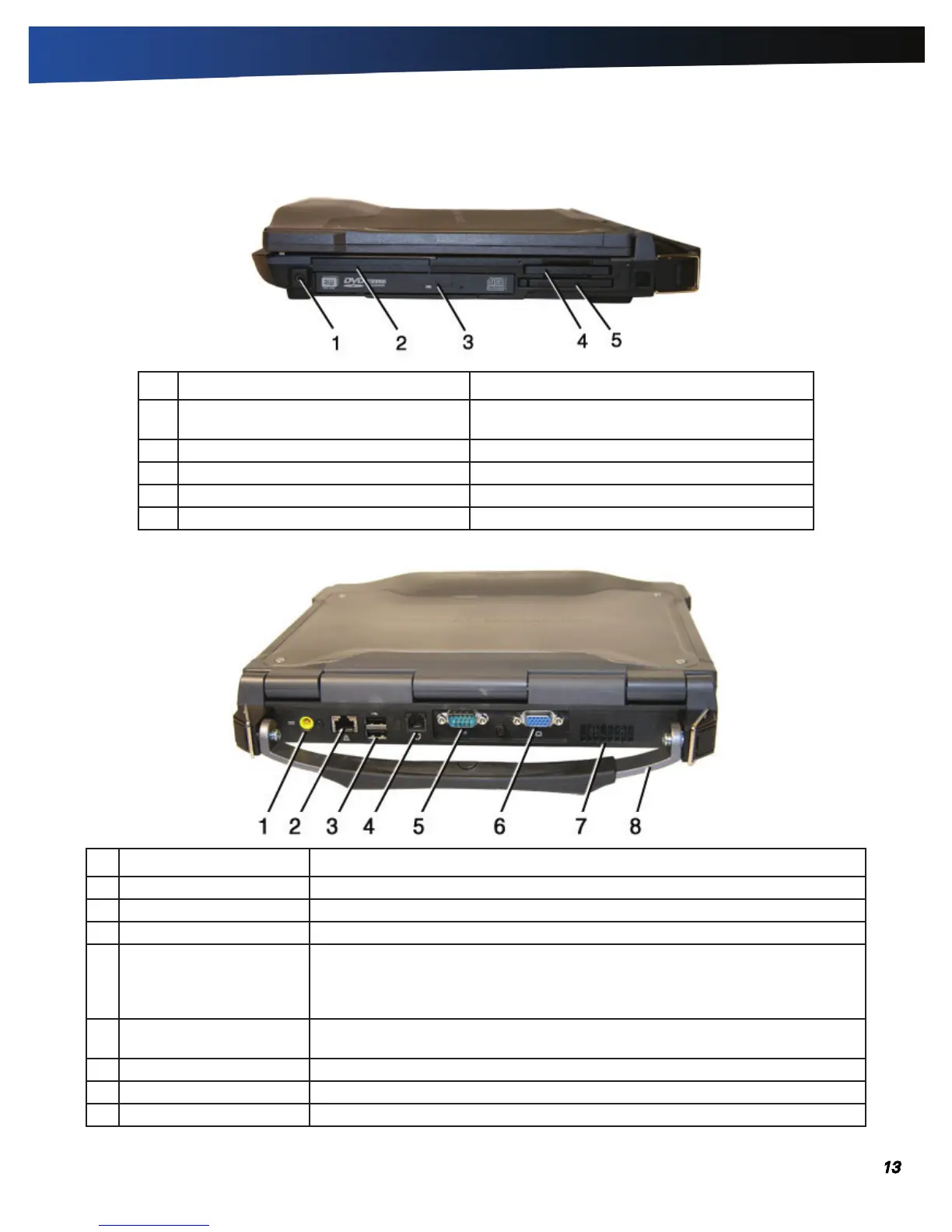
1 Front Handle Mount The front soft handle mount, located on both sides
of the unit, is used with the optional soft handle.
2 CRMA Express CRMA Express Radio bay.
3 Optical Disk Drive DVD-RW/CD-RW combo drive.
4 Smart Card Reader or EXPRESS Card Slot Smart Card Reader or EXPRESS Card.
5 PC Card Slot Use this slot for PC Card devices.
Right Side View
# Feature Description
1 DC-in Jack Connects to an external power supply.
2 Network Jack (RJ45/LAN) Connects to an Ethernet-based network. Connection speed is 10/100/1000 Mbps.
3 Two 2.0 USB Ports Connects to USB devices (e.g., USB digital camera).
4 Modem Jack (RJ11) Connects a phone line to the internal fax/data modem. It can transmit data using the
56 Kbps V.90 or V.92 protocol, and send and receive faxes at 14.4 Kbps.
note In some countries, local regulations may not permit the use of the fax/
modem designed for this system. In this case, you may use a PCMCIA modem.
5 Serial Port Connects your computer to serial devices such a fax/modem or a serial mouse.
This port is identified as COM1 and is UART 16550A compatible.
6 External Monitor Port Connects to a display monitor (up to 2048x1536 resolution).
7 Cooling Fan Intake Air intake for fan. Do NOT block this area.
8 Hard Handle (optional) Carrying handle.
Back Edge View



 To Next Page