General Dynamics Itronix | 72-0136-005
GD6000 User Guide
Getting Familiar With Your Computer
# Feature Description
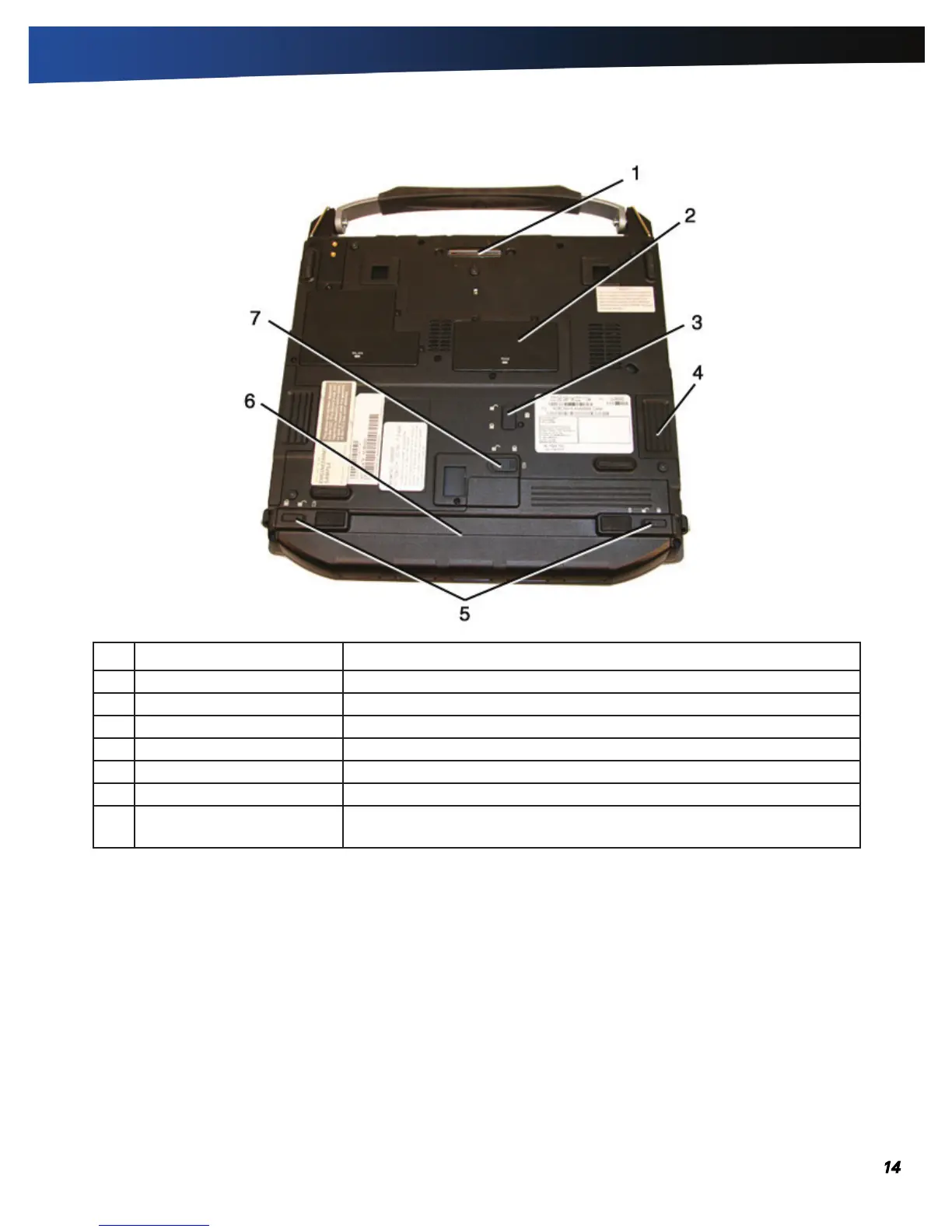
1 Docking Connector 84-pin cradle connector that mates with the Vehicle Dock and Office Dock.
2 Memory compartment User expandable memory slot.
3 Hard Disk Lock Slide this to lock or unlock the hard disk drive.
4 Hard Disk Drive Removable hard disk drive for data storage.
5 Battery Locks Slide these locks toward the outer edges of the computer to lock the battery.
6 Battery Lithium-Ion Smart Battery.
7 Battery Release Latch
Slide this latch to the left to remove the battery.
note You must first unlock
the battery.
Bottom View



 To Next Page