General Dynamics Itronix | 72-0136-005
GD6000 User Guide
Customizing Your BIOS Settings
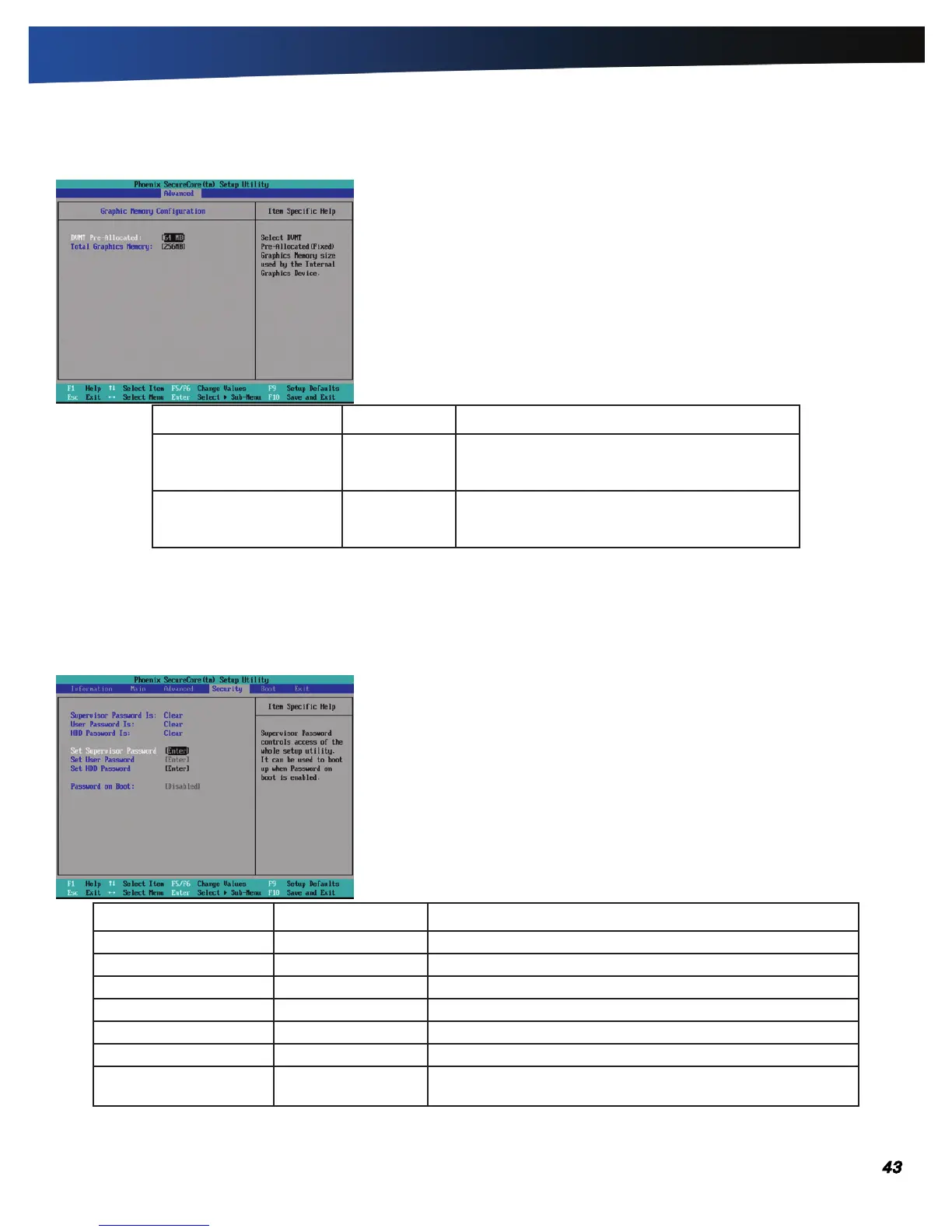
Graphic Memory Configuration
Field Setting Function
DVMT Pre-Allocated 32 MB
64 mB
128 MB
Select the DVMT pre-allocated graphics memory
size to be used by the internal graphics device.
Total Graphics Memory 128 MB
256 mB
MaxDVMT
Select the amount of total graphics memory to be
used by the internal graphics device.
The Security Menu
You can set, change or remove passwords in the Security menu.
note This is the Security screen as seen when both Supervisor and User passwords are installed.
Field Setting Function
Supervisor Password Is Clear Shows if a password has been set.
User Password Is Clear Shows if a password has been set.
HDD Password Is Clear Shows if a password has been set.
Set Supervisor Password Enter New Password Supervisor Password controls access to the Setup Utility
Set User Password Enter New Password User Password controls access to the system
Set HDD Password Enter New Password HDD Password controls access to the removable hard disk drive.
Password on Boot Enabled
disaBled
If enabled, system will ask for password on post time. If dis-
abled, system will ask for password when entering setup utility.



 To Next Page