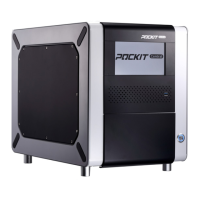
POCKIT™ Central Nucleic Acid Analyzer
9
Press End to return to Home screen.
4.2 Main Menu
The buttons of Main Menu are for access to the following functions:
Start: Run test
Search Archive
Cleaning/Shipping Setup
UV: Turn on/off UV Lamp
Basic Settings
4.3 Onscreen Keyboard
The onscreen keyboard enables users to input information into the POCKIT™ Central
instrument. Press ABC or 123 to switch between text and number entries.
4.4 Setting Language, Date and Time
Users are able to set Language, Date & Time, and select the format in which the date and
the time are displayed.
Go to Home > Basic Settings > Language / Date & Time
Select English/简体中文 to change language
preference if needed.


 To Next Page