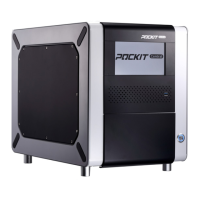
POCKIT™ Central Nucleic Acid Analyzer
i
Contents
Symbols ......................................................................................................................... 1
Section 1. Introduction ................................................................................................ 2
1.1 Intended Use ........................................................................................................ 2
1.2 Product Description ............................................................................................. 2
Section 2. General Information .................................................................................. 3
2.1 Product Components ........................................................................................... 3
2.2 Specifications ...................................................................................................... 3
2.3 Testing Capacity .................................................................................................. 3
2.4 Equipment and Materials Required But Not Provided ....................................... 3
2.5 Front View ........................................................................................................... 4
2.6 Rear View ............................................................................................................ 5
2.7 Software Version ................................................................................................. 5
2.8 Unpacking ........................................................................................................... 6
Section 3. Warnings and Precautions ........................................................................ 7
Section 4. Getting Started ......................................................................................... 8
4.1 Initial Setup ......................................................................................................... 8
4.2 Main Menu .......................................................................................................... 9
4.3 Onscreen Keyboard ............................................................................................. 9
4.4 Setting Language, Date and Time ....................................................................... 9
4.5 Setting Basic Information.................................................................................. 10
Section 5. Performing A Test .................................................................................... 12
5.1 Quick Guide ...................................................................................................... 12
5.2 Running Tests .................................................................................................... 13
5.3 Aborting Reaction ............................................................................................. 17


 To Next Page