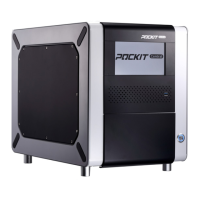
POCKIT™ Central Nucleic Acid Analyzer
25
Troubleshooting
"!" or " * " symbol
shown after the run
Fluorescence
signals are
abnormal
Check if an R-tube is in the corresponding position
after reaction (see illustration below.)
Contact GeneReach or local distributor for technical
support.
Please refer to Section 7 Cleaning/Shipping Setup to
deal with liquid spills. Use new cartridges to repeat if
needed.
If tubes are broken and liquid leaks are found,
contact GeneReach or local distributor for technical
support.
Clear any objects that may block the door from
opening.
Door cannot be
closed:“Remove
Cartridges” notice is
shown on screen
Cartridges are not
removed
Clear all cartridges and press “End” to close door and
go back to Home screen.
Clean the tray sensor using a dry cotton swab.
Long-press the Wake up/Sleep button for 5 seconds to
close the door. Contact GeneReach or local distributor
for technical support.
Try the other USB ports.
Restart the POCKIT™ Central to recheck.
Contact GeneReach or local distributor for technical
support.
Environment
temperatures are
out of range
Ensure environment temperatures are within
15-35˚C. Restart the POCKIT™ Central again.
Contact GeneReach or local distributor for technical
support.
Restart the POCKIT™ Central to recheck.
Contact GeneReach or local distributor for technical
support.
Restart the POCKIT™ Central to recheck.
Contact GeneReach or local distributor for technical
support.


 To Next Page