10
basic conTrols
Turning The sysTem on
1. Press the engine start button. Once the system is turned on,
the booting process will start and the safety warning page is
displayed.
↟ Press [Language] to change the language of the system
display.
↟ Press [Driver 1], [Driver 2] or [Guest] to change the prole of
system.
2. Press [Conrm].
,
noTe
↟ You cannot operate the system while it is booting up. It may take
some time for all of features of the system boot up.
↟ The safety warning page is displayed every time the ACC is turned
on. The displayed warnings are related to safety, please read
thoroughly and comply with the safety warnings.
Turning The sysTem off
Press and hold [
:
/VOL] the wheel on the front seat control key.
To turn the system on again, press [
:
/VOL] the wheel on the front
seat control key.
,
noTe
Check the volume when turning on the system. Before turning on the
system, adjust the volume to a reasonable level.
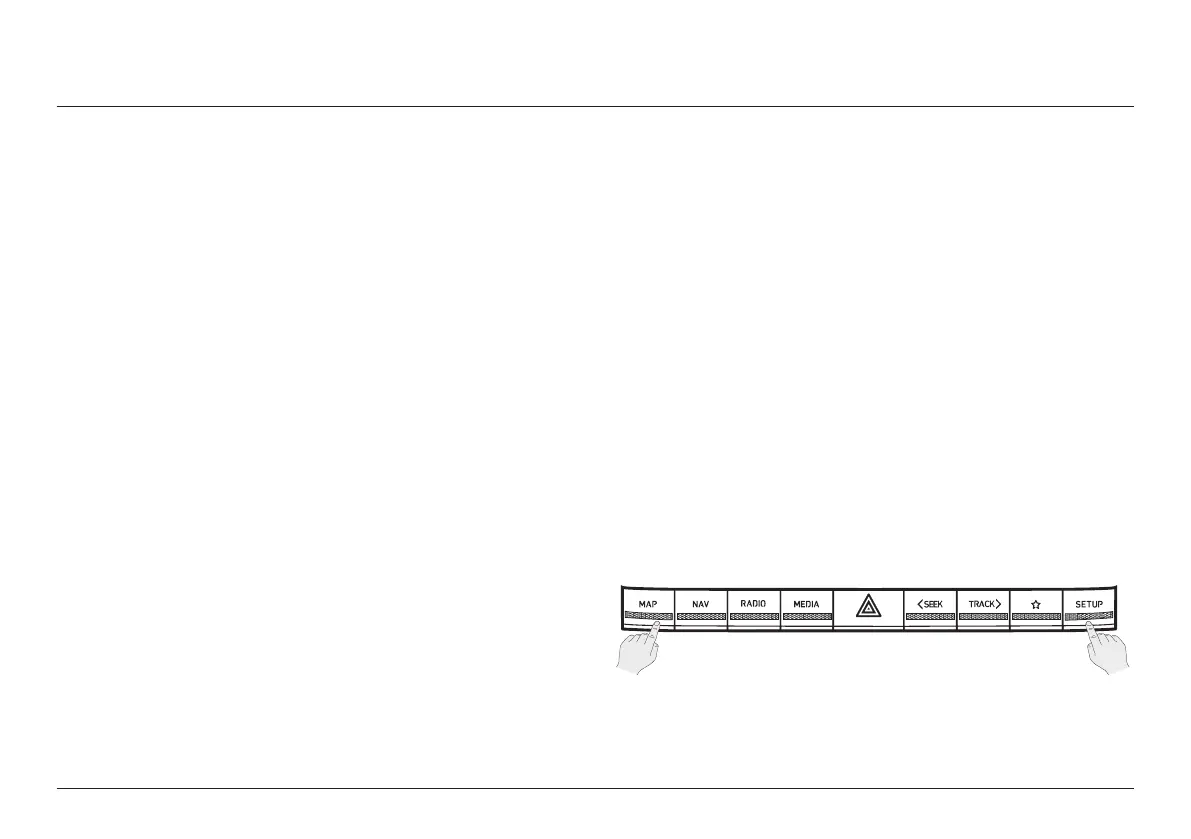
sysTem reseT
This feature is used to reset the system in the occurrence of an unforeseen
error or problem.
1. After turning the vehicle off, press the start button once without
pressing brake pedal.
2. Press and hold [MAP] and [SETUP] on the head unit for 5
seconds to reset the system.
basic conTrols



 To Next Page