9
English
name and funcTion of each componenT
f Optical touch pad
(You can use AVN [Audio/Video/
Navigation] control if the search mode
in the split screen of the cluster is not.)
↟ When it is swiped
- Radio: Moves to the previous or next
frequency saved.
- Media/Voice memo: Plays the previous
or next le.
↟ When it is dragged
- Radio: Changes the frequency until you
lift your nger, and then search for the
frequency.
- Media/Voice memo: Rewinds or fast-
forwards the le. (Except for the mode
of Sounds of nature)
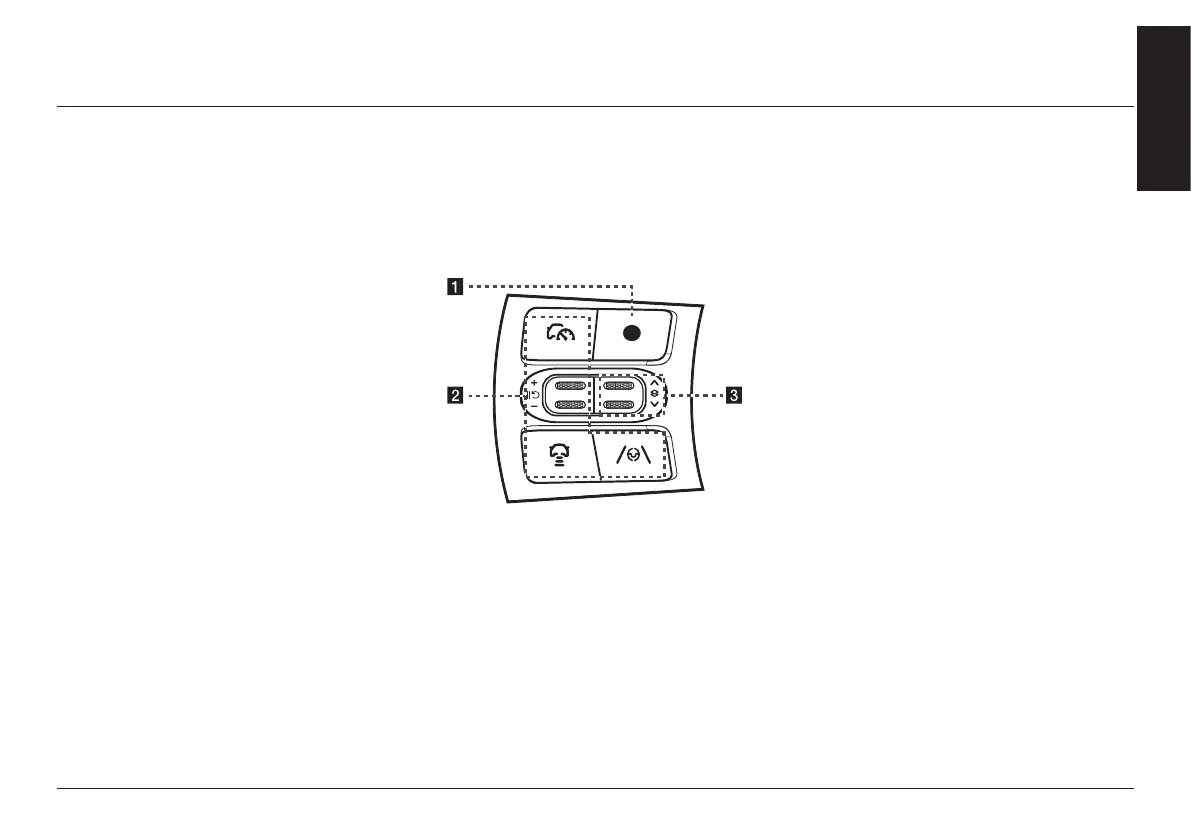
sTeering wheel remoTe
conTrol (lefT)
The image of this product may be different from
the actual product.
a Custom button
↟ User may select and use a desired
feature with this button.
↟ Press and hold to move to the
custom button settings screen.
b button
For details, refer to the vehicle
instruction manual.
c Tumbler button
Press or slide up/down the button to
change the gauge style and view mode
displayed on the cluster screen.



 To Next Page