21
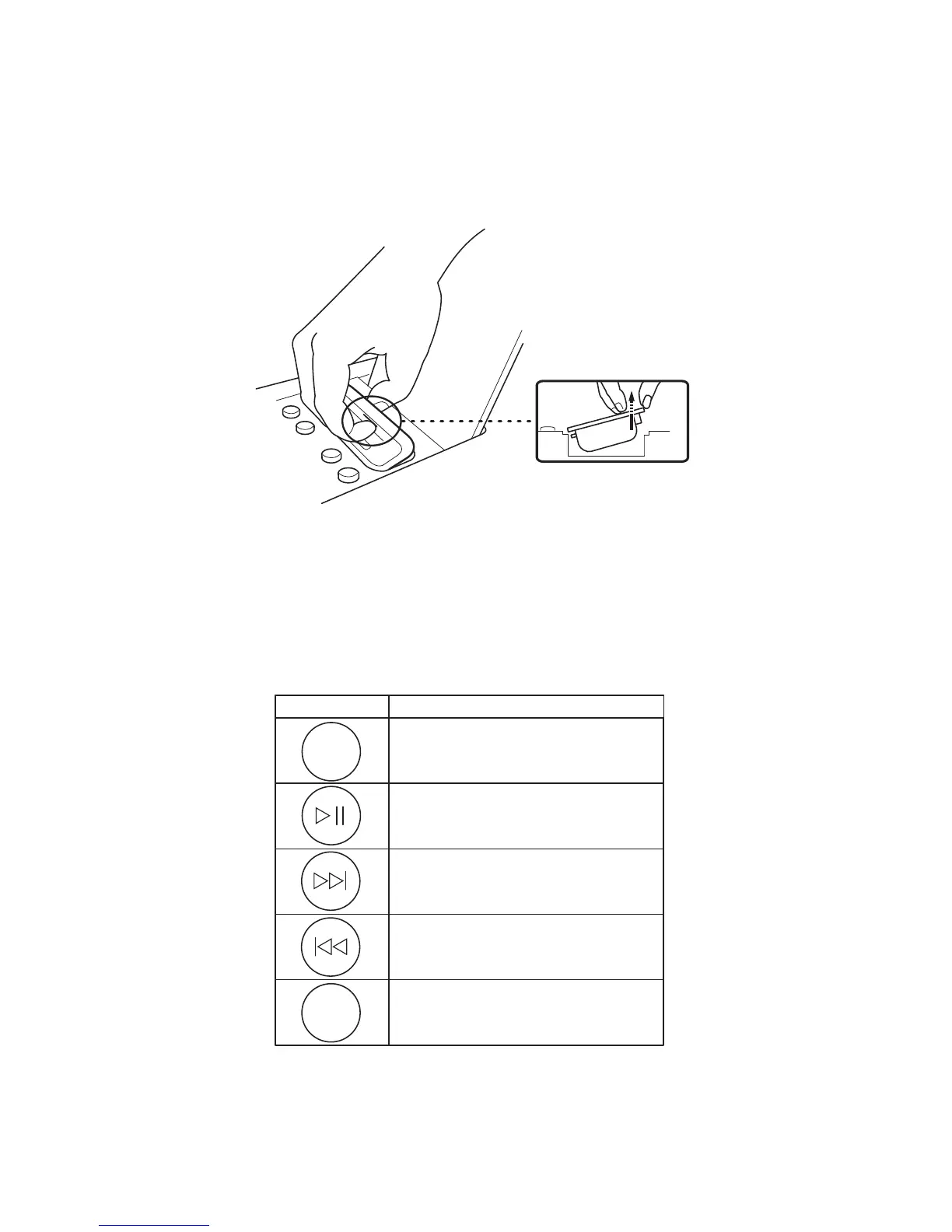
Remove an inserted Dock Adapter by pressing toward the front and at the same time carefully
lift the back of the adapter using your fingernail or other non-metal device that does not damage
the plastics.
How to control the iPod using the Geneva Sound System’s remote control?
If you have inserted an iPod into the Universal Dock and turned the Geneva Sound System into
iPod mode, you can control the iPod using the remote control supplied with the Geneva Sound
System. Simply follow the instructions in the table to the right to perform control the various
functions:


 To Next Page