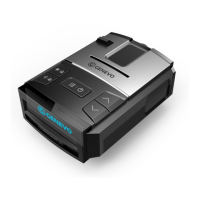
Items in the menu are as follows:
(recommended settings are highlighted)
Front Radar: On / Off - Switches on Front Radar functionality. In case this option is turned off, further menu items controlling the Front
Radar are not displayed.
Rear Radar: On / Off - Switches on Rear Radar functionality. In case this option is turned off, further menu items controlling the Rear
Radar are not displayed.
Sensitivity: Highway / City / Auto City
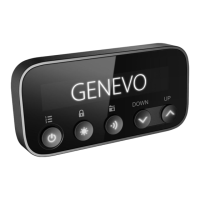
Setting the speed in Auto City (item is present only if the sensitivity is set to Auto City): Through you are selecting second button
between speeds for editing (left number indicates the speed below which the detector will not respond to alerts. Right number
indicates the speed below which the detector will detect alerts like in City mode). buttons on the detector change the specific ⋀⋁
speed. When the detector is set up to “20 50” speed below 20 km/h on the radar will not respond. In the velocity range, 20-50 km/h will
only respond to stronger radar signals. Maximum detector sensitivity on the radar starts from 50 km/h.
Setting values City and Auto City sensitivity (entry is present only if the detector sensitivity is set to other than Highway): Via the second
button ⋀⋁ you can select radar band for editing. To change the signal level which will respond to radar signals use . The level of
suppression can be selected in the range 0-9. For example, when setting is X2 K2 and Ka2 the level of detection in all bands are slightly
decreased.
The minimum speed for signaling radar: Off, 10 km/h, 20 km/h, 30km/h ......... .. 130 km/h
GENEVO
G
Radar Detector Genevo PRO 3


 To Next Page