11
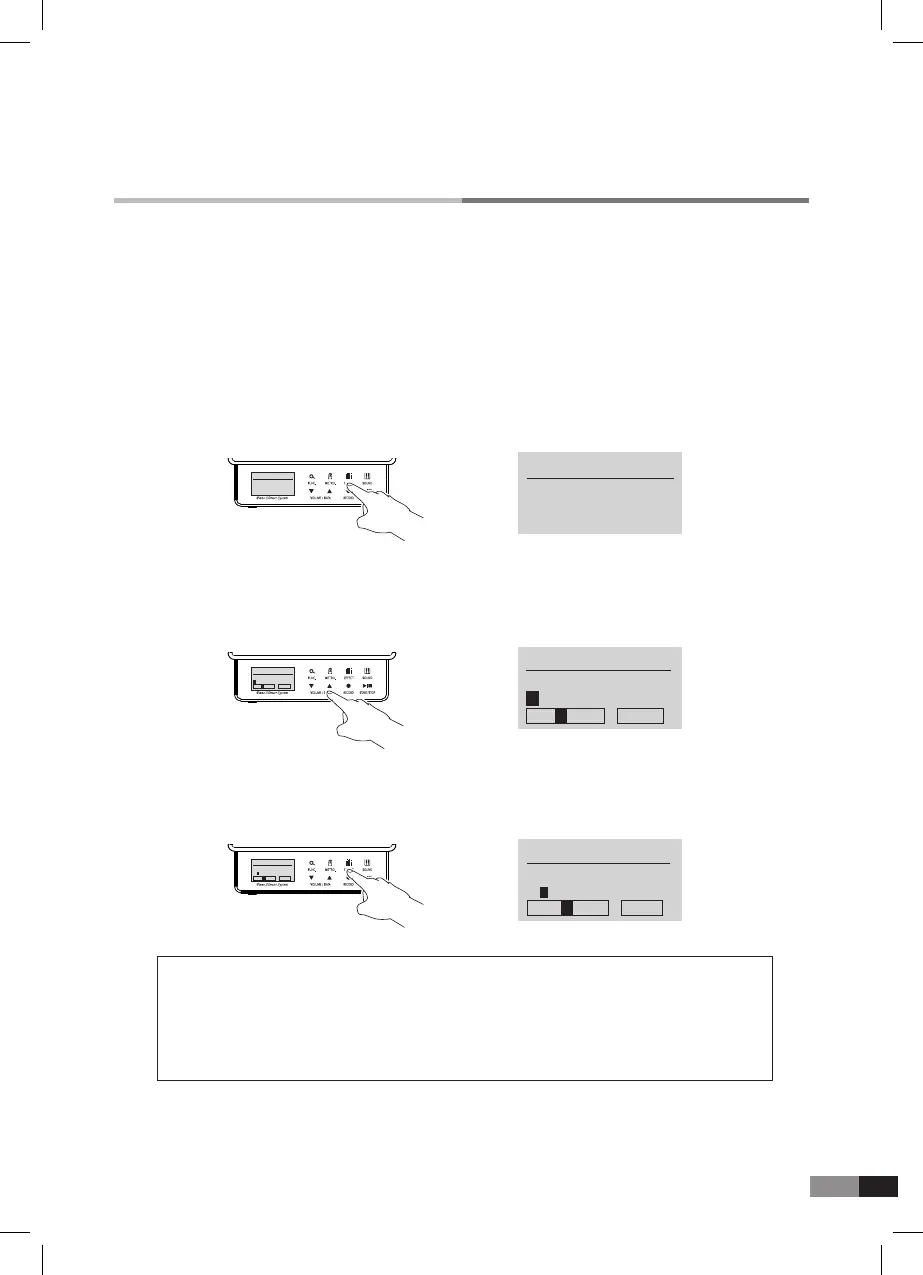
C. How to change the name of Userset sounds
3) Press either [EFFECT] or [SOUND] button to move across to the next letter to be modied.
* Press [START/STOP] button for selecting Alphabet Capital letters, Small letters, Numbers or Signs.(Page 16~17)
* You can change the name by pressing keys.
* Letters, numbers and symbols can be input by pressing keys.
2) The selected character highlighted with a black box can be changed by pressing either [▼] or [▲]
button.
1) Press either [EFFECT] or [SOUND] button to nd the name parameter
→
USERSET EDIT
Channel : 16
Instrument
off
USERSET EDIT
Channel : 16
Instrument
off
→
USERSET EDIT
Name :
User
STU VW ABC
USERSET EDIT
Name :
User
STU VW 123
→
USERSET EDIT
Name :
User
q r s t u abc
USERSET EDIT
Name :
User
q r s t u abc
Letters chart for title modication
* A, B, C, D, E, F,G, H, I, J, K, L, M, N, O, P, Q, R, S, T, U, V, W, X, Y, Z
* a, b, c, d, e, f, g, h, i, j, k, l, m, n, o, p, q, r, s, t, u, v, w, x, y, z
* 0, 1, 2, 3, 4, 5, 6, 7, 8, 9
* Space, 1, ~, #, $, %, &, ‘, (, ), *, +, -, /, :, ;, <, =, >, ?, @, [, W, ], ^, _, {, |, ], ~
4) Press either [▼] or [▲] button to select the letters needed.
5) After setting is completd, press either [EFFECT] or [SOUND] button to move to the other parameter.
Global Parameter
Velocity Curve/Pitch/Reverb Type/Chorus Type/Cutoff Frequency/ Resonance/Name
: The sounds of entire channels output during Global Parameter adjustment.
GENIO PREMIUM
α
Global Parameter
Global parameter is effective to all channels as under listed parameter. (Page 13)



 To Next Page