26
Pedal Positioning
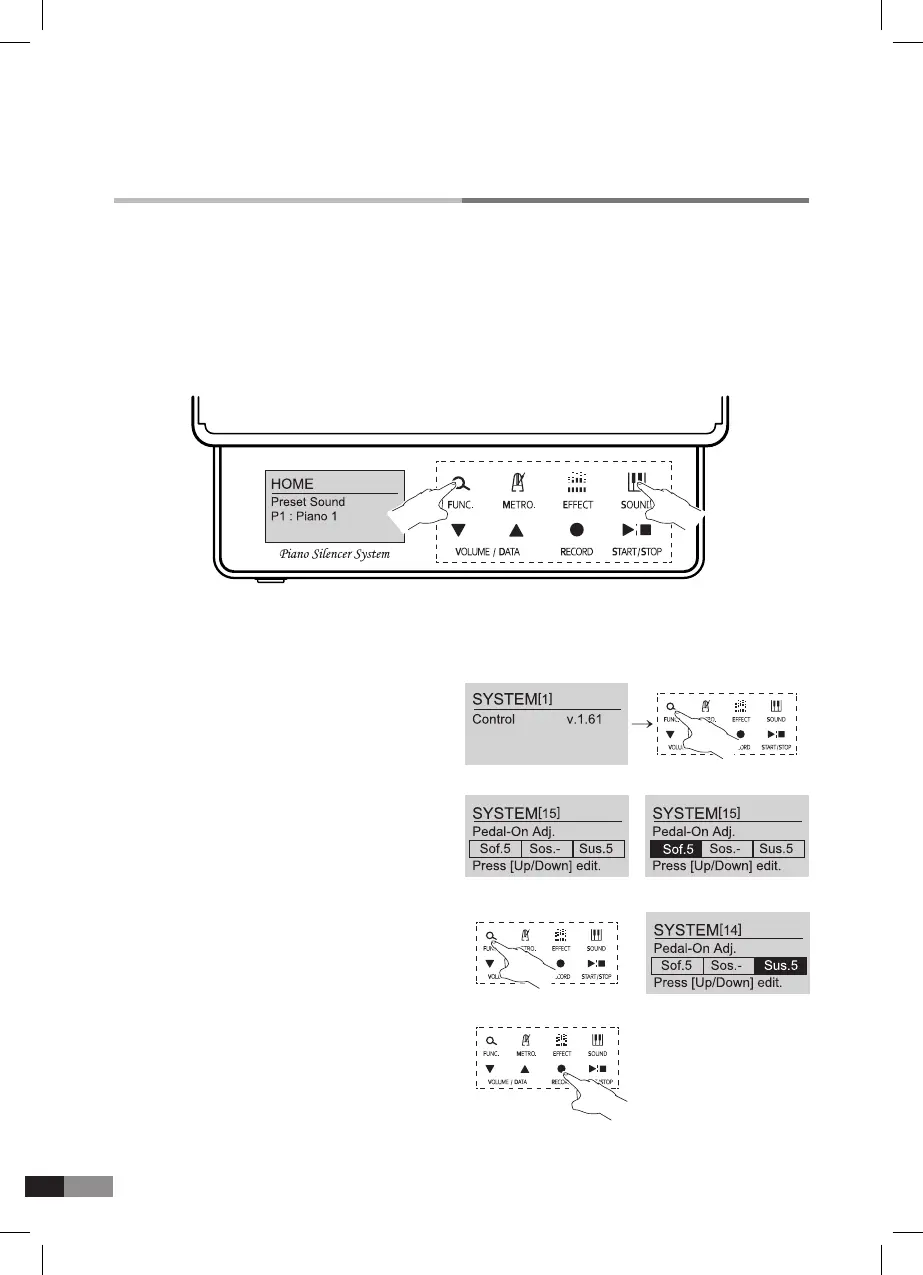
2) Press [FUNC.] button and move to System Setting No. 15.
Press until [15] Pedal-On Adj appears
1) Press [FUNC.] and [SOUND] button simultaneously.
A. Pedal positioning Adjustment
Pedal effect timing is automatically set during the initializing process, but the pedal depth timing
can be adjusted from the System Setting Menu by the program, not by height adjustment of
the pedal sensors.
*
System Setting Mode
*
Press [▼] or [▲] once for SYSTEM
[
15
]
screen conrmation.
*
Press [▼] or [▲] for timing adjustment.
*
Big number(shallow) makes early effect,
*
Small number(deep) makes late effect.
*
Press [FUNC.] button to move from Sof.5 to Sus.5.
*
Adjust the pedal timing like above.
*
Press [RECORD] button to save.



 To Next Page