21
Record and Playback
Your GENIO PREMIUM
α
has Four built-in tracks for record and playback. After recording the
rst track, you can record the second track with the rst track playing back.
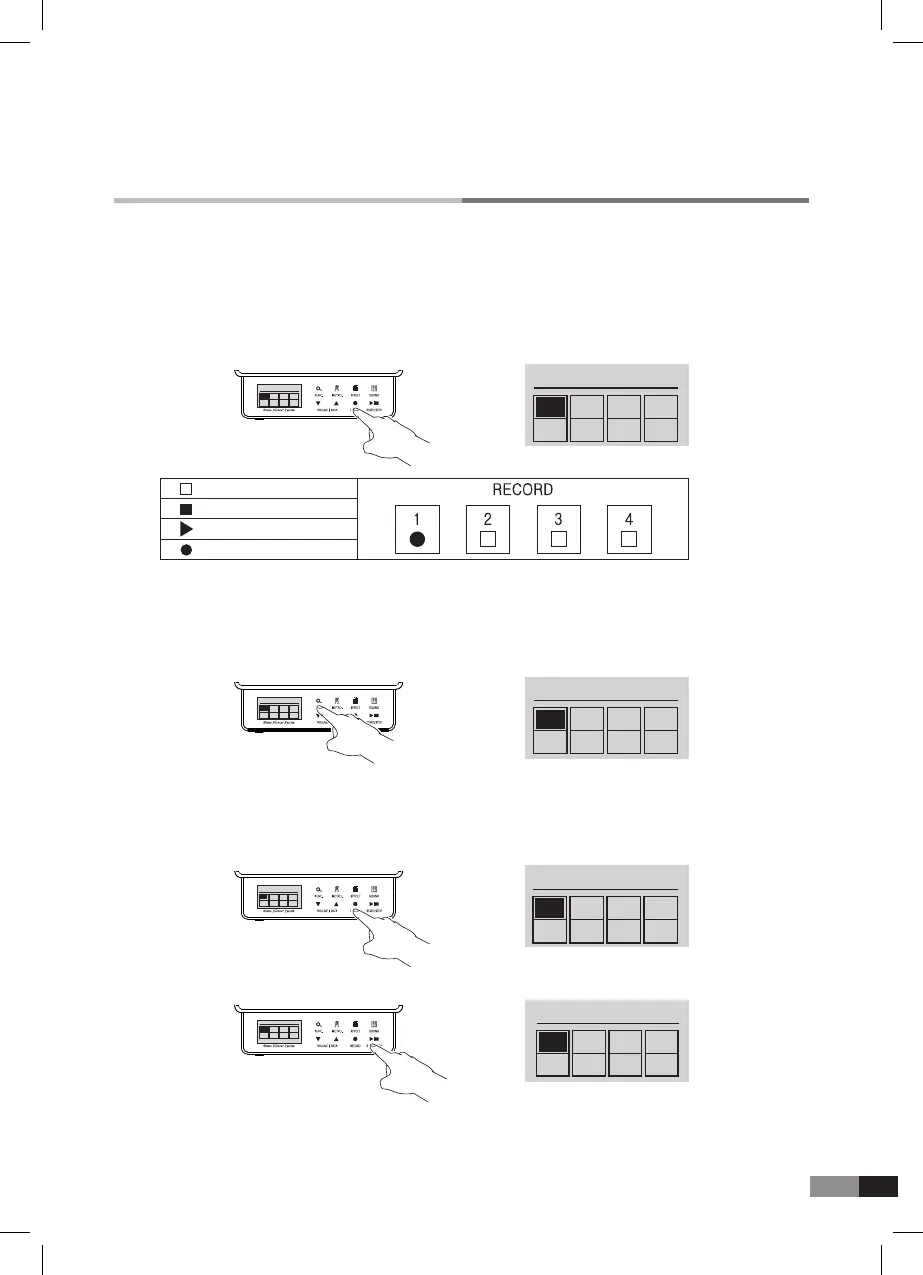
1) Press [Record] button to get into record mode.
Empty
Stop
Play
Record
→
RECORD 00:02
●
□ □ □
1 2 3 4
RECORD 00:02
●
□ □ □
1 2 3 4
→
RECORD
▶ ▶ ▶ ▶
1 2 3 4
RECORD
●
□ □ □
1 2 3 4
→
RECORD
▶ □ □ □
1 2 3 4
RECORD
▶ □ □ □
1 2 3 4
→
RECORD 00:02
●
□ □ □
1 2 3 4
RECORD
▶
□ □ □
1 2 3 4
A. Record
4) Press [RECORD] button to start recording.
(One neasure of previous beats are coming out, and recording starts)
8) If USB Memory is connected during the Record mode, the recording data will be saved to the USB
Memory automatically.
5) Press [RECORD] button to nish recording. And then the selected track icon changes to
▶(play)
*
You can select another track to record
2) Press either [▼] or [▲] button to select the track.
3) When the track is selected, Press [FUNC.] button to choose
●/ ▶/ ■.
*
Press and hold [FUNC.] button for more than 2 seconds to delete the recorded track.
*
Press and hold [EFFECT] button for more than 2 seconds to delete all recorded tracks.
6) Press [START/STOP] button to listen to the recorded track.
7) Press [SOUND] button to return to Home mode.



 To Next Page