22
→
PLAY 00:12
▶ □ □ □
1 2 3 4
PLAY
▶ □ □ □
1 2 3 4
Empty
Stop
Play
PLAY
→
PLAY 00:12
□ ▶ □ □
1 2 3 4
PLAY
□ ▶ □ □
1 2 3 4
→
PLAY 00:12
▶ ▶ □ □
1 2 3 4
PLAY
▶ ▶ □ □
1 2 3 4
→
PLAY 00:12
▶ ▶ □ □
1 2 3 4
PLAY 00:12
▶ ▶ □ □
1 2 3 4
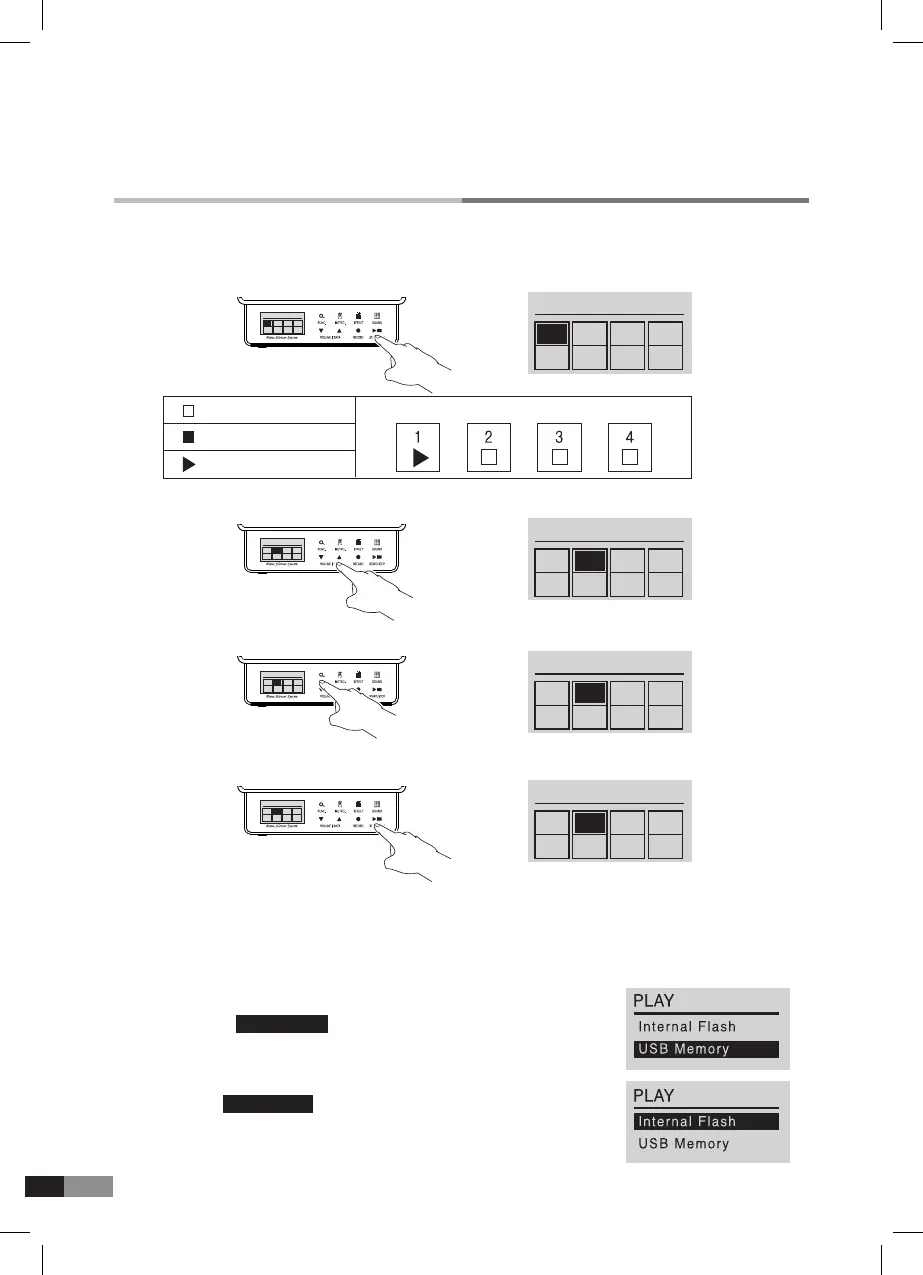
C. Playback (USB Memory is connected)
B. Playback (USB Memory is not connected).
1) Press [START/STOP] button to get into Playback mode.
6) Press [SOUND] button to return to Home mode.
4) Press [START/STOP] button to play after selecting to play or not.
5) Press [START/STOP] button to stop playing.
2) Press either [
▼] or [▲] button to select the track.
3) Press [FUNC.] button to select to play or not.
1) From the display in right side, press either [
▼] or [▲] button to
highlight the USB Memory , and press [START/STOP] button to
check the listed songs.
2) Press either [▼] or [▲] button to select a song.
3) Press [START/STOP] button for play or stop.
4) Selecting Internal Flash from the right display would enter into
above ‘B. Play (USB Memory is not connected)’ process for
Playback mode.



 To Next Page