7
HOME
Preset Sound
P1 : Piano 1
Volume
60%
After installation, the system should be optimized to be used by the initializing process (Page 16),
and it can be used with adequate connection of power supply.
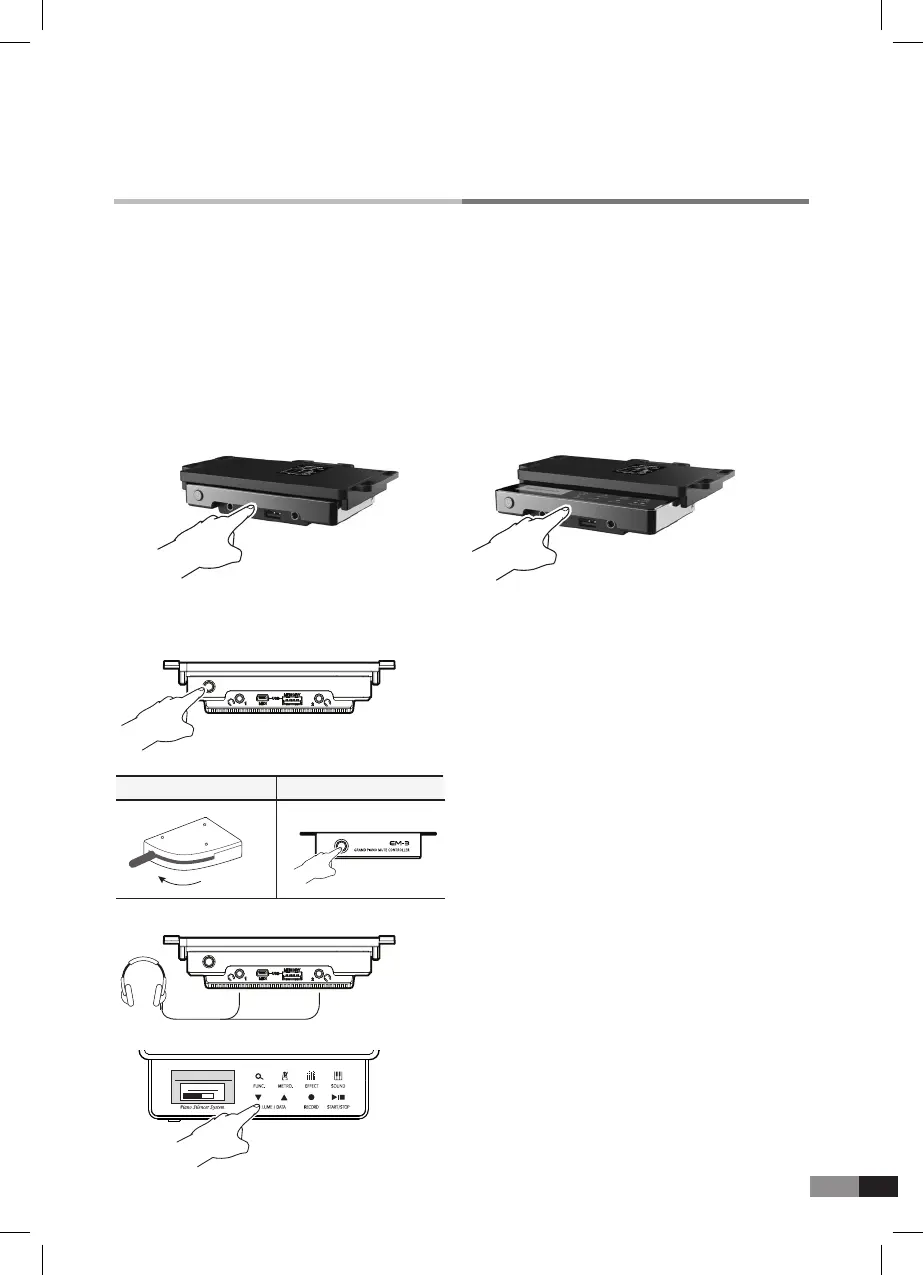
Conning by pushing GENIO PREMIUM
α
control unit front lightly.
A. Taking out & conning GENIO PREMIUMα control unit
Pressing softly the GENIO PREMIUM
α
control unit front and it comes out.
Originating information
Make sure your power supply complies with the details listed on the accompanying power
supply(12V DC plug).
Ready to use
1) Power on by pressing the POWER BUTTON.
2) Mute Control
Upright Piano Mute Lever :
Pull the mute lever
to mute position
Grand Piano Mute Controller : Power on for
mute-on, and power off for mute-off of Acoustic piano.
3) Plug your headphones into one of the
headphone jacks and wear the headphones.
4) Select adequate volume and sound,
and play the piano.
Upright Piano Mute Lever Grand Piano Mute Controller
Mute
Acoustic
piano



 To Next Page