6
③ ④①
①
② ②
⑤
⑥ ⑦ ⑧ ⑨
⑤
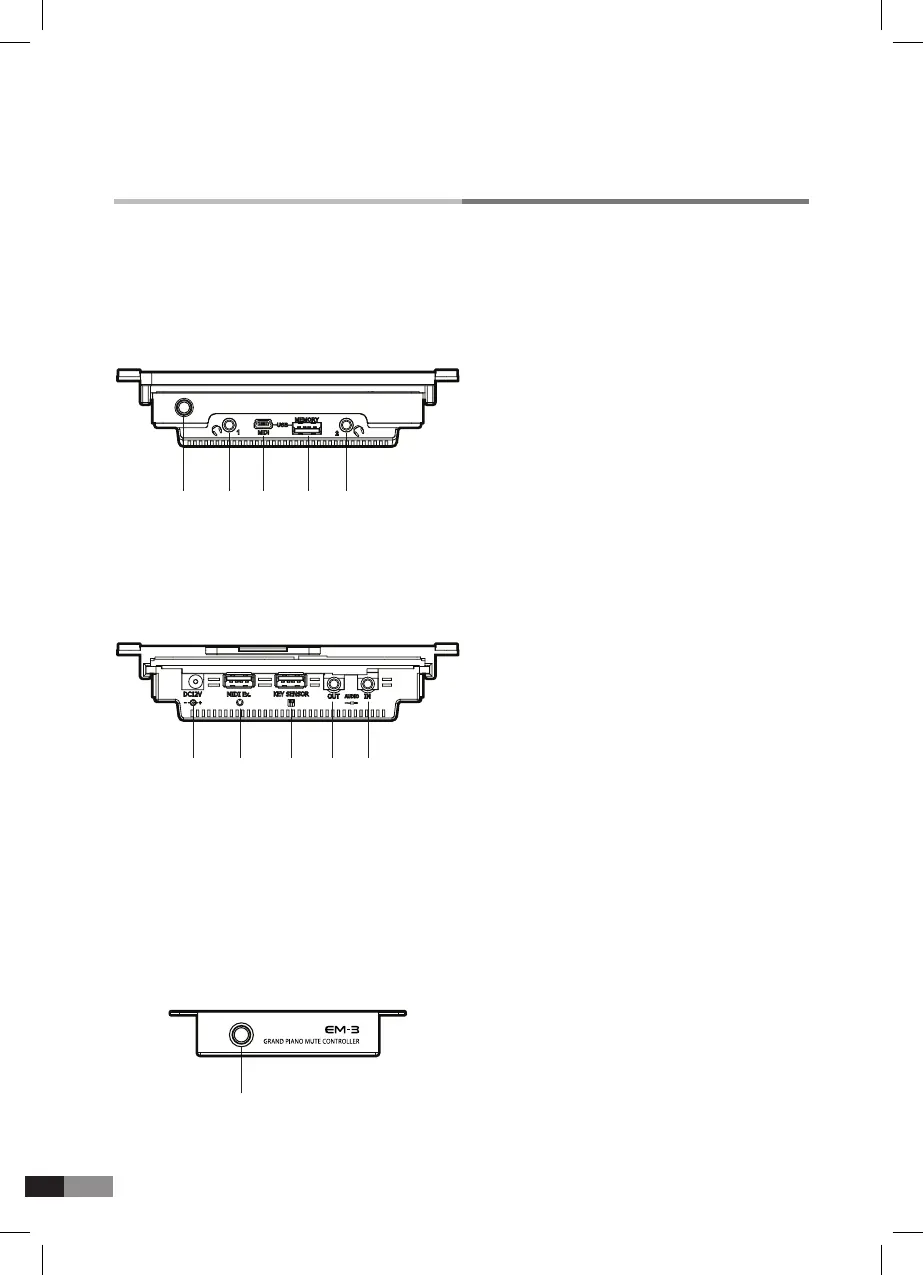
DC JACK : System power is supplied from
power adapter
⑥
MIDI Ex: Connects with external MIDI device
through extra MIDI I/O Module(Option)
⑦
KEY SENSOR:
Connects with key sensor
module with signal cable
⑧
AUDIO OUT: Audio signal output
⑨
AUDIO IN: Audio signal input
CONTROL UNIT
Rear View
Front View
① POWER BUTTON : Pressing the button converts
to mute-on or mute-off
① POWER BUTTON : Turns the system on and off
② HEADPHONES : 2 headphones are available
③ USB PORT : Connect with computer
(Device : USB MIDI)
④ USB HOST : USB Stick terminal
Grand Piano Mute Controller: for Grand System



 To Next Page