EasyManua.ls Logo

Genie 7055 - User Manual

Genie 7055
35 pages
Print Icon
To Next Page IconTo Next Page
Loading...
User Manual of Product 1:
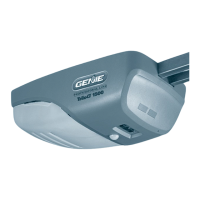
Genie Chain Drive 750 3/4 HPc Garage Door Opener w/Battery
Backup - Heavy Duty Chain Drive - Operate your garage door
when the primary power is out - Wireless Keypad Included,
Model 7035-TKV,BLACK
User Manual of Product 2:
GENIE G3T-R 3-Button Remote with Intellicode Security
Technology Controls Up To 3 Garage Door Openers, 1 Pack,
Original Version

Other manuals for Genie 7055

Questions and Answers

  • T
    Timothy WilliamsSep 12, 2025
    Why does my Genie Garage Door Opener remote have less than 25 feet operating range or no operation?
    • D
      Dominique WhiteSep 12, 2025
      Relocate the remote inside the car and/or point the remote at the garage door. Replace the battery and reposition the door opener antenna. Eliminate possible competing signals (radio, etc.). LED bulbs may be interfering with the remote signal.
  • R
    ricardohoffmanSep 12, 2025
    How to fix a Genie 7055 Garage Door Opener that runs, but the door does not move?
    • N
      navarroericaSep 12, 2025
      Ensure the carriage is engaged with the chain/belt turnbuckle. Also, check to make sure the chain/belt is not broken or off its pulley.
  • J
    Jeffrey MeadowsSep 9, 2025
    What to do if my Genie 7055 Garage Door Opener starts down, then stops before it is closed, or only opens?
    • M
      mahoneyaprilSep 9, 2025
      Check the Safe-T-Beam® wire connection at the powerhead and at the STBs. Check if the limits are properly set and adjust them if needed. Also, check CONTACT REVERSE and the garage door for binding. Finally, check the closing “FORCE” control.
  • C
    Charles LewisSep 8, 2025
    Why does my Genie 7055 Garage Door Opener work from the wall control but not from the remote?
    • A
      Amanda SpenceSep 8, 2025
      Check all remotes and replace the remote battery. Program the remotes to the powerhead.
  • W
    williamskevinSep 7, 2025
    What to do if my Genie 7055 runs, but the door doesn't move?
    • M
      Matthew Miller Jr.Sep 7, 2025
      Ensure the carriage is engaged with the chain/belt turnbuckle. Also, check to make sure the chain/belt is not broken or off its pulley.
  • M
    Marilyn AguilarAug 23, 2025
    What to do if Genie 7055 doesn't work with wall control?
    • L
      Larry BurnsAug 23, 2025
      If your Genie Garage Door Opener doesn't respond to the wall control, try the following: * Turn Sure-Lock™ OFF. * Check the power source by plugging a lamp into the outlet used for the powerhead. If the lamp works, the power source is OK. If not, check the fuse or circuit breaker. * If the power source is working, check the connections at the powerhead terminals and at the wall console. * Inspect the wiring for any reversed, broken, or cut wires. Repair or replace any damaged wires, as staples can sometimes cut the insulation and short the wires.
  • A
    allisonrobertSep 5, 2025
    Why does my Genie 7055 remote have less than 25 feet operating range?
    • A
      Andrew MitchellSep 5, 2025
      The remote control might have less operating range due to several reasons. Try relocating the remote inside your car and point it directly at the garage door. Replacing the battery might solve the problem. Also, try repositioning the door opener antenna. Another reason might be competing signals from other devices or interference from LED bulbs.
  • B
    brian01Sep 4, 2025
    Why does my Genie 7055 Garage Door Opener stop before fully opening?
    • A
      Alyssa OrtegaSep 4, 2025
      If your Genie garage door starts to open but stops before it is completely open, try these solutions: * Check if the limits are properly set and adjust them as needed. * Ensure the door, opener, and springs are in good repair, properly lubricated, and balanced. * Check the closing/opening “FORCE” control.
  • S
    Sharon NelsonSep 3, 2025
    Why does my Genie Garage Door Opener stop before closing?
    • S
      Sarah HughesSep 3, 2025
      If your Genie garage door starts to go down but stops before it fully closes, or if the door will only open, try the following: * Check the Safe-T-Beam® wire connections at the powerhead and at the STBs. * Make sure the limits are properly set, and adjust them if necessary. * Check the CONTACT REVERSE feature. * Inspect the garage door for any binding. * Check the closing “FORCE” control.
  • E
    Elizabeth BeckSep 2, 2025
    What to do if Genie Garage Door Opener door stops and goes back up?
    • I
      icarterSep 2, 2025
      If your Genie garage door starts to close but then stops and goes back up, or if there's a Safe-T-Beam® System malfunction, try these steps: * If it's a new installation, verify the Door Arm position. * If it's a new installation, ensure that ONLY the Safe-T-Beams® that came with the opener are installed. * Check the limit settings and adjust them if needed. * See if the Safe-T-Beam® red LED is flashing. * Check the Safe-T-Beam® system for any beam obstruction or misalignment of the lenses. * Check the garage door for any binding. * As a temporary solution, press and hold the wall control button until the door is completely closed. * Check for interference from adjacent Safe-T-Beam® units.

Summary

Safety Information

Important Safety Instructions

Key guidelines to prevent injury and ensure safe operation of the garage door opener.

Programming Information

Remote Control Programming

Steps for synchronizing remote controls with the opener.

Maintenance & Adjustments

Contact Reverse Test

Monthly test to verify the door's safety reversal function.

Troubleshooting

Opener Operation Issues

Solutions for common problems like no response or remote failures.

Door Movement Problems

Diagnosing and fixing issues with the door stopping during travel or failing to open/close.

Powerhead LED Status Codes

Interpreting LED indicator lights for troubleshooting opener faults.

Genie Battery Backup Installation

Wireless Keypad Programming

Programming Keypad for Multiple Openers

Configuring the keypad to control up to three Genie garage door openers.

3 Button Remote Programming Instructions

Pairing a Remote to the Opener

Detailed guide to pair a 3-button remote with the opener.

Erasing Remote Memory

Procedure to clear all programmed remotes from the opener's memory.

DASMA Information & Safety

Safety Warnings and Precautions

Warnings about dangers and simple precautions for safe operation.

Routine Maintenance and Testing

Emphasizes regular safety checks and maintenance for safe operation.

Safety Feature Testing Procedures

Procedures for testing the opener's reversing feature and force settings.

Genie 7055 Specifications

General IconGeneral
BrandGenie
Model7055
CategoryGarage Door Opener
LanguageEnglish

Related product manuals